
Enhanced Gradient Backgrounds
KKawsar Hossain19 Mar 2025
What's New
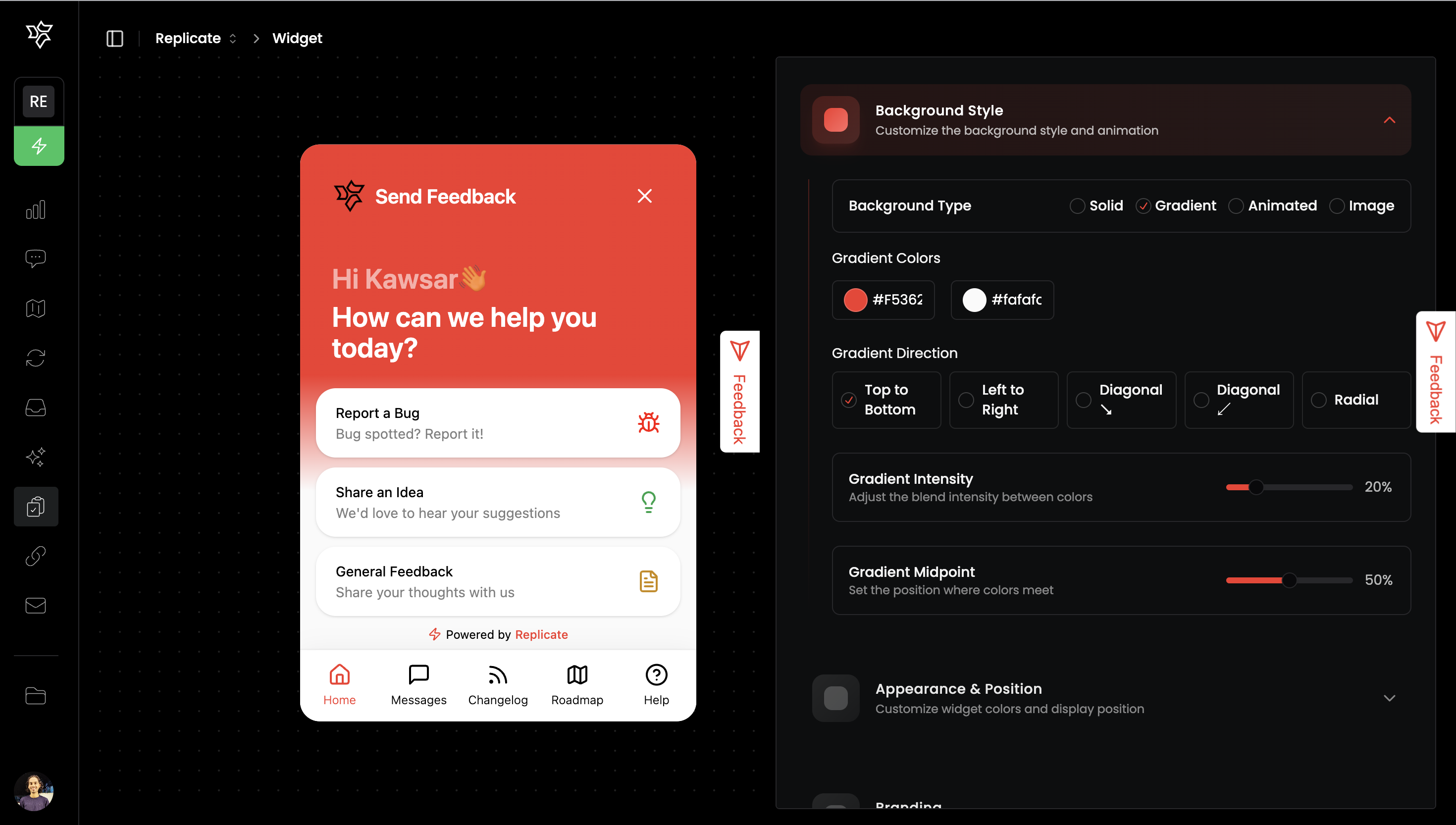
We're excited to announce significant improvements to the widget background customization options. Our latest update introduces advanced gradient controls, giving you more power to create visually stunning widgets that perfectly match your brand identity.
New Gradient Features
•
Directional Control: Choose from 5 different gradient directions:
•
Top to Bottom
•
Left to Right
•
Diagonal (Top-Left to Bottom-Right)
•
Diagonal (Top-Right to Bottom-Left)
•
Radial (Center Outward)
•
Gradient Intensity: Adjust how sharply your colors transition with our new intensity slider. Create subtle blends or bold, defined transitions.
•
Midpoint Positioning: Control exactly where your colors meet using the midpoint slider, allowing for precise placement of color transitions.
Why This Matters
Gradients are a powerful design element that can add depth, dimension, and personality to your widget. With these new controls, you can:
•
Create more professional-looking custom widgets
•
Better match your brand's visual identity
•
Design more engaging user experiences
•
Stand out with unique background styles
How to Use
1.
Navigate to the widget customization panel
2.
Select "Background Style"
3.
Choose "Gradient" as your background type
4.
Experiment with the new direction, intensity, and midpoint controls
5.
Watch your changes apply in real-time in the preview panel
This update is available to all users starting today.
Other Improvements
•
Improved gradient rendering for better visual quality
•
Enhanced mobile responsiveness of gradient backgrounds
•
Fixed minor UI bugs in the customization panel
We're committed to providing you with the best tools to create beautiful, engaging widgets. As always, we welcome your feedback on these new features!
Get updates like this by email
One email when something ships. Nothing in between.