
Granular Session Recording Masking
KKawsar Hossain24 Nov 2025
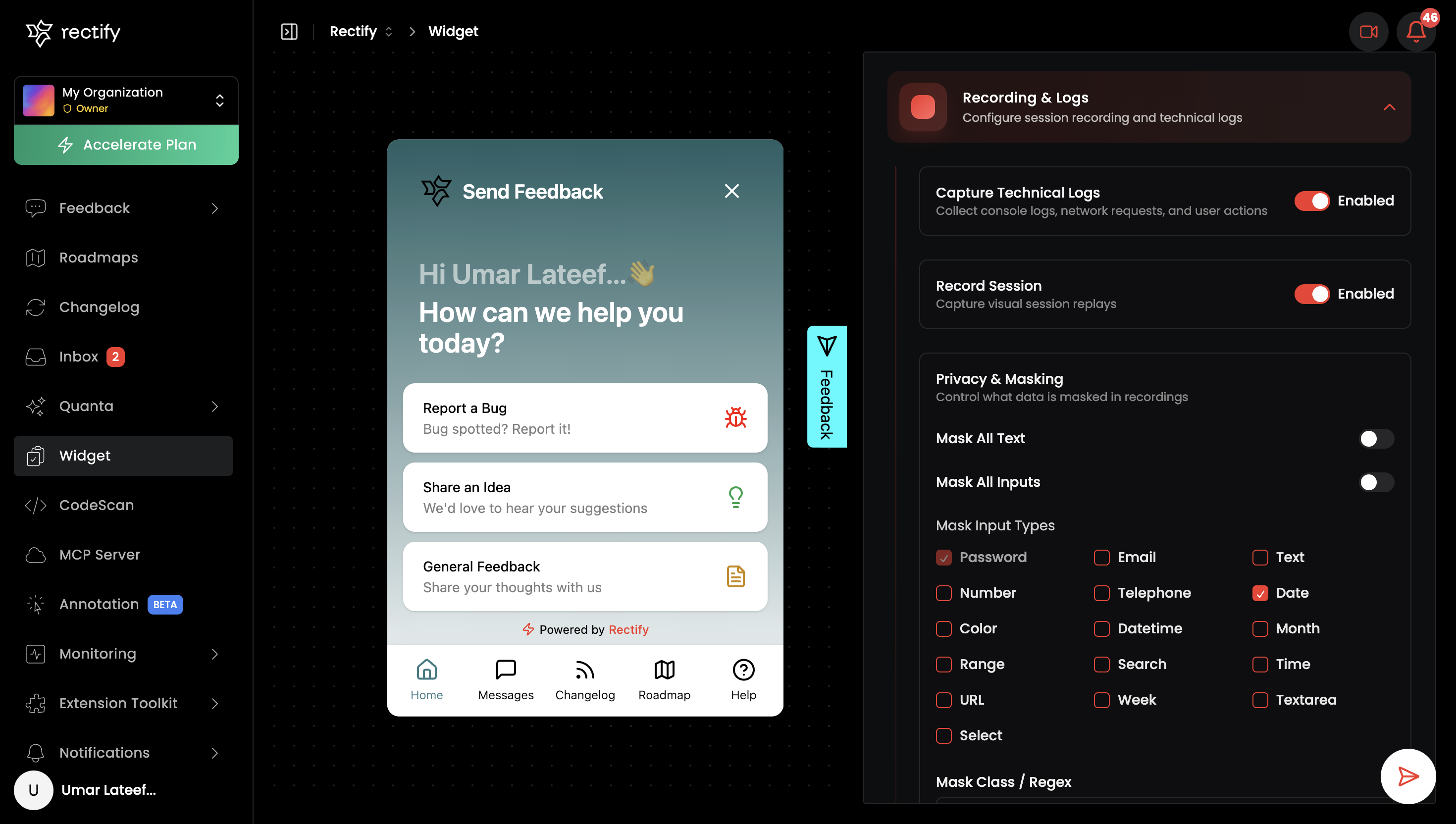
We have significantly enhanced the privacy controls for session recordings. You can now fine-tune exactly what data is captured, ensuring compliance and user privacy.
•
Session Recording Control: Easily toggle "Record Session" to enable or disable visual session replays.
•
Technical Logs Control: Toggle "Capture Technical Logs" to collect console logs, network requests, and user actions.
•
Mask All Text: A new global toggle to mask all text content in the recording.
•
Mask All Inputs: A new global toggle to mask all input fields in the recording.
•
Granular Input Masking: Toggle masking for specific input types (Text, Email, Password, Number, Telephone, Date, etc.).
•
Custom Class & Regex Masking:
•
Mask Class: Specify CSS classes or Regex patterns to mask content (e.g., sensitive-data).•
Block Class: Specify CSS classes or Regex patterns to completely block elements (e.g., admin-panel).•
Ignore Class: Specify CSS classes or Regex patterns to ignore interactions (e.g., no-track).Improvements
•
Enhanced Widget Configuration: The Widget tab now includes a dedicated "Privacy & Masking" section under "Recording & Logs" for easier access to these settings.
•
Security Default: Password fields are now masked by default.
How to Use
1.
Navigate to Widget Settings: Go to your project's Widget tab.
2.
Open Recording & Logs: Expand the "Recording & Logs" section.
3.
Configure Recording:
•
Use the Record Session toggle to start or stop capturing visual sessions.
•
Use the Capture Technical Logs toggle to enable or disable log collection.
4.
Configure Masking:
•
Global Toggles: Switch on "Mask All Text" or "Mask All Inputs" to apply masking globally.
•
Input Types: Use the checkboxes to mask specific input fields (e.g., check "Email" and "Credit Card" to mask only those fields).
•
Advanced Masking:
•
Mask Class: Enter a CSS class name (e.g.,
sensitive-data) or Regex to mask matching elements.•
Block Class: Enter a CSS class name (e.g.,
admin-panel) to block matching elements from the recording entirely.•
Ignore Class: Enter a CSS class name (e.g.,
no-track) to stop recording interactions on matching elements.Get updates like this by email
One email when something ships. Nothing in between.