
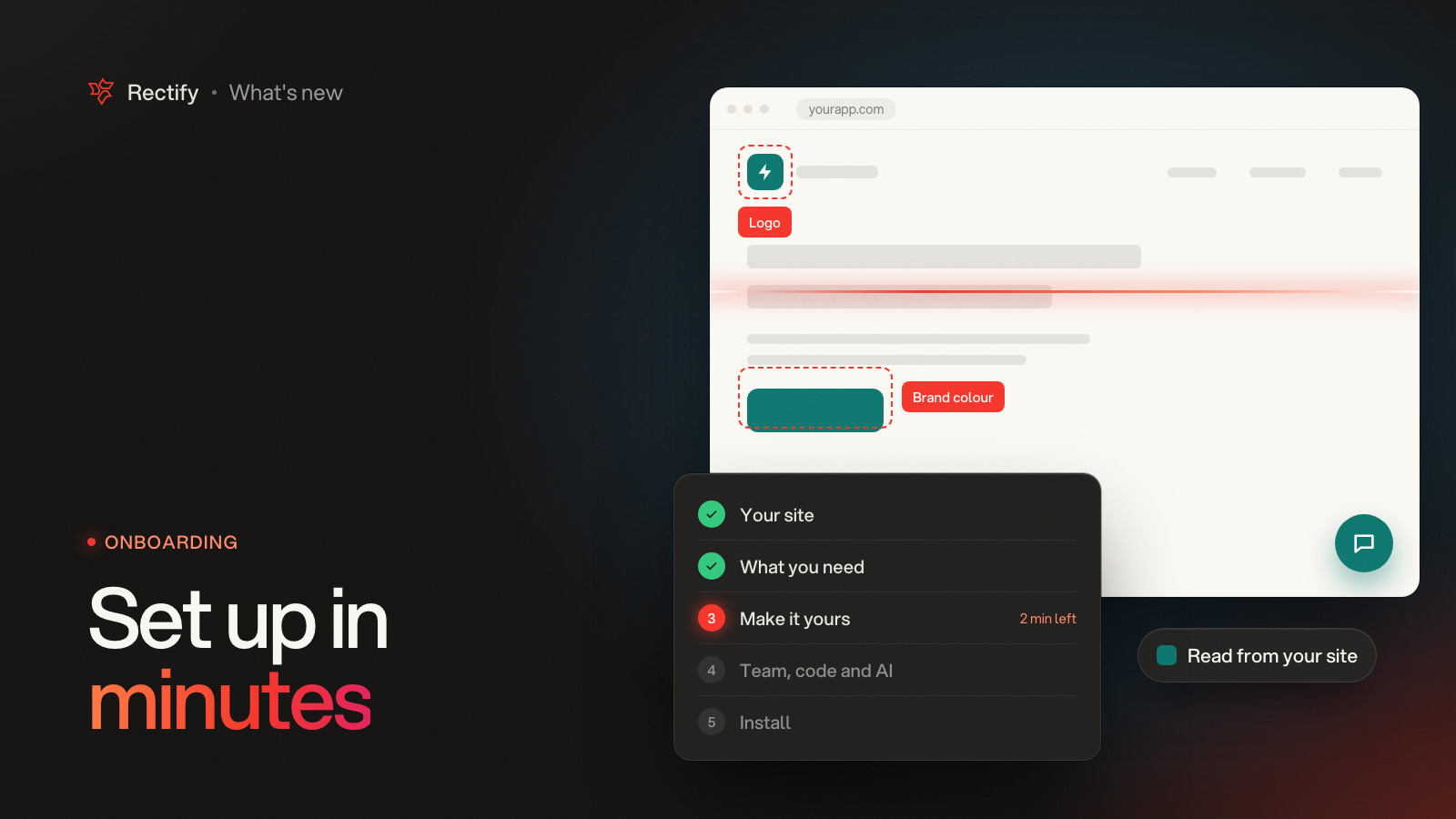
Set up a new project in a few minutes
KKawsar Hossain22 Oct 2026
Starting a project used to mean an empty dashboard and a list of things to set up. Now Rectify reads your website and walks you through setup one step at a time, with your own site as the preview.
It starts with your site
•
Create an organization or a new project and setup opens full screen, with nothing else in the way.
•
Add your website and Rectify reads it while you watch: your logo, your brand colour, your main pages and your help pages.
•
Your logo and colour go on the widget, the portal and your emails, so it all looks like one product. Change any of it as you go.
Pick what you need
Choose what Rectify should do for you: support customers, collect feedback, watch uptime, understand usage, publish updates or import help articles. Each pick switches on that module with sensible defaults.
•
Pick the pages Quanta learns from to answer your customers, and the help pages to bring in as draft articles.
•
Both run in the background, so you can keep going while they work.
See it on your own site
•
Try the widget on a preview of your own website, the way visitors will see it, and switch to your portal in the same colours.
•
Set the greeting, the side the widget sits on, the launcher style and how round the corners are.
Team, code and AI
•
Invite teammates as admins or members, so they land in a project that is already set up.
•
Connect GitHub, so bug reports become issues in your repo and Quanta can find the code behind them.
•
Add your own AI key if you want Quanta to keep going past the included credits.
All three are optional, and they are always there in Settings later.
Install it your way
•
Copy a ready-made prompt into your AI coding tool, paste the script yourself, or email it to a developer.
•
The moment the script loads on your site, setup ticks it off.
A Set up page that keeps track
•
After setup, Set up in the sidebar shows what needs you, what Rectify is still working on and what is ready.
•
If something didn't finish, like reading your pages, try it again from there.
•
Not ready to finish? Skip for now and pick it up from Set up later.
Get updates like this by email
One email when something ships. Nothing in between.