
Ask Quanta right from the support reply box, and a cleaner way to manage AI providers
KKawsar Hossain8 Sep 2026
Quanta in support conversations
Quanta now lives inside the reply box. Type
/ in any support conversation to open the Quanta menu:•
Draft a reply. Quanta writes a reply to the customer's latest message and drops it straight into your reply box for you to review and send.
•
Summarize conversation. The key points so far: what the customer needs, what has been tried, and what is still open.
•
Find related feedback. Feedback, feature requests and earlier conversations from this person, or anything else on the same topic.
•
Analyze attachments. Quanta reads the screenshots, session replays and documents attached to this person's feedback and tells you what they show.
•
Ask anything. Type your question after the
/ and Quanta answers in place.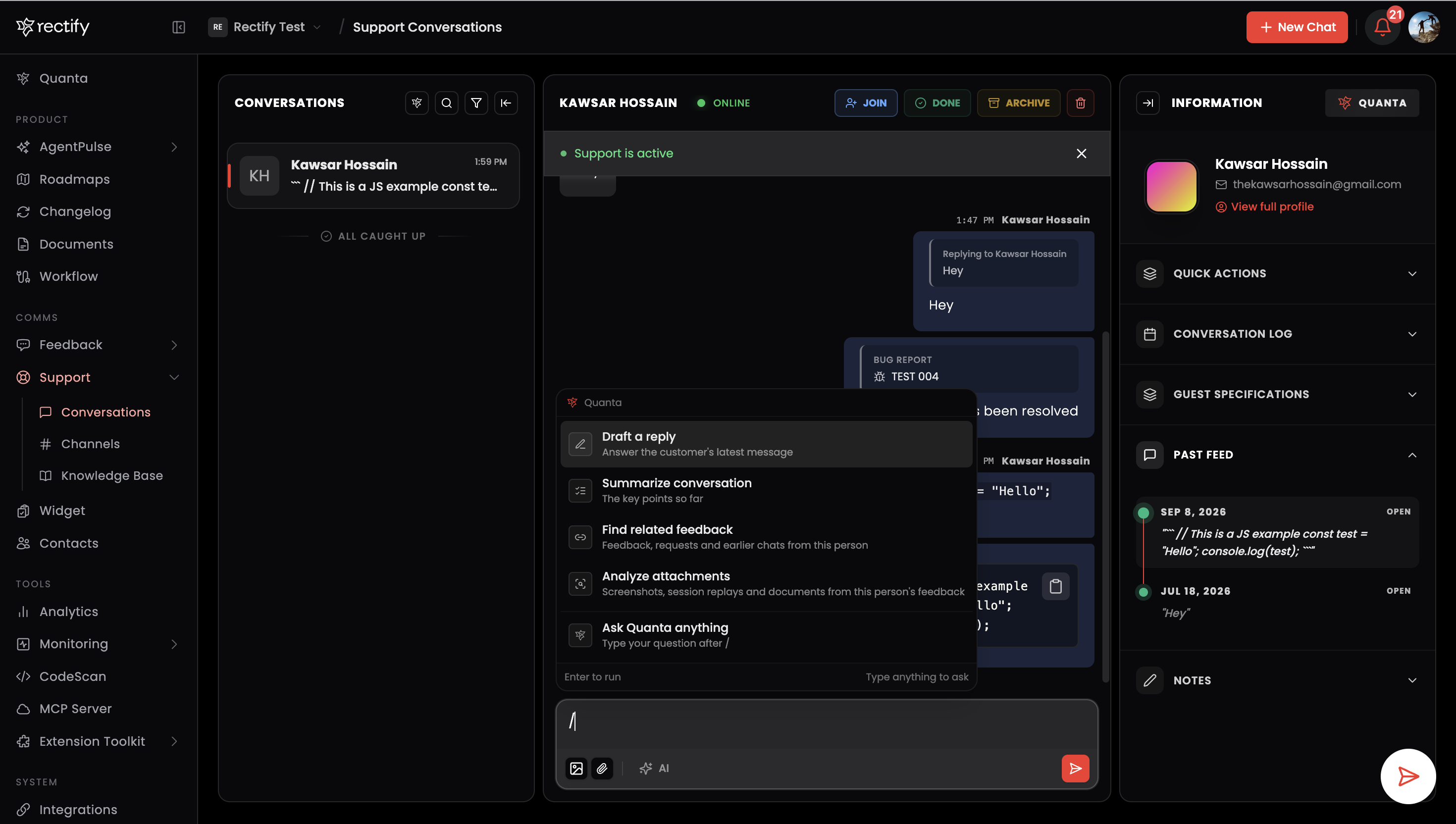
Quanta now sees the whole conversation the way you do, including linked feedback, attachments and who said what, so answers stay on topic. The separate Quanta panel on the right side of the conversation view is going away, since everything it did is now one keystroke away.
AI providers page, redesigned
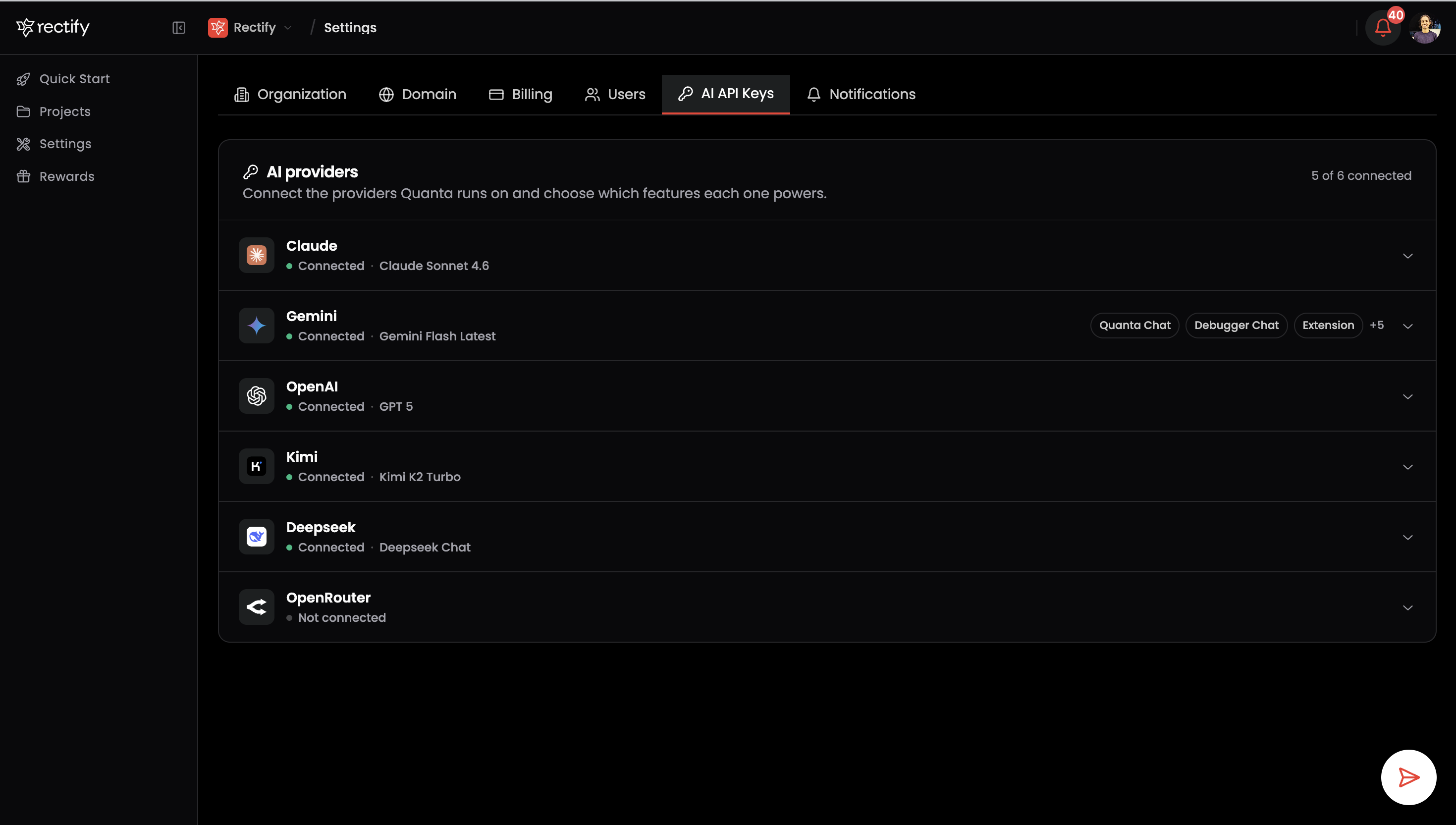
The AI API Keys page in Settings is now a single list of providers. Each row shows at a glance whether a provider is connected, which model it uses and which features it powers. Open a row to add a key, set a monthly spend limit, pick a model with its pricing shown underneath, and assign features.
•
Features explained. Every feature in the picker now has a one-line description of what it does, so you know what you are assigning.
•
Pick several at once. The feature picker is a checklist. Tick as many as you need without reopening it.
•
Inbox Assistant is its own feature. The Quanta that helps your support team can now run on a different, stronger model than the Quanta that talks to your customers in the widget.
•
Spend limits are simpler. Leave the field empty for no limit, or set any amount from $5.
Fixes
•
The support conversations list no longer comes up empty after a page refresh.
•
The provider form no longer shows unsaved changes after you save.
•
The spend limit no longer rejects clearing a limit you set earlier.
Get updates like this by email
One email when something ships. Nothing in between.