
Feedback inbox, rebuilt
KKawsar Hossain8 Sep 2026
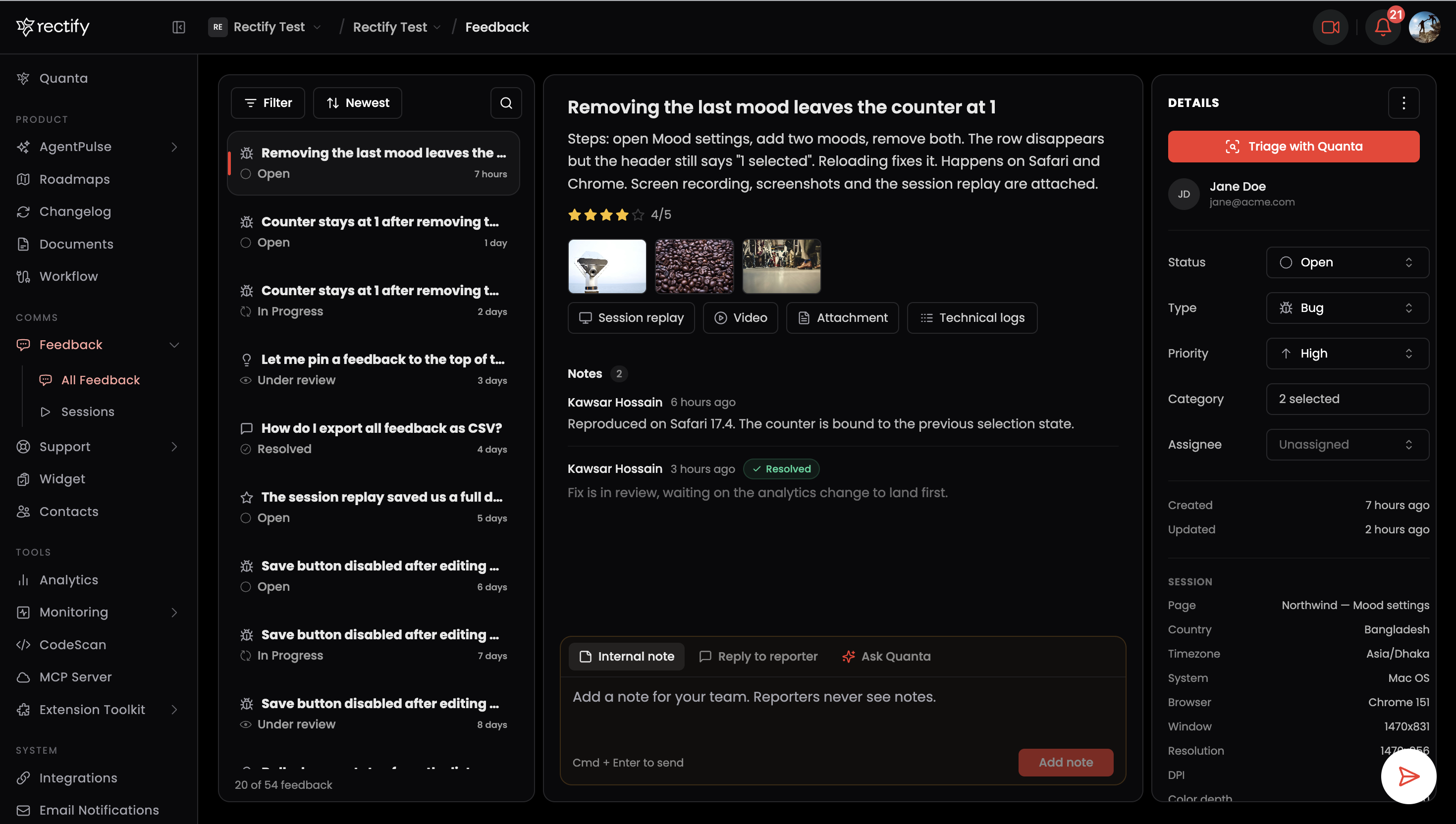
Feedback now lives in a single inbox instead of a table and a separate detail page. The list stays on the left, the report opens in the middle, and properties sit on the right. Click any row, or press J and K, to move between reports without losing your place. The list loads more as you scroll.
Find the right feedback faster
One Filter button covers type, status, priority, category, and created date. Pick as many as you need, see how many are active at a glance, and clear them in one click. Sort by newest, oldest, recently updated, or title, and search titles and reporters from the same row.
Reply to reporters from the feedback itself
Under every report there is one composer with two modes. Internal note is private to your team. Reply to reporter sends a message to the person who submitted the feedback, into their existing conversation if there is one, or as a new chat invite by email if there is not. The composer tells you which before you send.
Every reply shows what it is about
When you reply from a feedback, or link a feedback with
# in a support conversation, the message carries a card with the report's title. Your team sees it in the inbox and the reporter sees it in the widget, so nobody has to ask "which issue are we talking about?"Link feedback in support chats
Type
# in the support composer to search feedback and attach it to your message, the same way @ mentions a teammate.Ask Quanta about a report
Quanta is now a tab in the feedback composer. Switch to it and the report turns into a chat with Quanta about that feedback, with the first screenshot attached for context. Switch back to notes at any time. If GitHub is not connected yet, the prompt to connect it is right there.
Evidence at a glance
Screenshots, session replay, video, attachments, and technical logs sit in one compact row under the description. Ratings and form answers from the widget show with the report.
Code in chat, done properly
Fenced code blocks in support messages now keep their line breaks and indentation, scroll sideways instead of wrapping, and read clearly in both the dashboard and the widget. Pasted JSON is formatted automatically.
Works on phones and tablets
The feedback inbox and support conversations adapt to the screen. On phones the list opens the report full screen with a back button. On tablets the details panel slides in from the side. Panels run edge to edge on small screens.
Also fixed
•
Notification emails built from a custom template no longer show raw HTML.
•
The Past Feed panel in a conversation opens automatically when the visitor has earlier conversations, and the current conversation stays highlighted while you browse them.
•
Notes update instantly after adding, editing, resolving, or deleting.
•
The screenshot picker button in the Quanta chat is visible without hovering.
Get updates like this by email
One email when something ships. Nothing in between.