
Big Release: Quanta Canvas, AI Triage & Code Scan 2.0
KKawsar Hossain21 Jul 2026
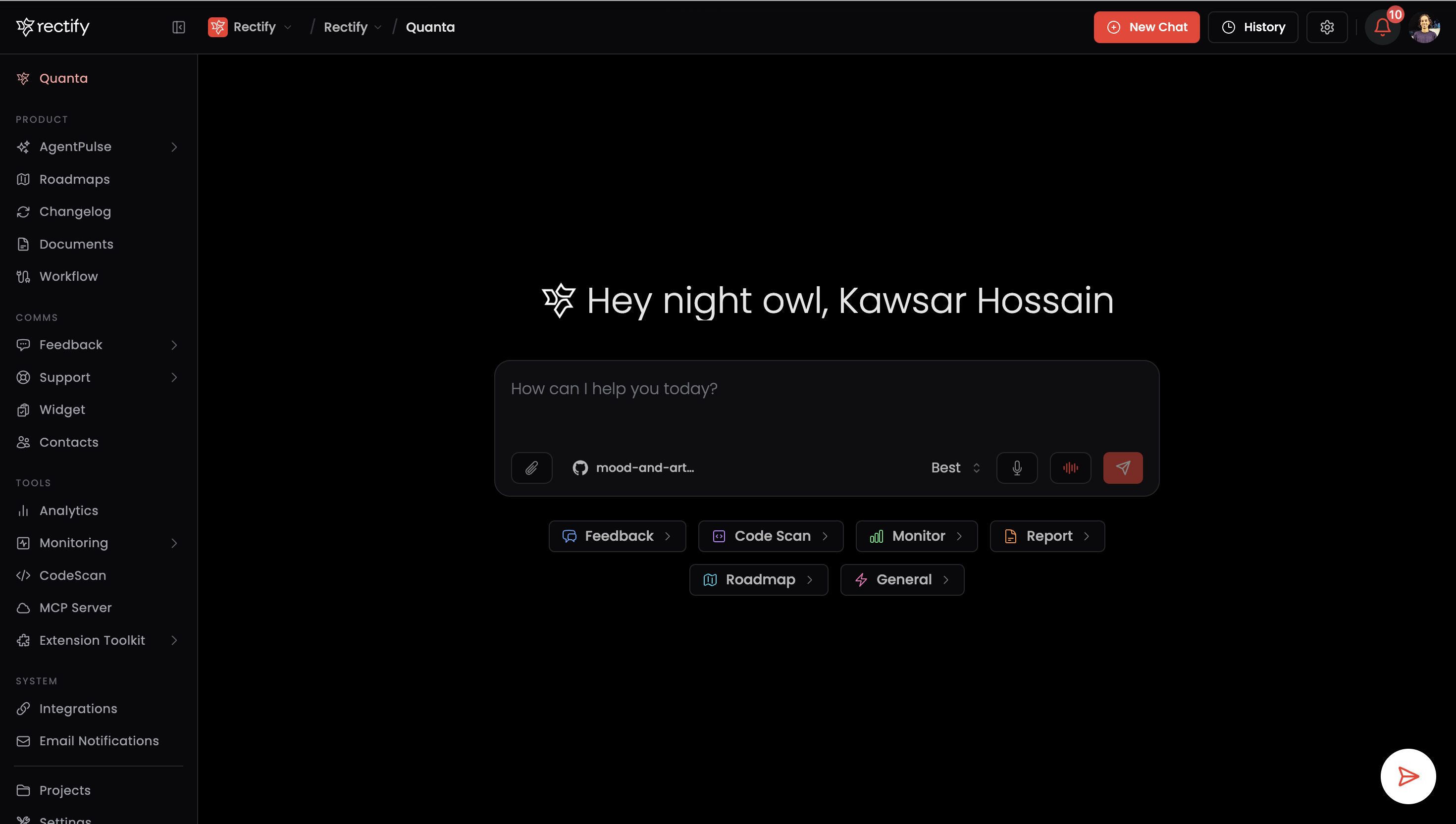
A major release. Quanta becomes a true co-pilot for your whole workspace, two big new workflows land alongside it, AI Feedback Triage and a redesigned Code Scan, and navigation gets a ground-up refresh.
Quanta Canvas
Ask Quanta a question and it responds on an interactive canvas next to your chat, with charts, dashboards, editable artefacts, and one-click actions in a single view.
•
Quanta can now drive the whole app. It renders dashboards, analytics, roadmaps, feedback, monitoring, sessions, contacts, code-scan results, email templates and more as live, interactive cards.
•
Act without leaving the conversation. Confirm actions, run workflows, and save changes directly on the canvas, with status chips showing how each one resolved.
•
Built-in live editors: a Changelog Editor, a Workflow Builder, and a full Widget customization panel with real-time updates.
•
Inline artefacts render directly inside Quanta's replies.
•
The canvas is resizable, dockable, and remembers your layout.
AI Feedback Triage
A new workflow that turns raw user feedback into action.
•
One-click AI triage on any feedback item, with a live progress view and a structured report.
•
Automated engineering fixes you can launch straight from the report, track to completion, and open when they're done.
•
Connected to your GitHub repository.
•
Deep-linked notifications take you straight to the triage or fix job the moment it finishes.
Code Scan 2.0
A rebuilt scanning experience with real-time visibility.
•
A new scan flow with a connect-your-repo hero and guided setup.
•
Live scan status and staged progress, so you always know where a scan stands.
•
Cleaner issue management with redesigned issue cards, a detail side panel, and grouped sections.
New sidebar and top bar
We rebuilt the frame of the app for UI 2.0.
•
Redesigned sidebar with grouped navigation, a smoother collapse, and a logo that shows the full mark when expanded and a compact icon when collapsed.
•
New top bar that's cleaner and consistent across every page, with tighter spacing.
•
Organisation switcher built into the navigation for one-click switching between orgs.
Also new
•
Billing and entitlements: new plan-limit and usage views show exactly where you stand against your plan. (The legacy PRD module has been retired.)
•
Cross-organisation deep linking, so notifications can switch orgs automatically and take you to the right place.
•
Refreshed roadmaps and a Kanban board you can toggle for focus.
•
Improved charts with smooth lines, radial views, and cleaner grids.
•
Infinite-scroll chat history that loads as you scroll.
•
Broad polish across cards, action feedback, and component styling.
Get updates like this by email
One email when something ships. Nothing in between.