
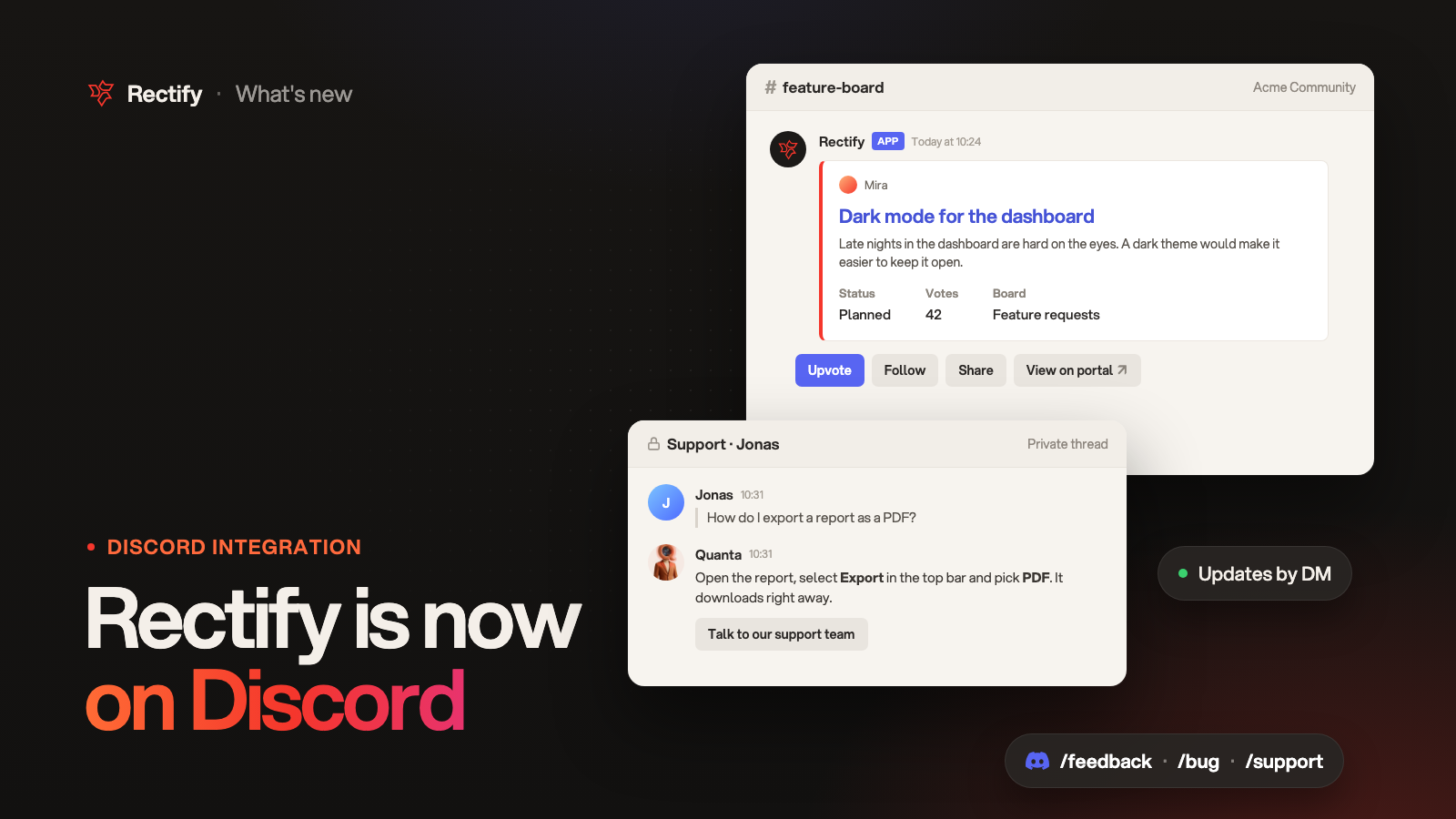
Rectify is now on Discord
KKawsar Hossain17 Nov 2026
Your community already talks in Discord. Now people can share ideas, report bugs and get help right there, and your team handles all of it from Rectify. Connect a server once and it works with your roadmap, Inbox, changelog and support.
Ideas and bug reports, without leaving Discord
•
/feedback opens a short form for an idea: a title, details, the board, screenshots and a box to get updates by DM. Ideas land on your roadmap. With Review before they go public on, they wait in your review queue until you publish them.•
/bug opens a bug form: what went wrong, what happened, where, and screenshots. Bug reports go to Inbox › Feedback, where only your team sees them, with the same alerts, triage and connected tools as bugs from your widget.•
Send to Rectify turns any message into an idea or a bug report, files included, and credits the person who wrote it. It's for people who can manage messages.
People get a private reply in Discord as soon as it's in. Everyone who sends something becomes a contact, so you always know who asked.
Your roadmap, in a channel
Pick a Feedback board channel and Rectify posts a card for each post that goes public from then on. Each card shows the status, votes and board, with Upvote, Follow, Share and View on portal. Cards update when the status or the votes change.
Updates by DM
People who select Follow, or tick the DM box in the form, hear back in Discord:
•
When you send followers an update after moving their request.
•
When you publish a changelog post that ships it, with Email subscribers ticked.
•
For bugs, when you mark the report resolved.
Every DM has Stop updates. Followers from Discord get these DMs instead of emails.
Changelog posts in Discord
Pick a Changelog channel and each update you publish with Email subscribers ticked is posted there too, with Read the changelog. When people in your server voted for what it ships, the post says so: "Requested by 12 people in this server". Quiet updates stay quiet.
Support chat in Discord
•
People ask for help with
/support, or with the Get help button you post in a channel. Moderators can turn any message into a chat with Move to support.•
Chats open in a private thread in your support channel, in DMs, or both. You choose.
•
Quanta answers first if that's how your Widget chat is set up, with the same help content and opening hours. Talk to our support team hands the chat to a person.
•
Your team replies from Inbox › Conversations, next to your widget chats. Replies, files and edits show up in Discord, and the person's messages come straight back to Rectify.
Reply to people who reported from Discord
Bug reports from Discord now have Reply to user. Your reply opens a private thread or a DM with the person in Discord, and the conversation carries on in Inbox › Conversations. It works once support chat in Discord is turned on.
Set it up
1.
Open Project settings, then Integrations, and select Discord.
2.
Select Add to Discord, pick your server and approve. You need Manage Server in that server.
3.
Under Where feedback goes, pick the Board for new ideas. Keep Review before they go public on to check ideas before they go public.
4.
Under What Rectify posts in Discord, pick a Feedback board channel and a Changelog channel. Keep Updates by DM on so followers hear back.
5.
For support chat, set up Widget chat first. Then open Inbox › Channels, pick Where chats happen and a Support channel, turn on Support in Discord and Post the Get help message.
Everyone in your server can use
/feedback, /bug and /support. Send to Rectify and Move to support are for people who can manage messages. To change who can use each one, open Server Settings › Integrations › Rectify in Discord.Get updates like this by email
One email when something ships. Nothing in between.