
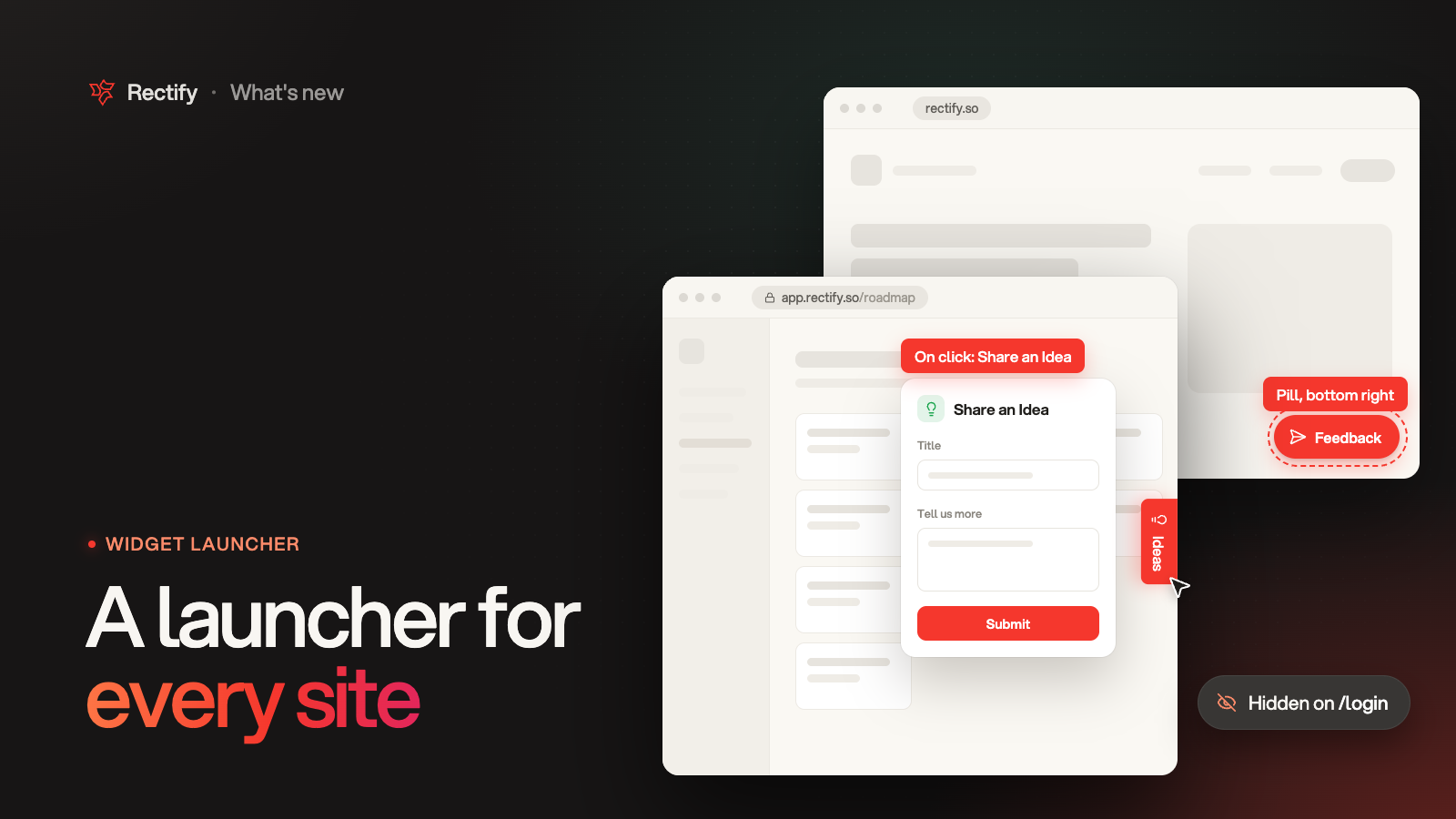
A launcher for every site and page
KKawsar Hossain13 Nov 2026
Many teams run the same Rectify snippet on more than one site, like a marketing site and an app. Until now the launcher looked and worked the same everywhere. Now each site, and any page on it, can have its own.
What a site or page can change
•
Show the launcher, or hide it.
•
Its style (Icon button, Text tab or Pill), label, icon, colors, size and position.
•
What a click opens: any tab you have on, or straight into one of your feedback forms, like Share an Idea or Report a Bug.
So your marketing site can show a Feedback pill, your app can show a text tab that opens the idea form, and your login page can show no launcher at all.
Only what you change
Your main launcher is still the default on every site. A site keeps only the settings you change for it and follows the default for the rest. Pages work the same way inside their site. When more than one applies, the most specific wins: the page, then the site, then the default.
A dot marks every setting that differs from the level above. Reset puts a site or page back in line with it.
Set it up
1.
Open Widget, then Look. Sites sits right under the launcher settings.
2.
Pick a site and click Customize.
3.
Change what you need, then click Save.
4.
To cover only some pages, click Add a page and list them under Only on these pages.
Choosing pages
•
/pricing covers that page only.•
* stays inside one folder: /docs/* covers /docs/setup, not /docs/setup/install.•
** goes across folders: /docs/** covers everything under /docs.•
Anything after a
? in the address is ignored, unless your pattern has a ? too.•
Put commas between pages to list several.
•
Rectify suggests the pages people visit most on that site, with similar pages grouped, like
/projects/*/settings.•
If two page settings match the same page, the first one in the list wins.
See where your widget runs
The Sites list shows every site your widget has loaded on. A site appears on its own the first time the widget loads there, with when it was last seen. For your own website it also shows the site's name and logo. You can add a site by hand too, to set it up before the widget goes live there.
The address bar above the preview is now a site picker. Choose a site to see its launcher, then click the launcher to see what it opens.
Choose what a click opens, everywhere
The main launcher has a new On click setting. Until you change it, a click works as before. Pick a tab or a form, and every site without its own setting follows it. If you later turn that tab or form off, a click simply opens the widget.
Quanta and MCP
Ask Quanta, for example "Hide the launcher on the login page of
app.acme.com" or "Make the launcher on app.acme.com open the Support tab". Quanta shows you the change and waits for your confirmation before saving it. It can also tell you which sites your widget runs on and how each one is set up.If you use an AI tool with the Rectify MCP server:
widget-get now returns each site's launcher settings and the sites your widget has loaded on, widget-update can set what a click opens, and the new widget-site-update and widget-site-remove change a site or some of its pages.Good to know
•
Nothing to reinstall. Changes reach your sites on the next page load.
•
In single-page apps the launcher updates as people move between pages.
•
Up to 20 sites can have their own settings, each with up to 20 page settings.
•
A site the widget has not loaded on for 90 days drops off the list, unless it has its own settings.
•
Available on every plan.
Get updates like this by email
One email when something ships. Nothing in between.