
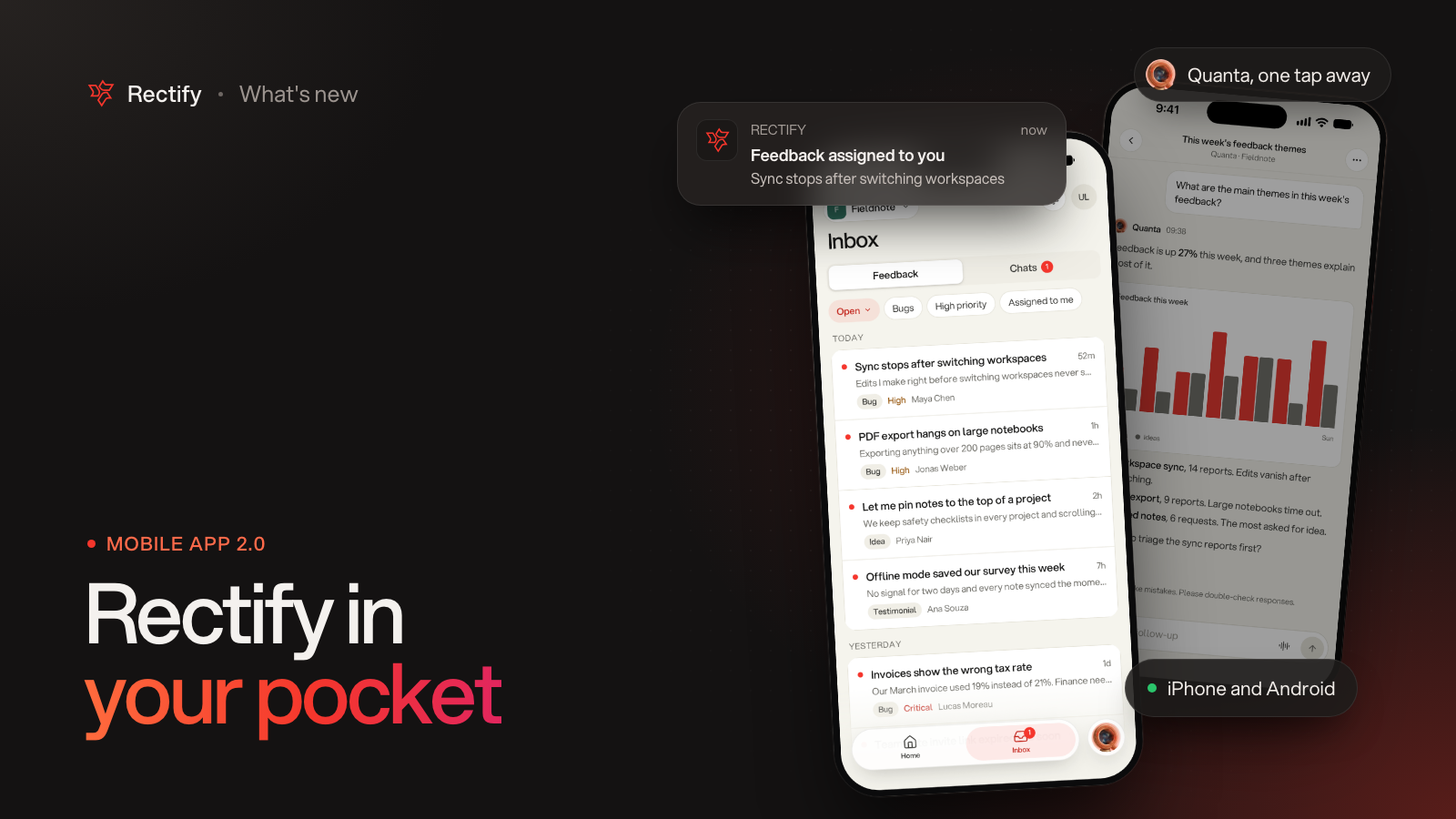
Rectify mobile 2.0, rebuilt from the ground up
KKawsar Hossain11 Nov 2026
Version 2.0 of the Rectify app is out now on the App Store and Google Play. We rebuilt it with a whole new look and a lot more inside. It's made for quick checks: open it, see what needs you, deal with it, and get back to your day.
Home shows what needs you
Quanta's briefing opens the app. Monitors that are down, posts waiting for review and chats waiting for a reply sit at the top, each with a button to act on it. You can acknowledge an incident right there, or tap Ask why and let Quanta look into it. Below that are this week's numbers and what happened in the last 24 hours.
One inbox for feedback and chats
Feedback and live chats now sit side by side. Filter by status, bugs, high priority or what's assigned to you. Swipe a row to take it yourself or mark it resolved.
Everything about a report on one screen
Open any feedback to see its screenshots, video and the full session replay with an event timeline. Console, network and user actions are all there too. Change the status or priority, leave a note for your team, or reply to the person who sent it. Next and previous take you through the queue, and Quanta can triage a report for you.
Reply to chats from anywhere
Join a conversation, reply, mention a teammate or link related feedback. The contact profile shows who you're talking to and what they've been up to. If you want help with a reply, Quanta is one tap away inside every chat.
Quanta comes with you
Tap the Quanta button on any screen to ask about your project. Answers can include charts and cards, and you can attach a photo or a PDF. You can also talk to Quanta by voice when typing is a pain. When Quanta wants to change something, it asks you first. Your past chats and project reports are kept together in one history.
Notifications that take you to the right place
Tapping a notification opens the exact feedback, chat or Quanta conversation it's about, and switches project for you if needed. The new Alerts screen puts what needs action at the top and everything else below, grouped by day. You choose which notifications you get under You, then Notifications.
Made for your phone
Pick light, dark or match your system. Sign in with Google, GitHub or your email and password, or with Apple on iPhone. Switch projects from the top of the screen.
Already have the app? Just update it from the App Store or Google Play. New to it? You'll find it in the same places. We'd love to hear what you think 🙌
Get updates like this by email
One email when something ships. Nothing in between.