
Manage your organization settings
Change your organization's name and logo, and find its plan, owner and ID.
1 min readUpdated 24 days ago
Before you start. Owners and Admins can change these settings. Members can view them.
Change the name or logo
1.
Open Organization settings, then General.
2.
Next to Logo, select Upload and pick a square image up to 5 MB.
3.
To rename the organization, select the pencil next to Name and type the new name. An amber dot means the change isn't saved yet.
4.
Select Save changes at the top of the page.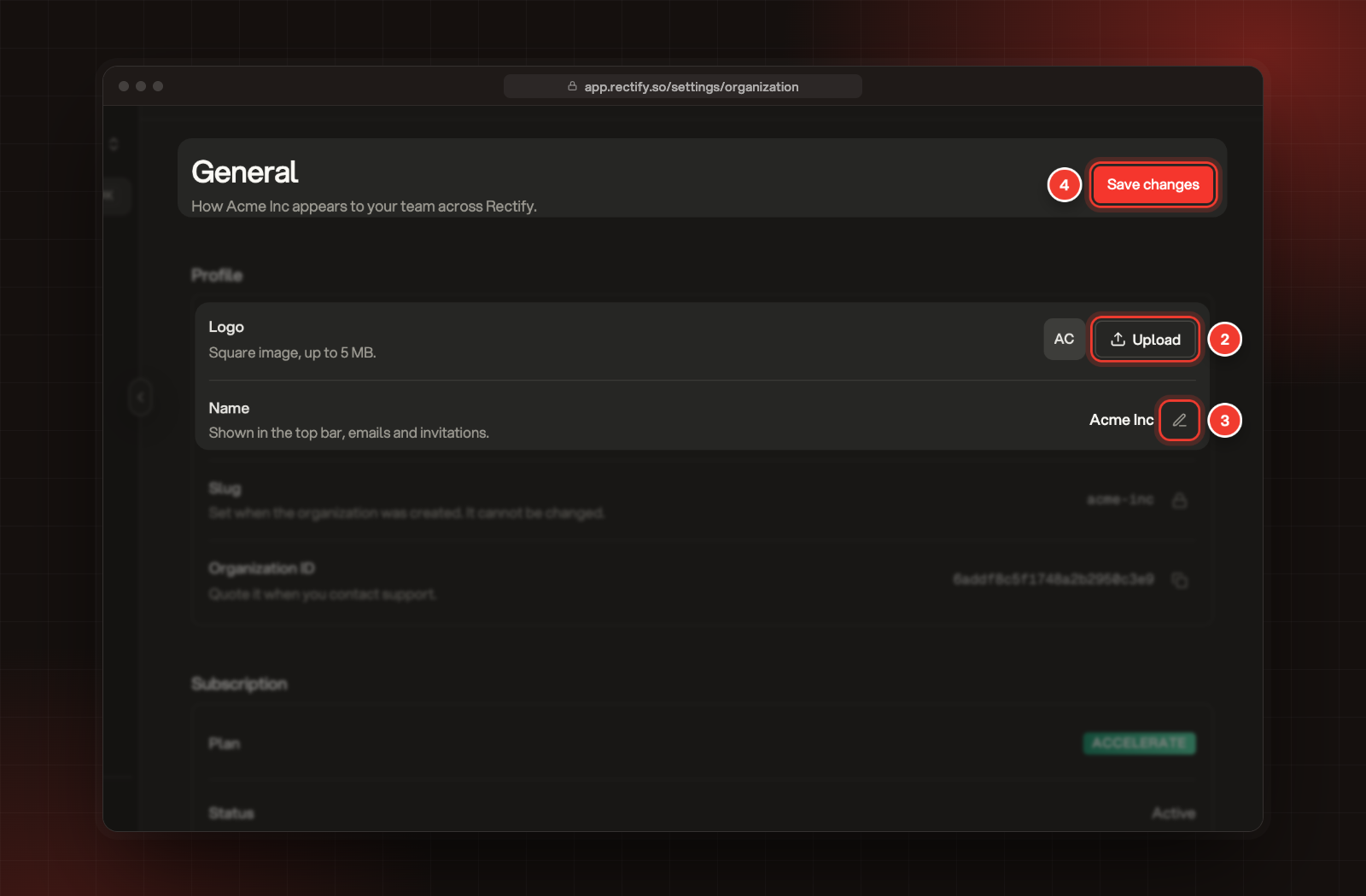
2 Upload a logo. 3 Edit the name. 4 Save changes.
The name shows in the top bar, in emails and in invitations.
What else is on this page
Was this helpful?
Your feedback shapes what we write next.
Related articles
Roles and project access: Owner, Admin and Member
What each role can do, and how to change someone's role or the projects they can open.
Create your account and organization
Sign up for Rectify, verify your email, then create your organization and your first project.
Key terms in Rectify
What organization, project, portal, board, post and the other words you see in Rectify mean.
Invite your team
Add teammates to your organization and choose which projects each person can open.