
Finish the Set up checklist
See what's left to set up in your project, finish each item, and get your script live.
2 min readUpdated 24 days ago
Before you start. The checklist is for Owners and Admins. Members can open it, but they can't change anything there.
After the setup wizard, Set up at the top of the sidebar shows what's left. The page counts the things left to do and sorts them into Needs you, Working and Ready.
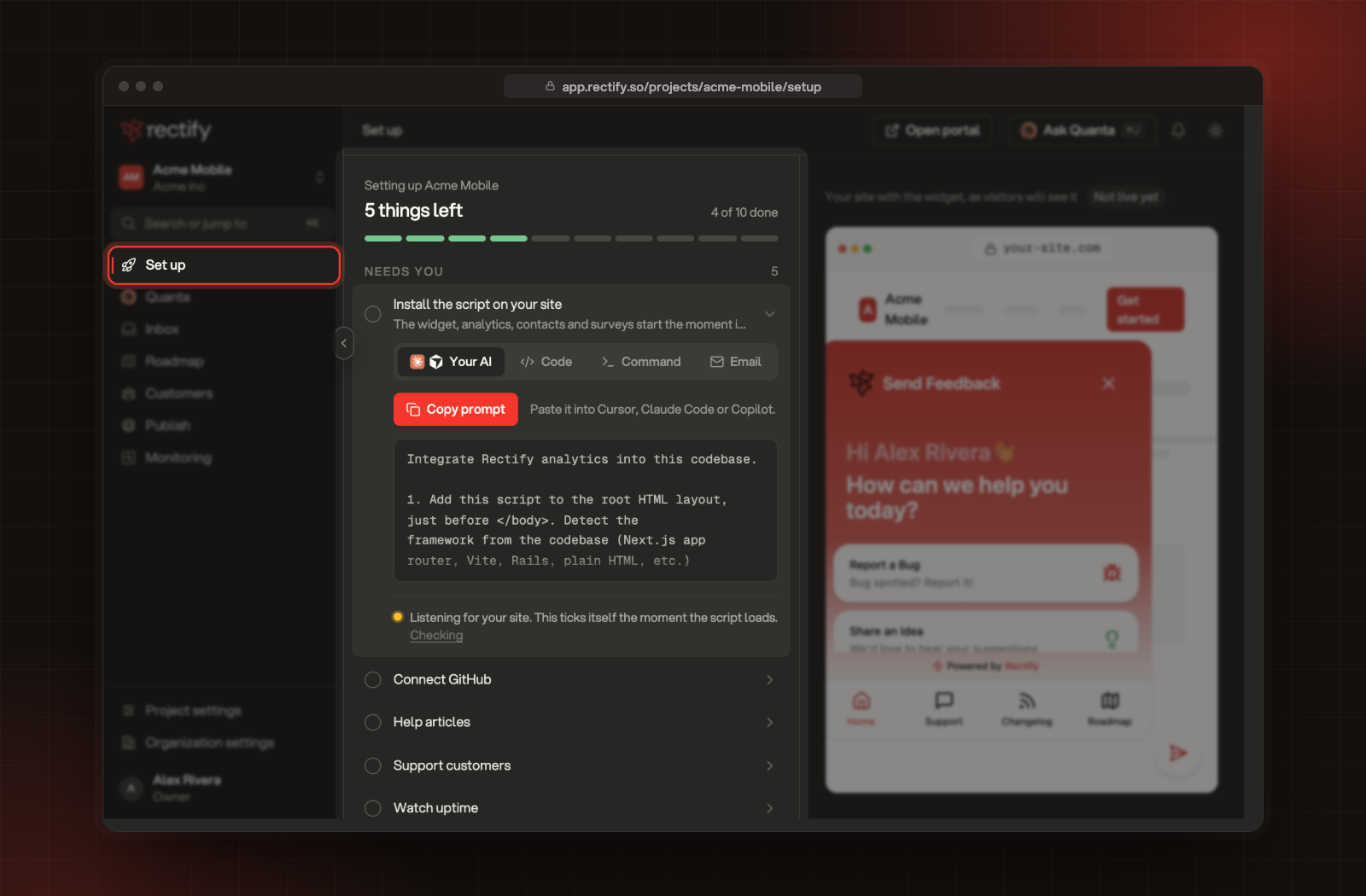
What's on the list
Below the list, each part of your project shows how it's doing: Brand, Widget, Portal, Uptime monitor, Help Center, Support answers and Analytics. Each one reads Ready, Working, Didn't finish or Waits for the script.
Finish an item
1.
Open Set up in the sidebar.
2.
Select an item to open it.
3.
Follow the steps inside. For example, Install the script has the snippet and Invite your team has the invite form.
For something you skipped, select Open this step to go back to that step of the wizard.
If reading your site stopped
If Quanta couldn't read your site shows at the top, select Try again. Everything else is already set up, so trying again only reads your pages.
When Set up goes away
Set up leaves the sidebar once setup is finished and your script is live. If your site sends no events for 24 hours, the install item unticks and Set up comes back, so you know to check your script.
The install item doesn't tick
It ticks when events arrive from your site, so open a page on your site with the script on it and wait a minute. If you switched off Understand usage, it can't tick. The widget doesn't show: what to check helps you check the script.
Was this helpful?
Your feedback shapes what we write next.
Related articles
Set up your first project with the setup wizard
Five short steps to brand your project, switch on what you need, bring in your team and add Rectify to your site.
Find your way around Rectify
A quick tour of projects, the sidebar, search, Quanta and settings, so you know where everything lives.
Create your account and organization
Sign up for Rectify, verify your email, then create your organization and your first project.