Review Rectify or share it, send us proof, and get extra team members and projects for your organization.
3 min readUpdated 24 days ago
Before you start. Everyone in an organization can open Rewards, whatever their role and plan. Rewards go to the organization you have selected, not to you personally.
Rewards give your organization extra room on top of your plan, in return for reviewing or sharing Rectify.
Open Rewards
1.
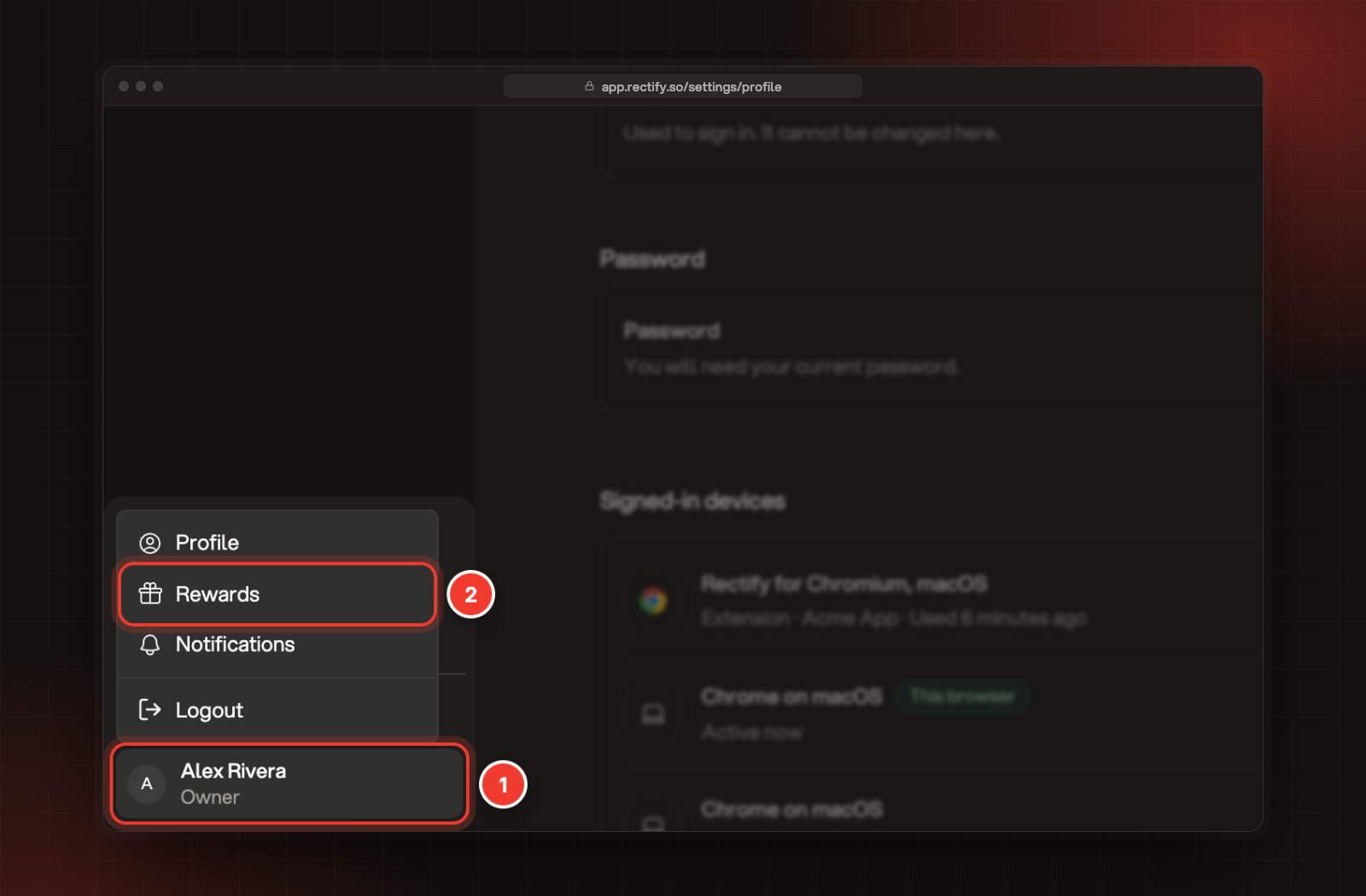
Select your name at the bottom of the sidebar.
2.
Select Rewards.
1 Your name. 2 Rewards.
What you can earn
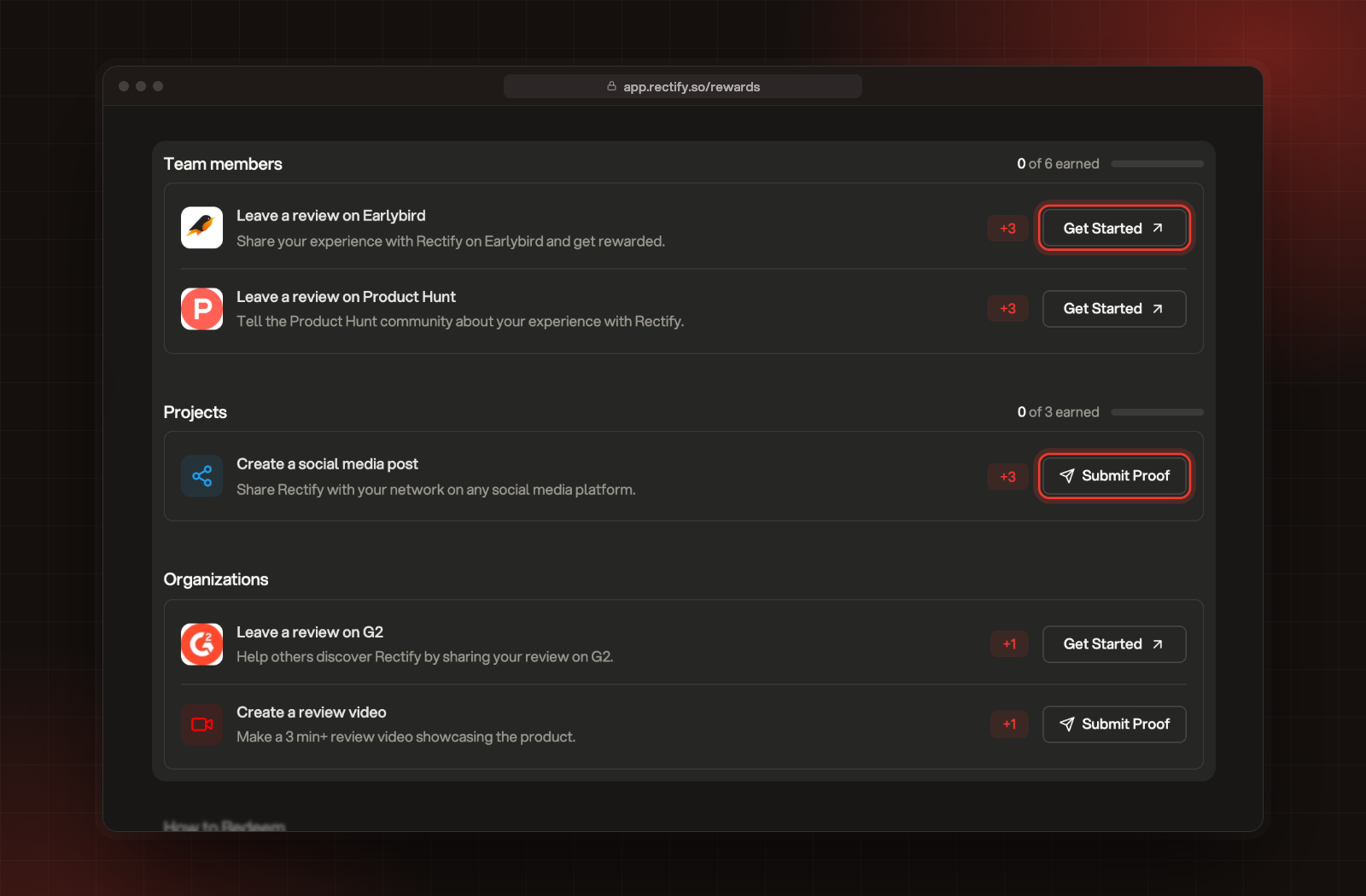
The page groups the tasks by what they earn. The number next to each task is what it adds.
Section
Task
Reward
Team members
Leave a review on Earlybird
+3
Team members
Leave a review on Product Hunt
+3
Projects
Create a social media post
+3
Organizations
Leave a review on G2
+1
Organizations
Create a review video (3 minutes or longer)
+1
The tasks, with Get Started on review tasks and Submit Proof on the others.
Team members and Projects show how many you've earned so far, for example 0 of 6 earned. Together the tasks can earn up to 6 team members and 3 projects.
Complete a task and send proof
1.
On a review task, select Get Started. The review page opens in a new tab.
2.
Write your review, or make your post or video.
3.
Take a screenshot of your approved review or your post. For a video, copy its link.
4.
Back on Rewards, select Submit Proof. It's at the top of the page and on the social post and video tasks.
5.
In the form that opens, add your screenshot or link, and send it. Include your organization's name so we add the reward to the right one.
How rewards are checked
•
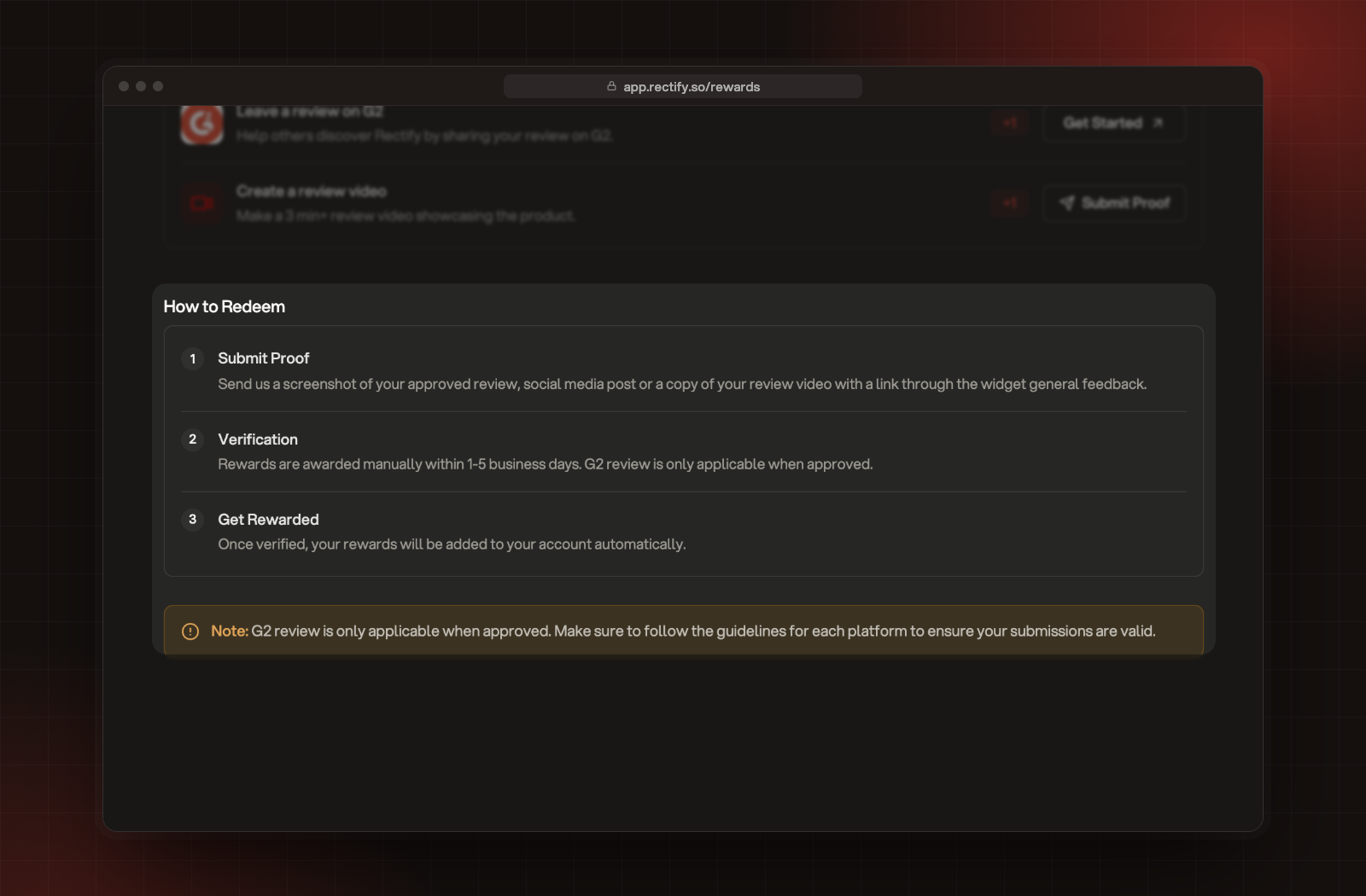
We check each proof by hand and add the reward within 1 to 5 business days.
•
A G2 review only counts once G2 has approved it.
•
Follow each platform's own guidelines, or the submission won't count.
How to Redeem, with the note about G2 reviews.
What rewards add
•
Team members add seats on top of your plan's, so you can invite more people.
•
Projects add room for more projects on top of your plan's.
Rewards stay with your organization when you change plans. On a plan that's already unlimited, like Enterprise, they don't change anything.
To check what you've received, Owners and Admins can open Organization settings, then Billing. Under Usage, Members and Projects then say, for example, "3 on your plan plus 3 from rewards." Under View all limits, a feature unlocked through a reward, like Remove Branding, has a gift icon that says Unlocked via rewards.
Troubleshooting
Nothing opens when I select Submit Proof
The form opens in Rectify's own widget, which loads with the page. Reload the page and try again.
I sent proof but don't see the reward yet
Rewards are added by hand within 1 to 5 business days, and a G2 review only counts once G2 approves it. Check Billing after that, or ask an Owner or Admin to check.