
Widget JavaScript API reference
Every method on the Rectify widget, with what it takes and a working example, from init and control to track, identify and revenue.
7 min readUpdated 24 days ago
Before you start. The Rectify script must be on your site, and you need access to your site's code.
track, revenue and identify send analytics events, so Analytics must be on for the project.The Rectify script defines two things on
window:•
window.Rectify is the widget class.•
window.RectifyInstance is the widget running on your page. The install snippet creates it when the script loads.Call every method on
window.RectifyInstance. The script loads after your page, so write window.RectifyInstance?. to skip the call safely if it isn't there yet.window.RectifyInstance?.control('open');
window.RectifyInstance?.track('report_exported', { format: 'csv' });Methods at a glance
init(projectId, userInfo, config)
The install snippet passes the values from the object at its end:
projectId, then userInfo and config if you add them. A second call on the same page is ignored, so a snippet pasted twice still shows one widget.(function (w, d, s, o) {
var js = d.createElement(s);
js.src = o.widgetSrc;
js.async = true;
js.onload = function () {
if (typeof w.Rectify === 'function') {
w.RectifyInstance = new w.Rectify();
w.RectifyInstance.init(o.projectId, o.userInfo, o.config);
}
};
d.head.appendChild(js);
}(window, document, 'script', {
widgetSrc: 'https://api.rectify.so/widget/widget.umd.js',
projectId: 'YOUR_PROJECT_ID',
userInfo: {
userId: 'user_123',
email: '[email protected]',
name: 'Jane Doe',
},
config: {
initialTab: 'home',
hideLauncher: false,
},
}));Copy the snippet from Publish, Widget, Install rather than from here. Rectify fills in your project ID there.
userInfo
Add
userInfo only when someone is signed in to your site.Any other field you add, such as
plan or company, is saved on the contact too. Identify users and send events lists the fields Rectify uses.config
control(action, options)
Tabs are
home, support, changelog, roadmap and help. Use a tab that's turned on for your widget. Forms are bug, idea, general and testimonial. openForm does nothing if that form isn't on your widget's Home tab.Open the widget from your own button:
document.querySelector('#help-button').addEventListener('click', () => {
  window.RectifyInstance?.control('openForm', { formType: 'bug' });
});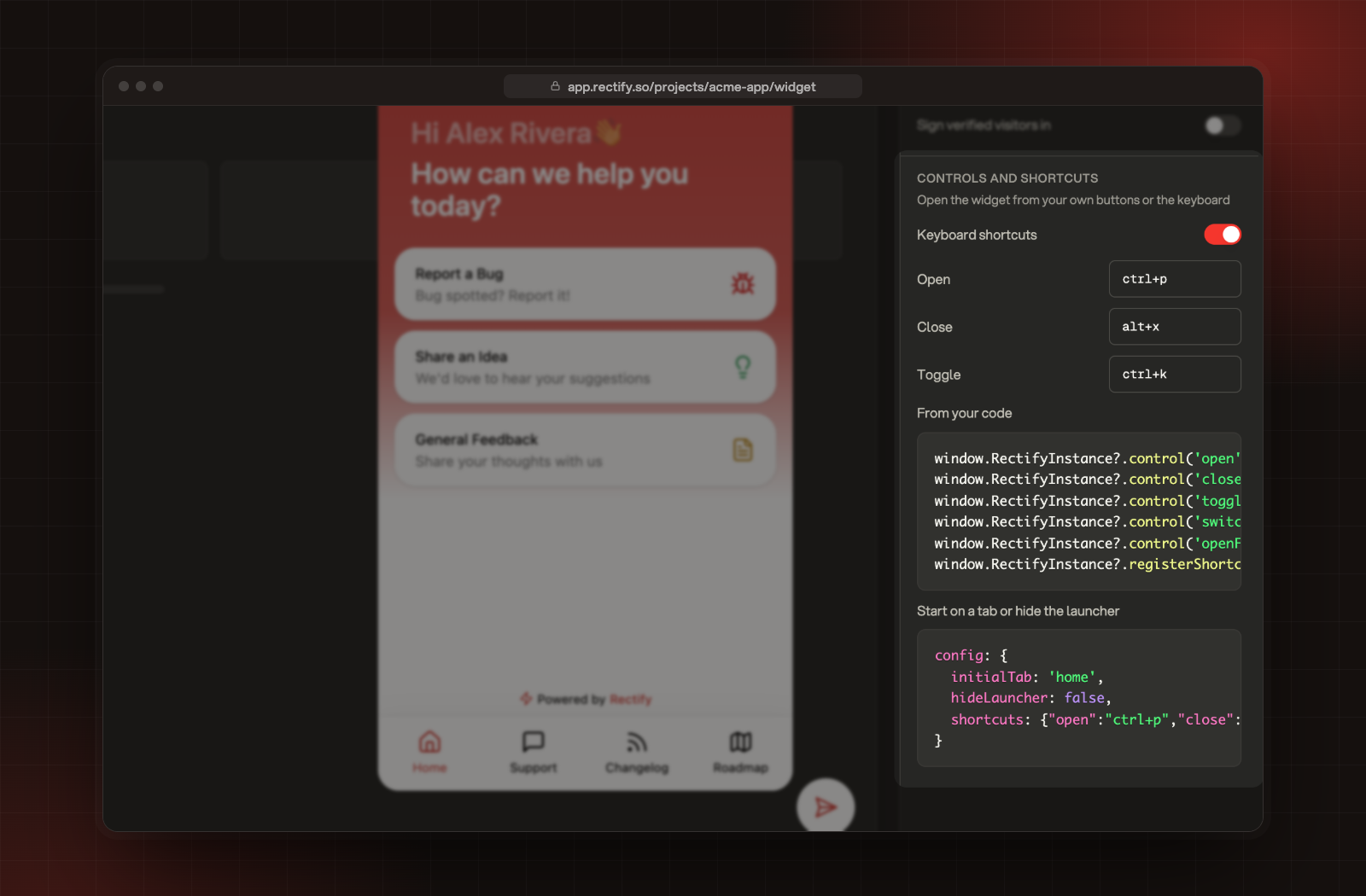
Keyboard shortcuts
You can set shortcuts without code: under Publish, Widget, Install, turn on Keyboard shortcuts and fill in Open, Close and Toggle. The defaults are
ctrl+p, alt+x and ctrl+k.From your code, pass a map of key combinations to actions. An action is
open, close or toggle, or an object with action and options for the other actions.config: {
shortcuts: {
'ctrl+k': 'toggle',
'ctrl+b': { action: 'openForm', options: { formType: 'bug' } },
'shift+h': { action: 'switchTab', options: { tab: 'help' } },
},
},registerShortcuts() takes the same map after the widget has started. It replaces every shortcut set before it.window.RectifyInstance?.registerShortcuts({
'ctrl+k': 'toggle',
'ctrl+b': { action: 'openForm', options: { formType: 'bug' } },
});How combinations work:
•
Join keys with
+: ctrl, alt or shift, then one letter, number or character. enter, escape, backspace and tab work too.•
ctrl also matches the Command key on a Mac.•
Shortcuts don't fire while the visitor is typing in a field.
•
On a Mac, Option changes the character a key types, so
alt shortcuts may not fire there. Prefer ctrl or shift.track(name, properties)
Records a custom event for the current visitor. Use a short name in snake case, and keep the properties small.
window.RectifyInstance?.track('project_created', { template: 'blank', seats: 5 });•
name is required. Names longer than 200 characters are cut.•
properties is optional. Never put passwords, card numbers or tokens in it.•
Events go out in batches, every 15 seconds, every 50 events, and when the visitor leaves the page.
Custom events show on the contact's timeline, and you can use them in goals, segments and lead scoring.
revenue(amount, currency, properties)
Records a payment. Call it after a successful charge.
window.RectifyInstance?.revenue(49, 'USD', { plan: 'pro' });•
amount must be a number. A string such as '49' is ignored.•
currency defaults to USD.•
It's saved as an event named
__revenue, with the amount and currency in its properties. Revenue goals and the revenue alert use it.identify(userId, traits)
Tells Rectify who the visitor is. Call it after sign-in or sign-up.
window.RectifyInstance?.identify('user_123', {
  email: '[email protected]',
  name: 'Jane Doe',
  plan: 'pro',
});
If you pass no
userId, Rectify uses traits.email instead. Calling it again with the same details on every page doesn't send anything new. Identify users and send events covers traits, companies and stages.optOut() and optIn()
Wire these to your cookie or privacy banner.
window.RectifyInstance?.optOut();
window.RectifyInstance?.optIn();
•
optOut() stops analytics for this visitor straight away. Queued events are dropped and the saved identity is cleared.•
optIn() turns analytics back on.•
The choice is saved in the visitor's browser, so it holds on every page and visit.
•
The widget itself still shows and works after
optOut().Check it worked
1.
Open your site and the browser console.
2.
Run
window.RectifyInstance.control('open'). The widget opens.3.
Run
window.RectifyInstance.track('test_event'), wait 15 seconds, then open Customers, Activity in Rectify. The event shows there.Troubleshooting
window.RectifyInstance is undefined
The script hasn't loaded yet, or it isn't on this page. Use
window.RectifyInstance?. in your calls, and see The widget doesn't show on your site if it never loads.control() logs "Widget not initialized"
init hasn't run yet. Call control after the script's onload, or from a click handler.track() runs but no events arrive
•
Check that Analytics Settings shows On. Open Customers, Analytics and select the settings button at the top right.
•
Visitors whose browser sends Do Not Track are skipped while Respect Do Not Track is on, under Capture.
•
A visitor who opted out sends nothing until
optIn() runs.•
"Invalid tab name" in the console
switchTab only takes home, support, changelog, roadmap or help, in lowercase.Read next
Was this helpful?
Your feedback shapes what we write next.
Related articles
Install the Rectify widget on your site
Add one script to your site to turn on the widget, analytics and contacts.
The widget doesn't show: what to check
Five checks that find why the Rectify widget isn't appearing on your site.
Set up widget chat, the live support channel
Turn on live chat in your widget's Support tab, choose its first message, and check that it's live on the Channels page.
Set up your first project with the setup wizard
Five short steps to brand your project, switch on what you need, bring in your team and add Rectify to your site.