Combine two posts that ask for the same thing, so their votes and followers count once, and undo a merge if you need to.
4 min readUpdated 5 days ago
Before you start. Only Owners and Admins can merge and unmerge posts. Members can see suggested duplicates and mark them as not a duplicate. Merging is on every plan.
When two posts ask for the same thing, merging folds one into the other. The post you keep gets the votes and followers of both, and the merged post's comments show on it.
How Rectify spots duplicates
Each time a post is added, Rectify compares its wording with your other posts and flags close matches. Flagged posts show a count at the top of your roadmap, such as 2 possible duplicates, and a banner at the top of All posts with a Review button. Select either one to show only the flagged posts.
While someone types a new post, on your portal or in Rectify, they also see similar posts that already exist, so they can vote there instead.
Review a suggested duplicate
1.
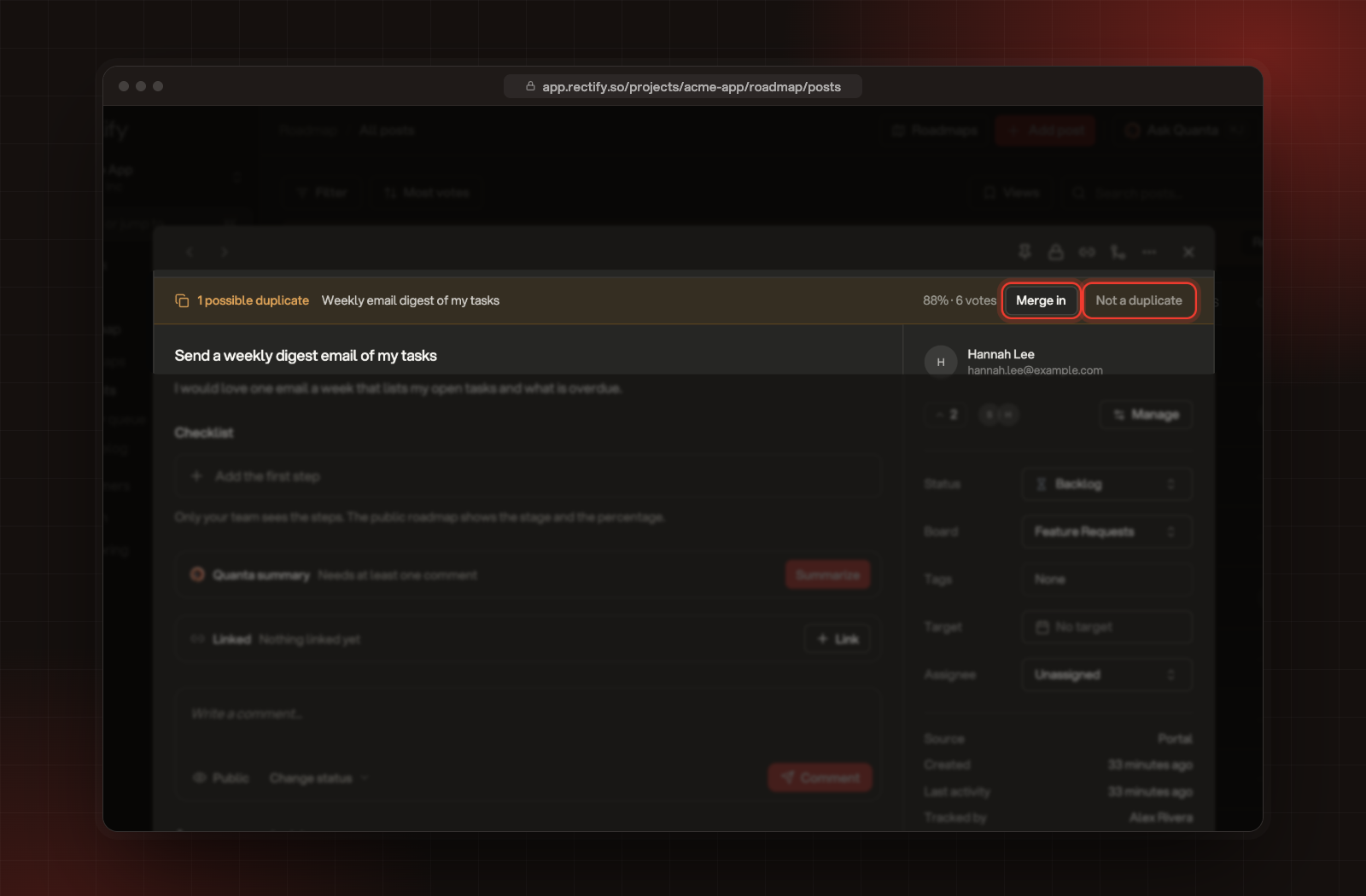
Open a flagged post. The banner at the top shows the matching post, how close the match is and its votes.
2.
Choose what to do:
•
Merge in merges the matching post into the one you have open.
•
Not a duplicate hides the suggestion. The same pair isn't suggested again.
Merge in and Not a duplicate, in the banner of a flagged post.
To keep the other post instead, use the steps below and select Swap.
Merge two posts
1.
Open the post you want to fold into another one.
2.
Select the merge icon (Merge) at the top of the post.
3.
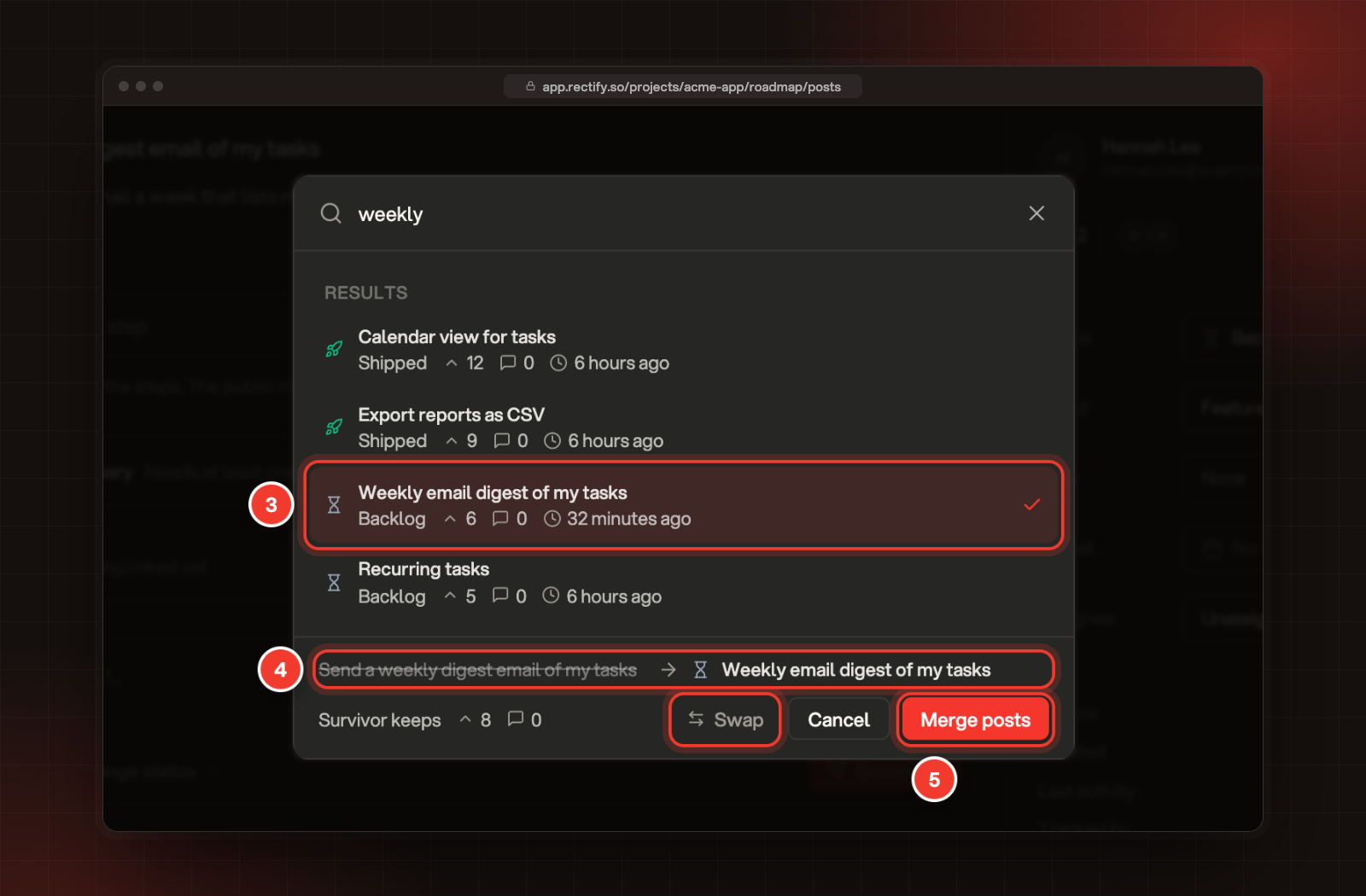
Search for the post to keep, and select it. With no search, the closest matches come first.
4.
Check the line at the bottom: the crossed-out post is merged into the other one. Select Swap to merge the other way round.
5.
Select Merge posts.
3 The post to keep. 4 Which post is merged into which, and Swap. 5 Merge posts.
You can also tick exactly two posts in All posts and select Merge in the bar at the bottom. It opens the same window. In the Review queue, a new post that matches an existing one has Merge instead.
What a merge does
•
Votes and followers are copied to the post you keep. Someone who voted for both posts counts once.
•
Comments from the merged post show on the post you keep, marked with the post they came from.
•
The merged post leaves your roadmaps, your lists and your portal. Its old link on the portal says it was merged and links to the post you keep.
•
Status, tags and board stay as they were on both posts.
•
Nobody is emailed. Followers of the merged post hear about future updates you send from the post you keep.
The count under Survivor keeps adds up both posts. The real count after the merge can be lower, because people who voted for both count once.
Undo a merge
1.
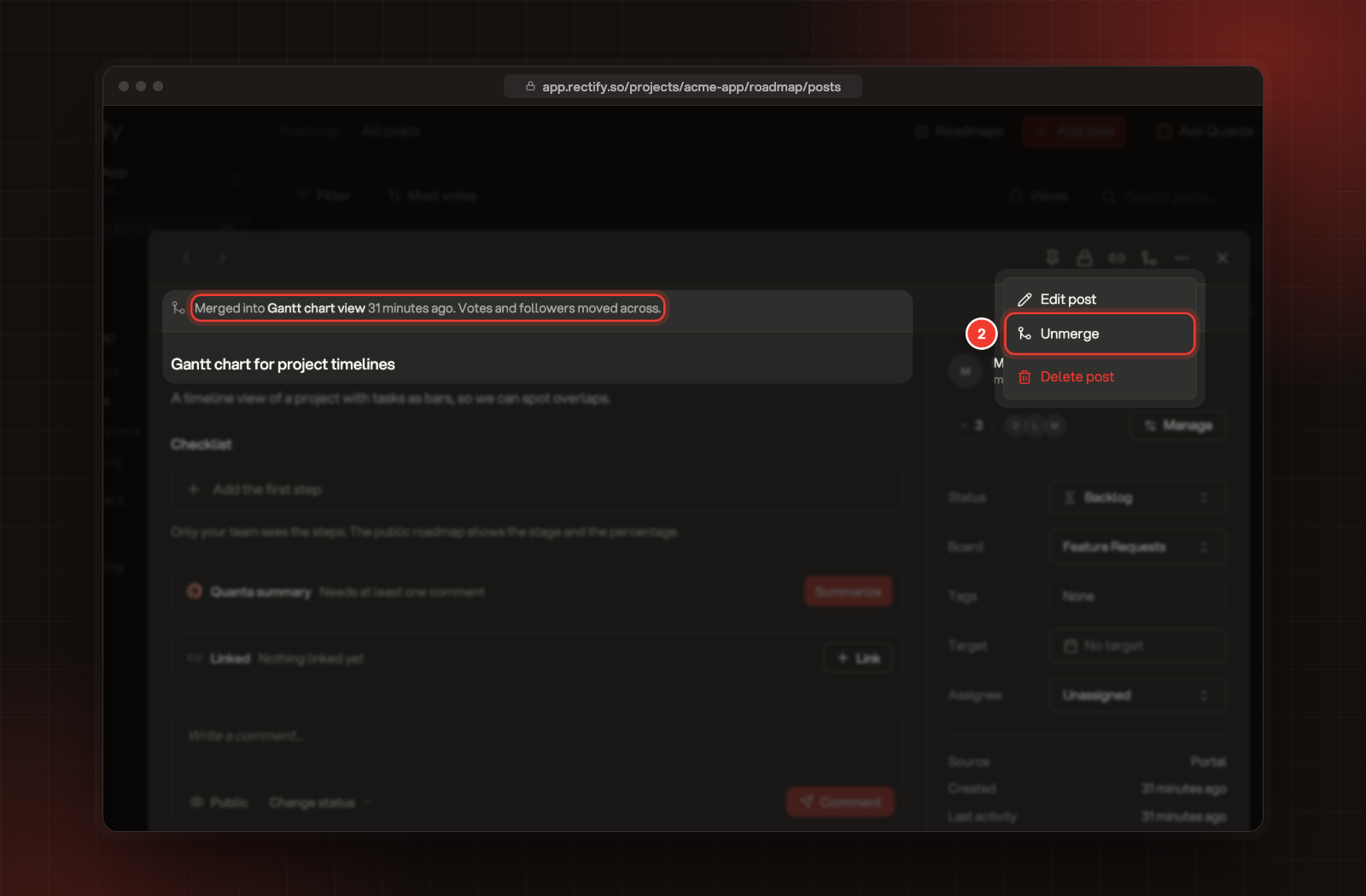
Open the merged post. It shows Merged into and the name of the post you kept.
2.
Select More (…), then Unmerge.
The Merged into banner, and 2 Unmerge.
The post comes back with its own votes, followers and comments, and they're taken off the post you kept. Merged posts don't appear in lists, so open one from a link to it. If you merged the post you had open, it stays open after the merge, so you can undo straight away.
Change how duplicates are found
1.
In the sidebar, open Publish, then Portal.
2.
On the Requests tab, which opens first, scroll to Duplicates.
3.
Turn Detect duplicates on or off, and move Match sensitivity to change how close two posts must be before one is flagged.
4.
Select Save.
Matching looks at wording. To have AI double-check each match, turn on AI check at the top of the Review queue. It's available when your organization can use AI, through your plan's AI credits or your own provider under Organization settings, AI providers.
I can't find the merge icon
Only Owners and Admins can merge posts. Ask one of them, or select Not a duplicate if the posts are different.
It says "Post is already merged"
That post was merged before. Open the post it was merged into and merge into that one instead, or unmerge it first.
It says "Cannot merge into a merged post"
The post you picked to keep was itself merged into another one. Pick the post it was merged into.