Keep analytics private: masking, Do Not Track and form fields
Hide on-page text from analytics, respect Do Not Track, control what forms share, and keep parts of a page out of tracking altogether.
4 min readUpdated 5 days ago
Before you start. Only Owners and Admins can change these settings. They apply to every page the Rectify script runs on in this project.
Rectify's analytics records what people do on your pages, not what they type. You decide how much text it keeps, whether it honours Do Not Track, and whether a submitted form can tell you who someone is.
What analytics never keeps
•
IP addresses. The visitor's IP address is used to look up their country and city, then dropped.
•
What people type. A form event records which fields were filled in, not their values. Passwords and payment card fields are never read.
•
Cookies. The script sets no cookies. It keeps a visitor ID in the browser's local storage so return visits count as the same person.
Change the privacy settings
1.
Open Analytics in the sidebar, under Customers.
2.
Select the gear button (Settings), then the Capture tab.
3.
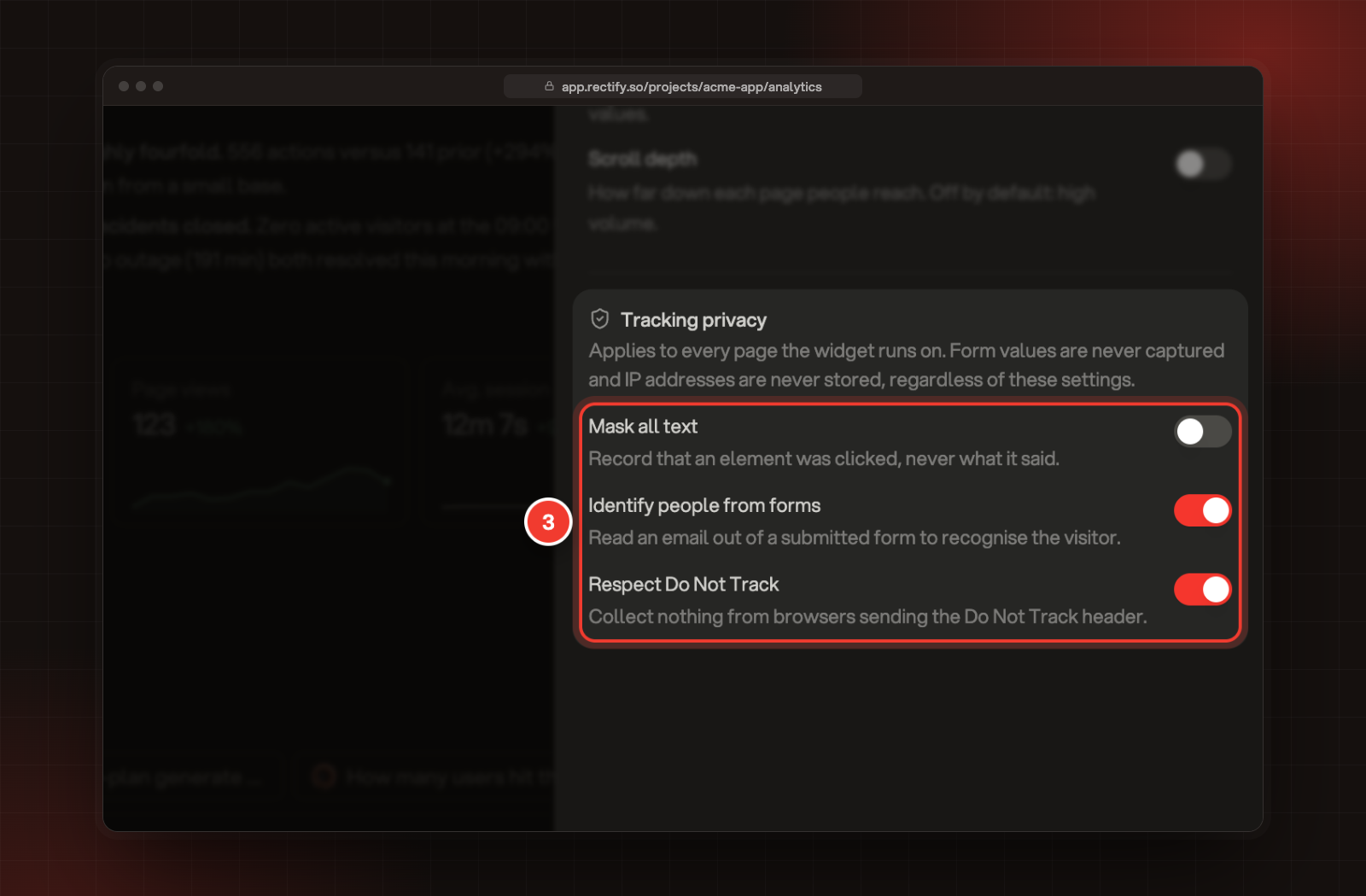
Under Tracking privacy, switch each setting on or off.
3 The three settings under Tracking privacy.
Setting
Starts
What it does
Mask all text
Off
Records that an element was clicked, never the words on it. Search terms from your site's search are left out too.
Identify people from forms
On
When someone submits a form with an email field, Rectify reads the email and name from it to recognise the visitor.
Respect Do Not Track
On
Browsers with Do Not Track turned on send no analytics events.
Each setting saves as soon as you change it and applies the next time a page loads.
Identify people from forms is the one setting that reads what someone typed: the email address and name in a form they submit. Turn it off if your forms collect emails you shouldn't link to visitors.
Mask or skip parts of a page
You can also mark elements in your own HTML.
Add this
Effect
data-rectify-mask attribute
Clicks still count, but the element's text is never sent. Heatmap snapshots show its text as asterisks.
rectify-no-capture class
Nothing inside the element is tracked: no clicks, no frustration signals, no form events. Heatmap snapshots show it as an empty box of the same size.
Page addresses and titles are still recorded for masked elements, so keep personal details out of your URLs and page titles.
Share one field's value on purpose
If you want a field's value with each form event, for example a plan picker, add data-rectify-capture-value to that field. Up to 200 characters are sent. Rectify still refuses fields that look sensitive: passwords, hidden fields, card and bank details, one-time codes, and fields named like a password, token, PIN, tax ID, passport or date of birth.
Bug reports can carry a replay of the visit, and heatmaps draw on a snapshot of your page. Both follow the masking settings for the widget, not the ones above. Open Publish, then Widget, and select Privacy to set Mask all text, Mask all inputs and the field types to hide. Passwords are always masked there. Collect feedback and bug reports explains replays.
Check it's working
Turn on Mask all text, open your site in a new tab and click a button. In Activity, the click shows the element without its words, for example Clicked #export-pdf.
Someone with Do Not Track on still shows up in Activity
The setting is read when the page loads. Check Respect Do Not Track is on, then reload the page in their browser. Visits recorded earlier stay in your data.
A contact's name came from a newsletter form
Identify people from forms was on. Turn it off to stop reading forms. People already identified this way stay identified.