Follow visits on your site as they happen, grouped by person and session, and filter for friction, errors or conversions.
3 min readUpdated 24 days ago
Before you start. Activity shows the events the Rectify script records on your site. Everyone in the project can open it.
Activity is a live feed of what people do on your site. Each row is one visit by one person, with the pages they saw, how long they stayed and any trouble they ran into.
Open the feed
Open Activity in the sidebar, under Customers.
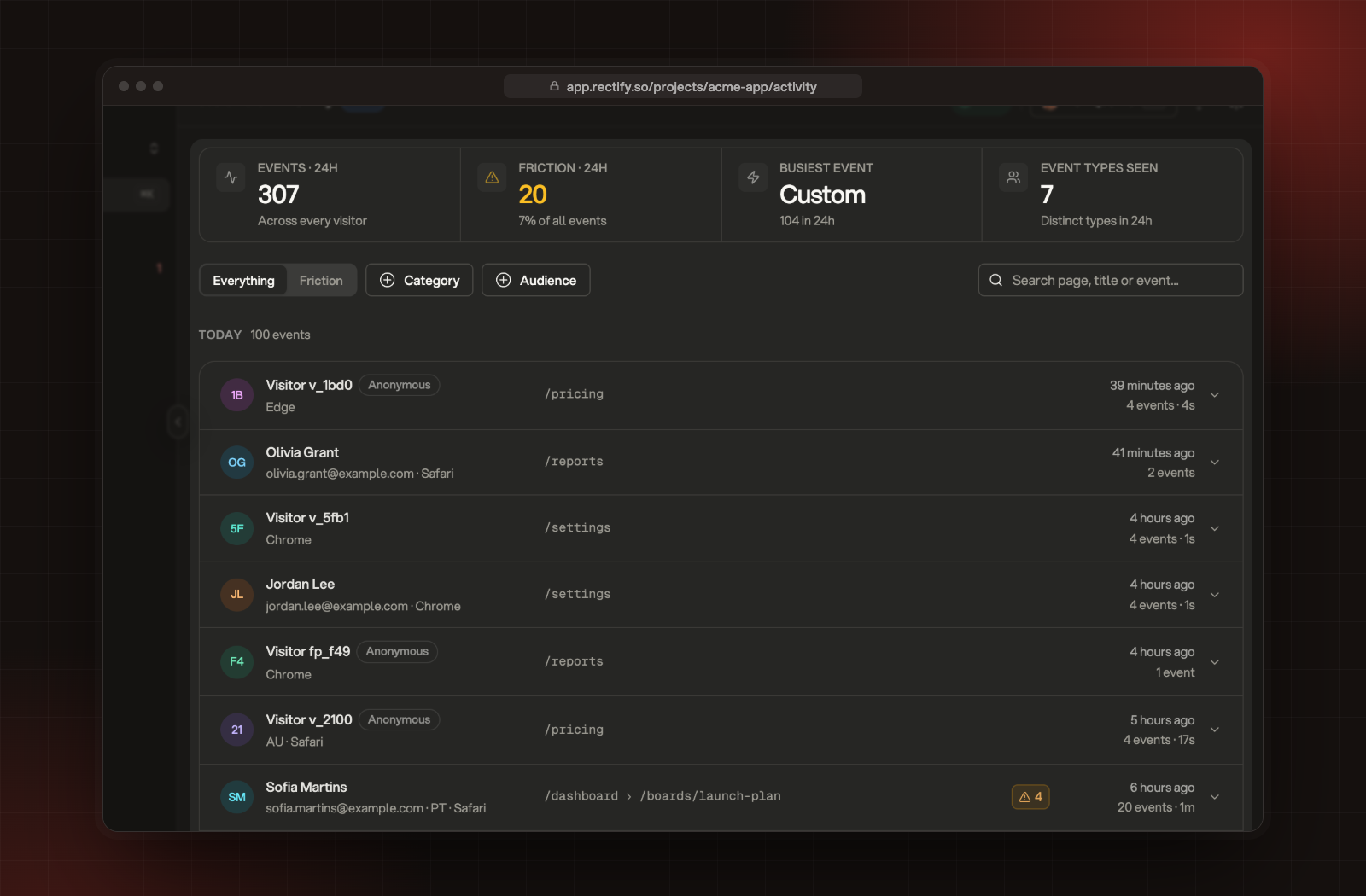
The activity feed, grouped by day and visit.
Four numbers at the top cover the last 24 hours:
Number
What it shows
Events · 24h
Every event from every visitor.
Friction · 24h
Rage clicks, dead clicks, quick backs and frantic scrolling, and their share of all events.
Busiest event
The most frequent kind of event.
Event types seen
How many different kinds of event arrived.
Read a visit
Visits are grouped by day (Today, Yesterday, then the date). Each row shows:
•
The person's name or email, or Visitor and a short ID for someone you haven't identified, with an Anonymous label.
•
Their email, country and browser.
•
Up to three of the pages they visited.
•
A count of friction events, if there were any.
•
When the visit happened, how many events it had and how long it lasted.
Events from the same person count as one visit until there's a 30-minute gap.
1.
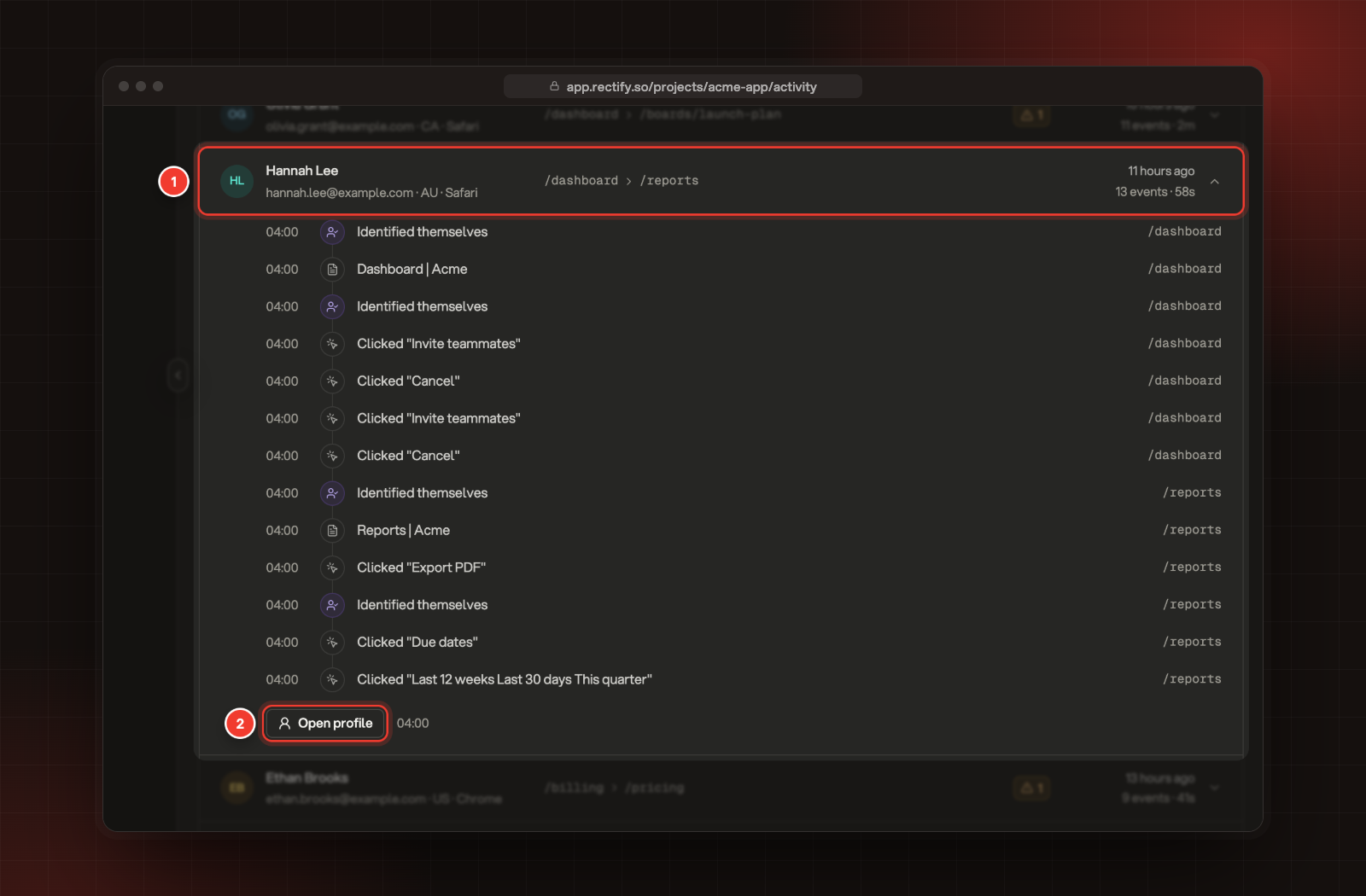
Select a row to open its timeline: every event in order, with its time and page.
2.
Select Open profile to see everything about that person.
1 An expanded visit. 2 Open profile.
Events read in plain words, for example Clicked "Invite teammates", Downloaded export.csv or Identified themselves.
Filter the feed
•
Everything or Friction:Friction keeps only signs of trouble, including JavaScript errors and failed requests.
•
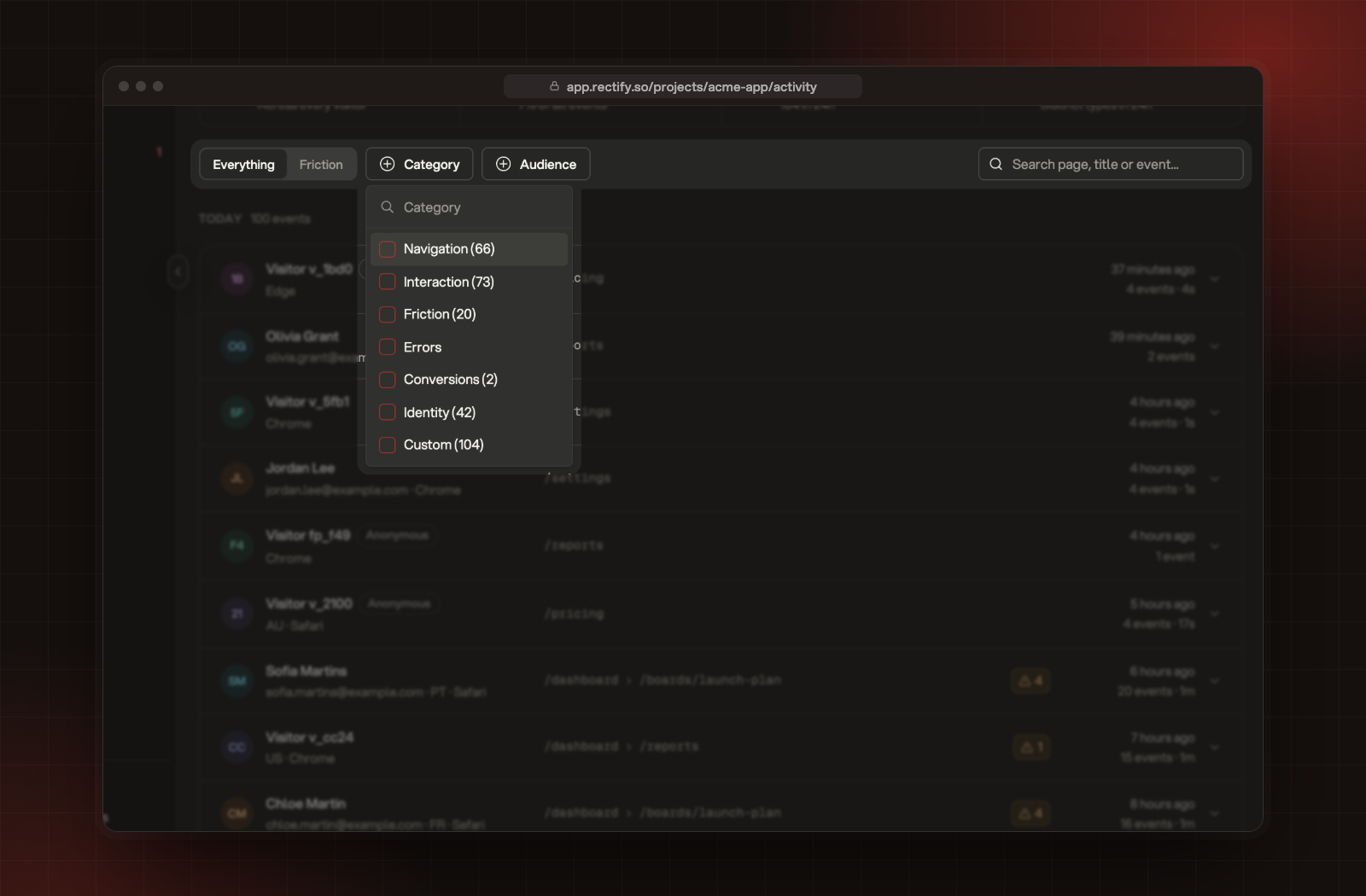
Category: on Everything, pick one or more of Navigation, Interaction, Friction, Errors, Conversions, Identity and Custom. Each shows how many arrived in the last 24 hours.
•
Audience:Identified or Anonymous people.
•
Search: type part of a page address, a page title or a custom event name.
Select Reset to clear every filter.
The Everything and Friction tabs, Category, Audience and search.
Live updates
New events appear at the top every 10 seconds while the toggle reads Live. Select it to switch to Paused and keep the feed still while you read. If you've scrolled down, new events wait behind a new events button at the top instead of moving the rows.
Scroll down to load older events. The feed goes back as far as your plan keeps analytics history.
Check it's working
Visit your own site in another tab. Within a minute your visit appears at the top of the feed.
"No Activity Yet"
The script isn't sending events yet. Add it to your site, or check it's live, then visit a page. Select Let's GO! for the install steps.
"Nothing matches these filters"
No events in the feed match your category, audience and search together. Select Reset filters.
I can't find a visitor by name
Search looks at page addresses, page titles and custom event names, not people. To find a person, use Contacts.