Tell customers about planned work in advance, and pause checks and alerts while it happens.
3 min readUpdated 24 days ago
Before you start. Maintenance windows need the Build plan or higher. Anyone on your team who can open the project can schedule, edit and cancel one. Only Owners and Admins can delete one.
A maintenance window covers planned work, such as a database upgrade. While it's in progress, Rectify skips the checks on the monitors it affects and holds back their alerts, so planned downtime doesn't open incidents or page anyone. Your status page shows the window before and while it runs.
Schedule a window
1.
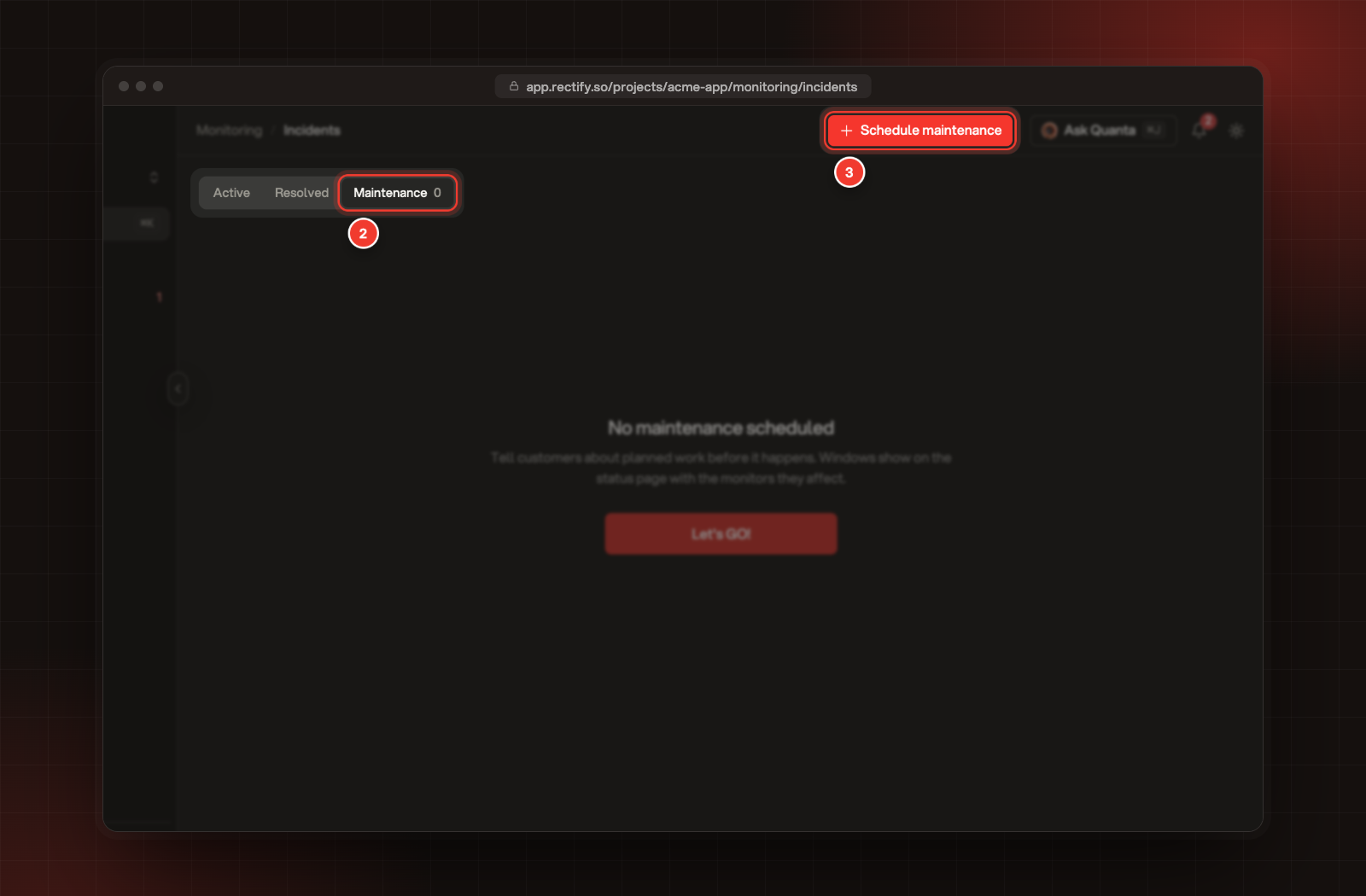
Open Monitoring, then Incidents.
2.
Select the Maintenance tab.
3.
Select Schedule maintenance.
2 The Maintenance tab. 3 Schedule maintenance.
4.
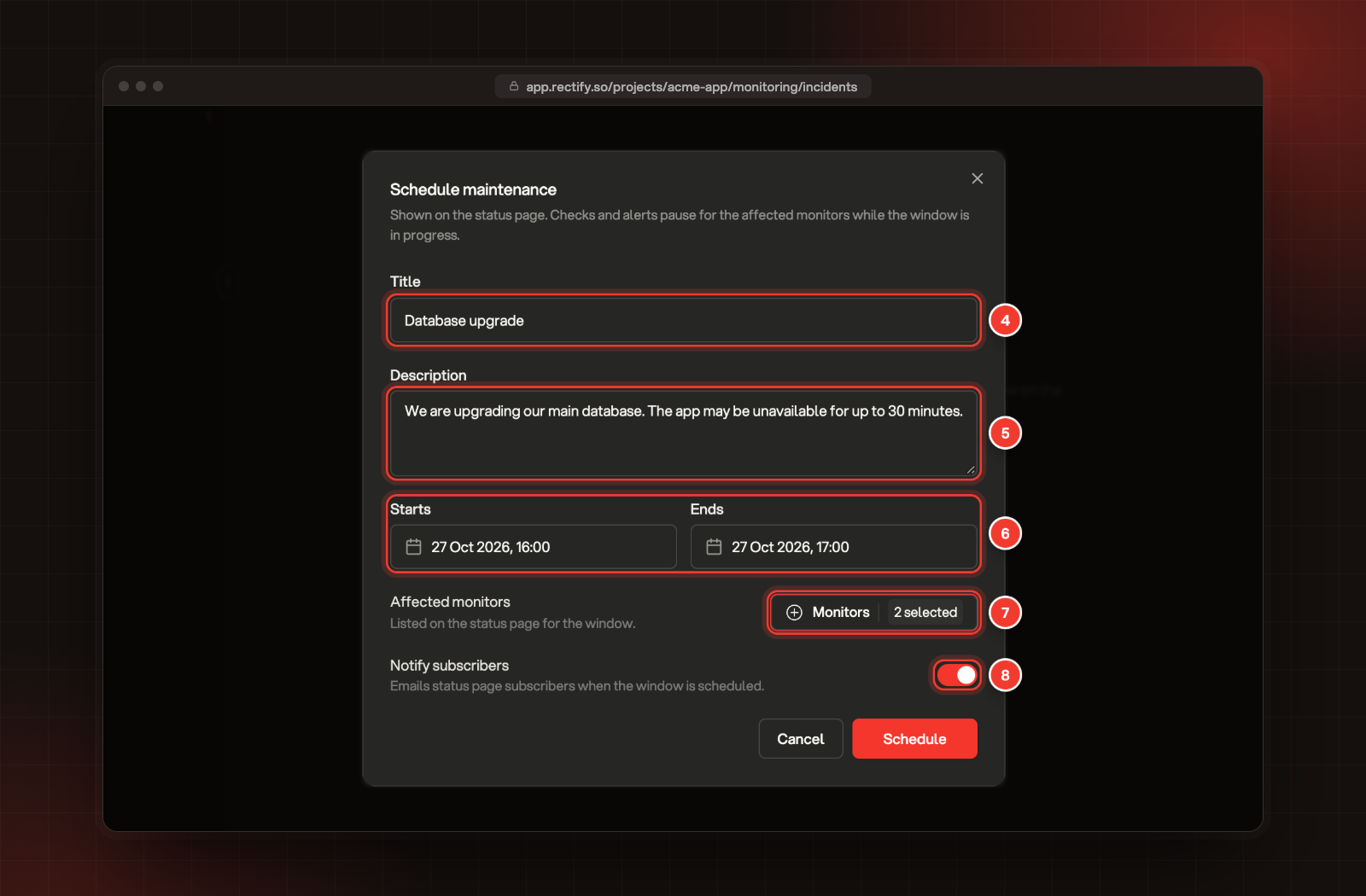
Enter a Title of at least 5 characters, such as "Database upgrade".
5.
Under Description, tell customers what's happening and what to expect.
6.
Pick when it Starts and Ends. The start must be in the future and the end after the start.
7.
Under Affected monitors, open Monitors and pick at least one.
8.
Leave Notify subscribers on to email your status page subscribers about it.
You can also schedule a window for one monitor from its page: select Schedule in the Maintenance panel, and that monitor is already picked.
What happens during the window
•
The window shows as Scheduled, then In progress at its start time, then Completed at its end. Rectify checks the times every 5 minutes, so a window can start or end a few minutes after the time you set.
•
While it's in progress, the affected monitors aren't checked and their alerts are held back.
•
With Notify subscribers on, your status page subscribers get an email when you schedule the window, when it starts and when it ends.
•
Your status page lists the window under Maintenance until it ends, if Maintenance windows is on in the status page settings. See Publish a status page.
Change or cancel a window
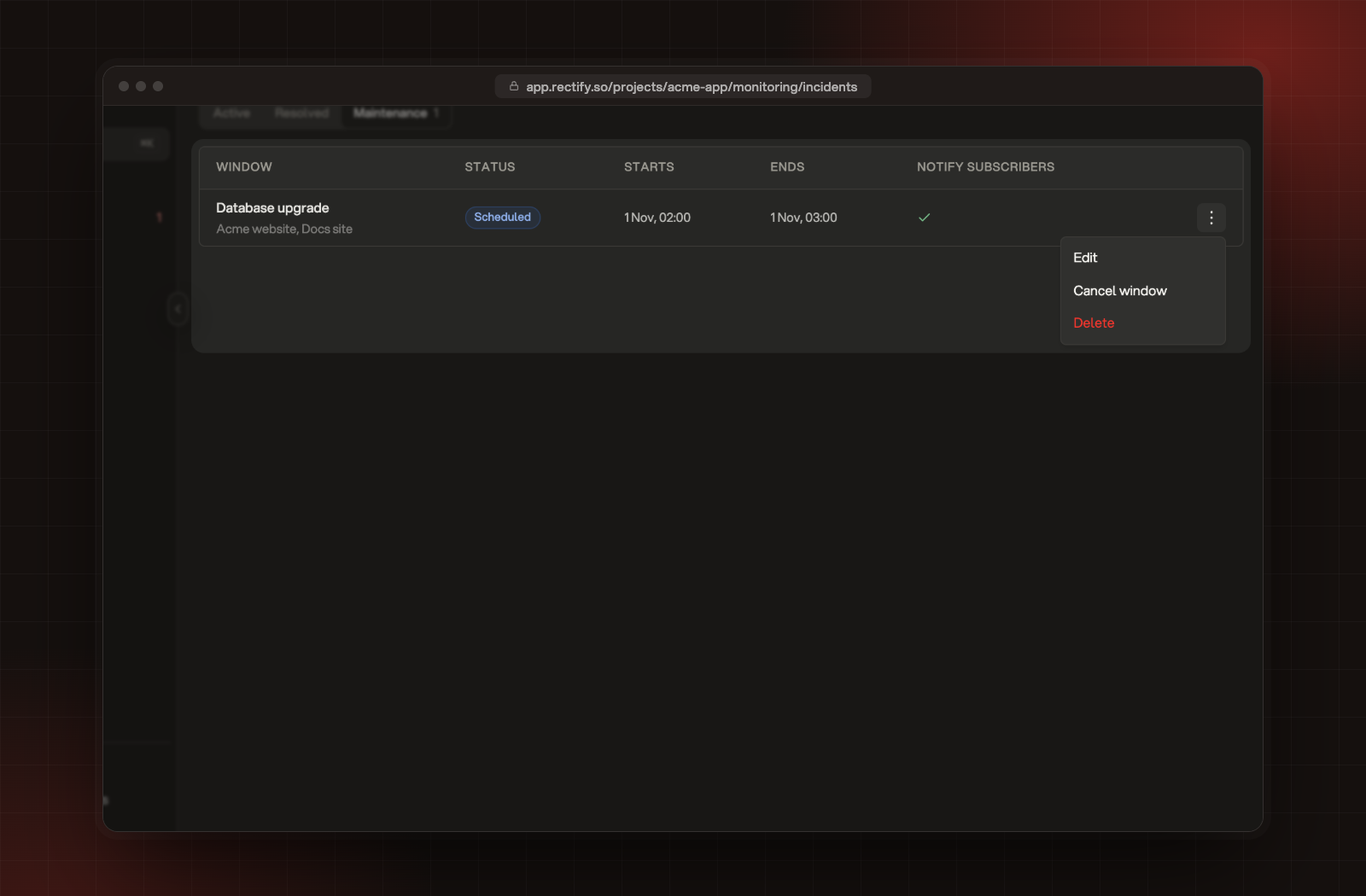
On the Maintenance tab, open the window's menu (the three dots):
•
Edit changes the title, description, times, monitors or the notify setting.
•
Cancel window stops a scheduled or running window. Subscribers aren't emailed about the cancellation.
•
Delete removes it from the list and the status page. It can't be undone, and only Owners and Admins can do it.
Edit, Cancel window and Delete, in a window's menu.
Check it worked
The window appears on the Maintenance tab as Scheduled, with its affected monitors under its title, its start and end, and a tick under Notify subscribers if subscribers will be emailed. The tab's count shows how many windows are scheduled or in progress.
It says "Start time must be in the future"
Pick a start time later than now. To pause a monitor straight away instead, open it and select Pause from its menu.
It says "Maintenance windows are not included in your plan"
Maintenance windows start on the Build plan. Upgrade, or pause the monitors by hand while you work.
My subscribers didn't get an email
Subscribers are only emailed when Notify subscribers is on, Status subscriptions is on in the status page settings, and the window affects a monitor that's shown on the status page.