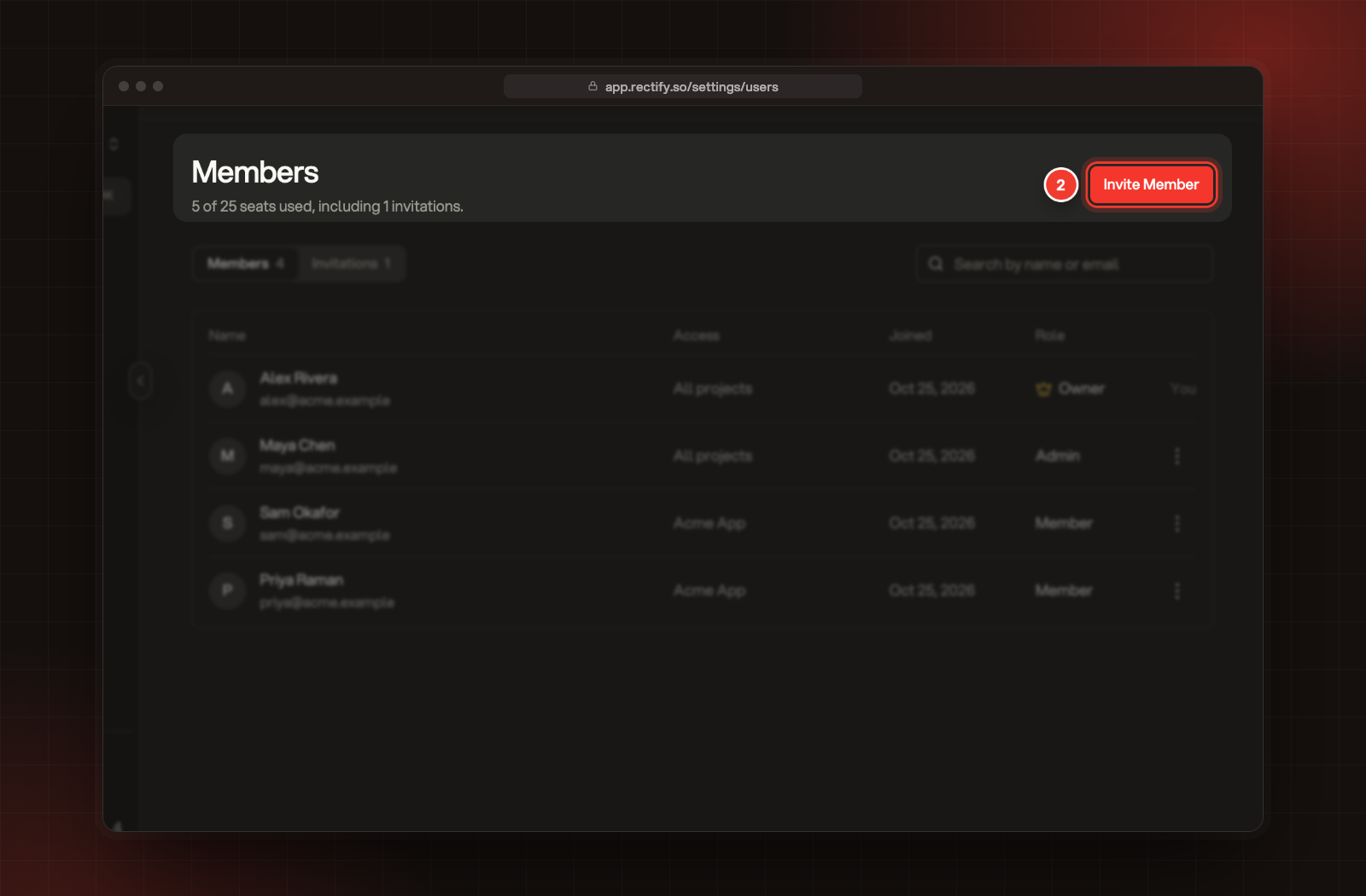
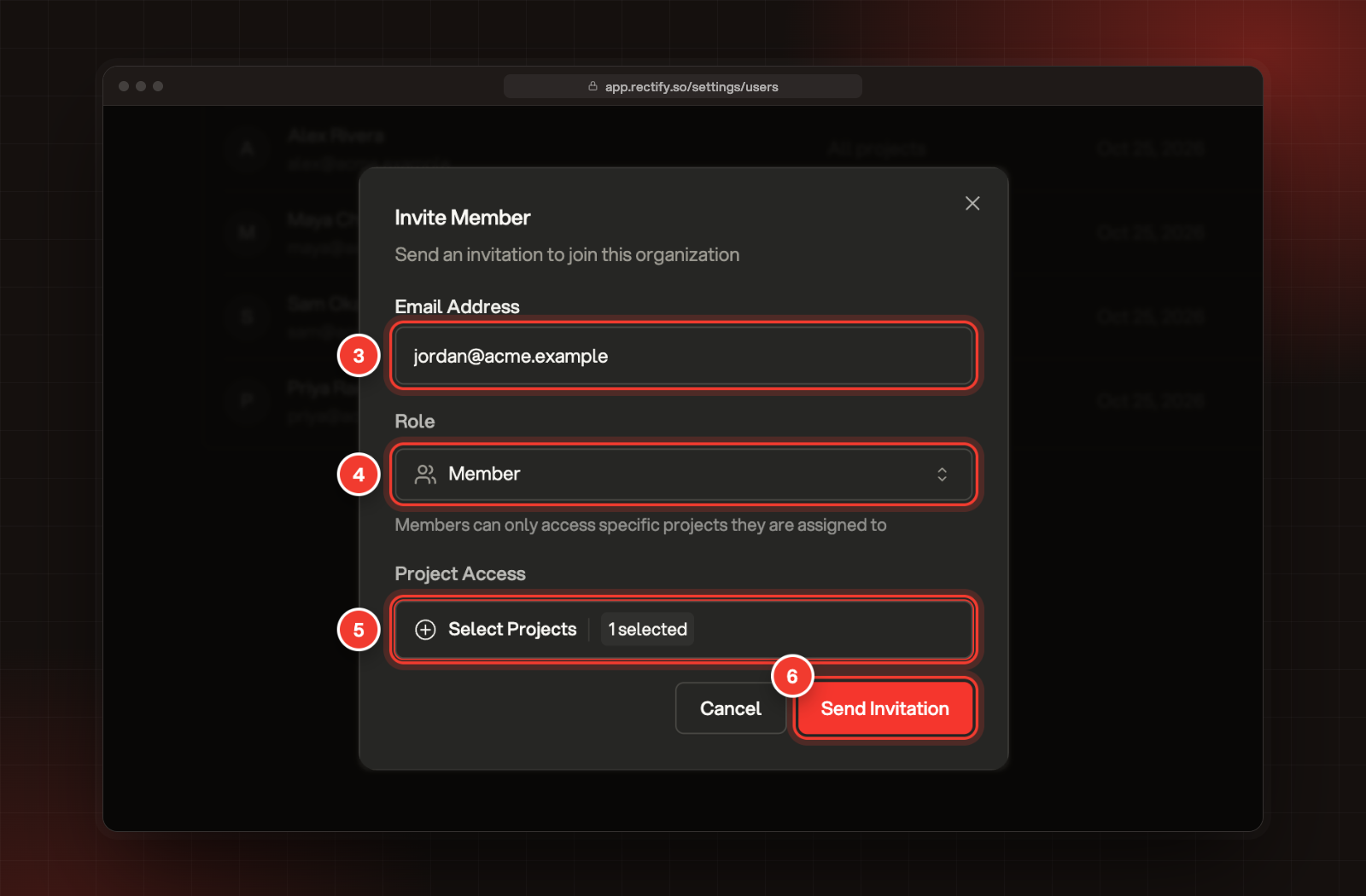
Rectify emails them a link to join, and the invitation waits under the Invitations tab until they accept it.
What your teammate does
1.
Open the link in the invitation email.
2.
Sign in, or sign up, with the same email address you invited.
3.
Select Accept invitation. Rectify opens your organization's projects.
The invitation only works for the exact address you invited. If your teammate wants to use another address, invite that one instead.
Resend or cancel an invitation
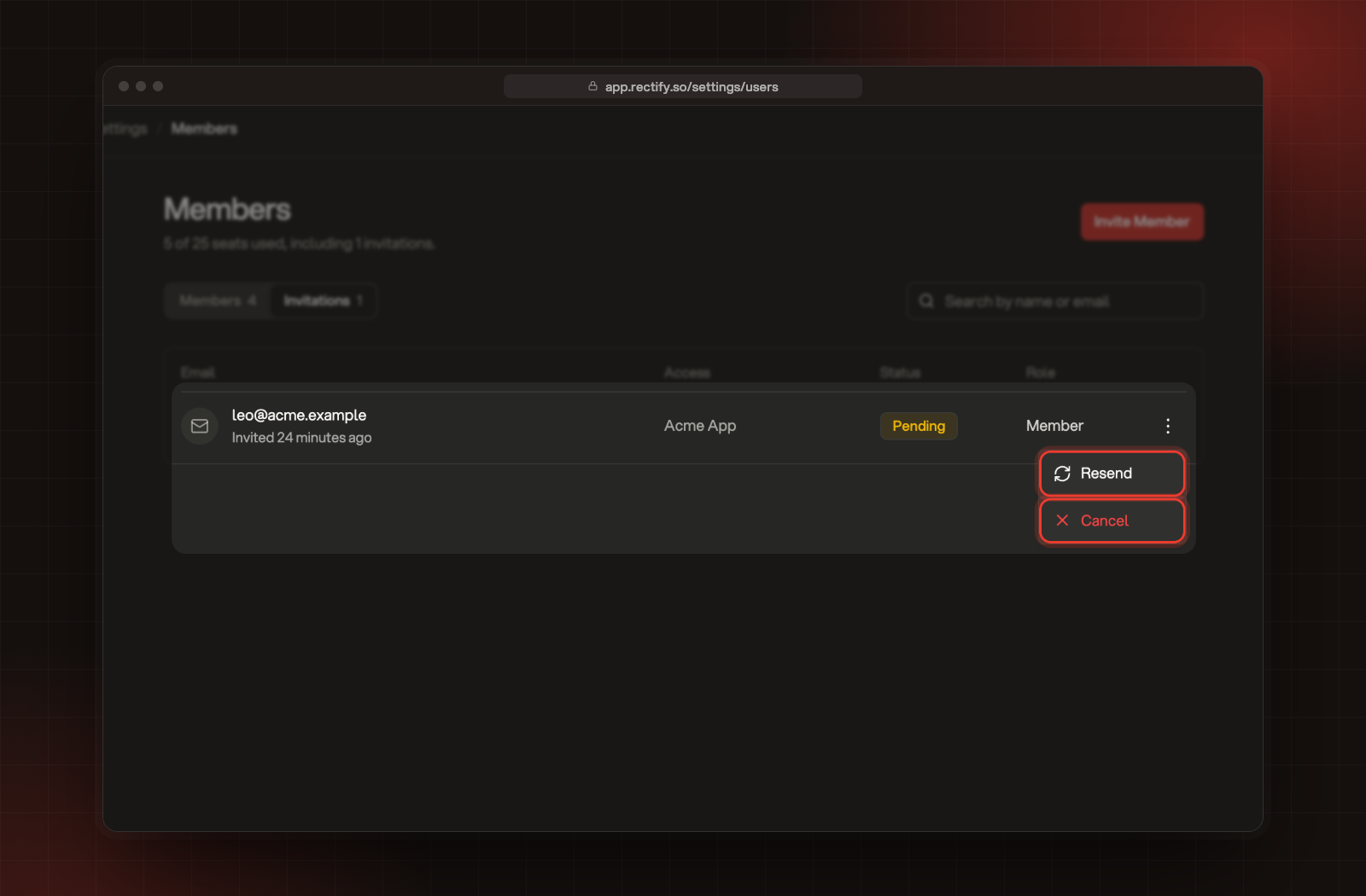
Invitations last 7 days. To send a fresh link, open the Invitations tab, open the menu on the invitation and select Resend. The new email replaces the old link, which stops working. To withdraw an invitation, select Cancel.
Resend and Cancel, in the menu of a pending invitation.
Seats on each plan
Plan
Seats
Idea (free)
1
Build
3
Launch
10
Accelerate
25
Enterprise
Unlimited
The line under Members shows how many seats you've used, counting pending invitations.
On the free Idea plan, your one seat is yours, so Invite Member is turned off. You can upgrade, or use the Invite your team step in your project's setup: it starts a free 14-day Build trial with three seats, and no card is needed.
Troubleshooting
The Invite Member button is greyed out or missing
If it's greyed out, every seat on your plan is taken, or you're on the free Idea plan. Upgrade your plan, or remove a member or cancel an invitation to free a seat. If you don't see the button at all, you're a Member: ask an Owner or Admin to send the invitation.
It says "Invitation already sent to this email"
That person already has a pending invitation. Open the Invitations tab and select Resend instead.
It says "User is already a member"
They're already in your organization. To change what they can open, open the menu on their row and select Edit Member.
My teammate sees "Invalid or expired invitation"
The link is more than 7 days old, the invitation was cancelled, or it was resent and the old link was replaced. Resend the invitation and ask them to use the newest email.