
Compare plans and what each one includes
Prices, seats, projects and every limit on the Idea, Build, Launch, Accelerate and Enterprise plans.
3 min readUpdated 24 days ago
Every organization has one plan. Its seats, projects and limits are shared by every project in the organization. You start on Idea, which is free, and every paid plan starts with a 14-day trial with no card needed.
Prices
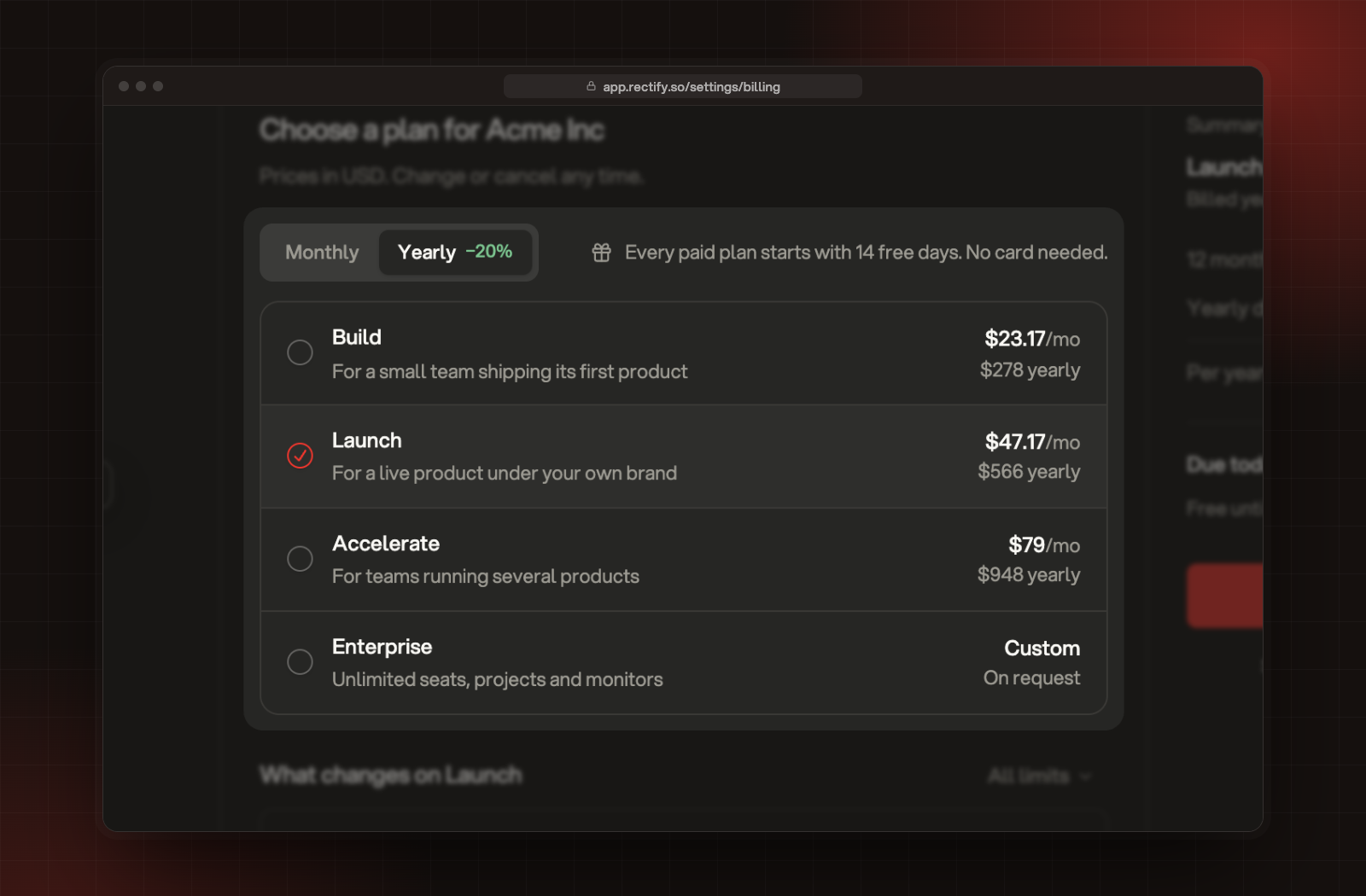
Prices are in US dollars. Paying yearly saves 20%. For Enterprise, select Contact sales in the plan picker.
Team and projects
Pending invitations count as members until they're accepted or cancelled.
Feedback, support and Help Center
Support Inbox replies count your team's replies only. Answers from Quanta don't count.
Analytics and monitoring
Messaging, development and AI
AI credits let Quanta and the other AI features run without your own key. They're a one-time amount, not a monthly one. When they run out, connect your own provider under Organization settings, AI providers. On Idea, connect a Gemini or Deepseek key to use AI features.
Branding and domain
See your own limits
Open Organization settings, then Billing. Owners and Admins see the current plan and what's used, and View all limits shows the full list.
When you reach a limit, Rectify tells you and suggests a plan with more room. Upgrade, change or cancel your plan explains how to move up.
Was this helpful?
Your feedback shapes what we write next.
Related articles
Invite your team
Add teammates to your organization and choose which projects each person can open.
Key terms in Rectify
What organization, project, portal, board, post and the other words you see in Rectify mean.
Set up your first project with the setup wizard
Five short steps to brand your project, switch on what you need, bring in your team and add Rectify to your site.
Find your way around Rectify
A quick tour of projects, the sidebar, search, Quanta and settings, so you know where everything lives.