How people in your Discord server send ideas with /feedback, bug reports with /bug and messages with Send to Rectify, and where each one lands.
7 min readUpdated 2 days ago
Before you start. Discord must be connected to your project, see Connect Discord. Everyone in your server can use /feedback and /bug. Send to Rectify is for people who can manage messages, unless a server admin changes it in Discord.
Once Discord is connected, your community sends feedback without leaving Discord. Ideas become requests on your roadmap. Bug reports go to your inbox, where only your team sees them.
Share an idea with /feedback
In your server, someone types /feedback and the idea in a few words, then presses Enter. The Share an idea form opens with that title filled in.
Field
What goes in it
Title
The idea, 3 to 300 characters.
Details
Optional, up to 4,000 characters.
Board
Shown when more than one board takes ideas from Discord. It starts on your Board for new ideas.
Screenshots
Optional, up to 5 images, videos or files.
Send me updates by DM
Ticked to start with. It's only there while Updates by DM is on.
Report a bug with /bug
Someone types /bug and what went wrong in a few words, then presses Enter. The Report a bug form opens.
Field
What goes in it
What went wrong
3 to 100 characters.
What happened
Optional, up to 500 characters.
Where
Optional, up to 200 characters, such as a page, screen or feature.
Screenshots
Optional, up to 5 images, videos or files.
DM me when it's fixed
Ticked to start with. It's only there while Updates by DM is on.
Send a message with Send to Rectify
When someone posts a good idea or a bug in a normal message, a moderator can send it to Rectify for them:
1.
In Discord, open the message's menu: right-click it, or press and hold it on a phone.
2.
Select Apps, then Send to Rectify.
3.
Check the Title, which is the first line of the message (up to 100 characters), and the Details, which is the whole message.
4.
Under Type, keep Idea or pick Bug report.
5.
For an idea, pick a Board if there's more than one.
6.
Submit the form.
The item is credited to the person who wrote the message, not to the moderator, and the message's files come with it. Rectify replies under the original message so its author can follow it: "Priya Nair, the Acme App team has your idea. Follow it to get a DM when it moves." with a Follow updates button. Only the person who reported a bug can follow it.
What people see after they send
Rectify answers each person privately, so only they see the reply. With Acme App as the project:
They sent
The reply
An idea that waits for review
Thanks, Priya Nair. Snooze a task until a later date reached the Acme App team. They review new posts before they go public, and you'll get a DM when it moves.
An idea that's public straight away
Thanks, Priya Nair. Snooze a task until a later date is on the Acme App roadmap now. You'll get a DM when it moves. A View on portal button opens it when your portal is public.
A bug report
Thanks, Tomás Ortega. The Acme App team has your bug report: Due date shows a day early in the calendar. Only the team can see it, and you'll get a DM when it's fixed.
Send to Rectify
Sent to Rectify as an idea: Snooze a task until a later date. Or "Sent to Rectify as a bug report".
The part about DMs only shows when they kept the DM box ticked.
Where they land in Rectify
•
Ideas become requests on the board they picked. The person who sent it votes for it automatically and, if they ticked the box, follows it. With Review before they go public on, every idea waits in Roadmap, Review queue until someone publishes it. With it off, your portal's review rules decide, and people from Discord count as signed in.
•
Bug reports go to Inbox, Feedback as a Bug. The Where answer is added to the description. Images become the report's screenshots. Like any other report, they're also sent to the issue trackers you've connected.
•
Your team hears about both the same way as about posts from your portal and reports from your widget, and they start the same workflows.
How they look in Rectify
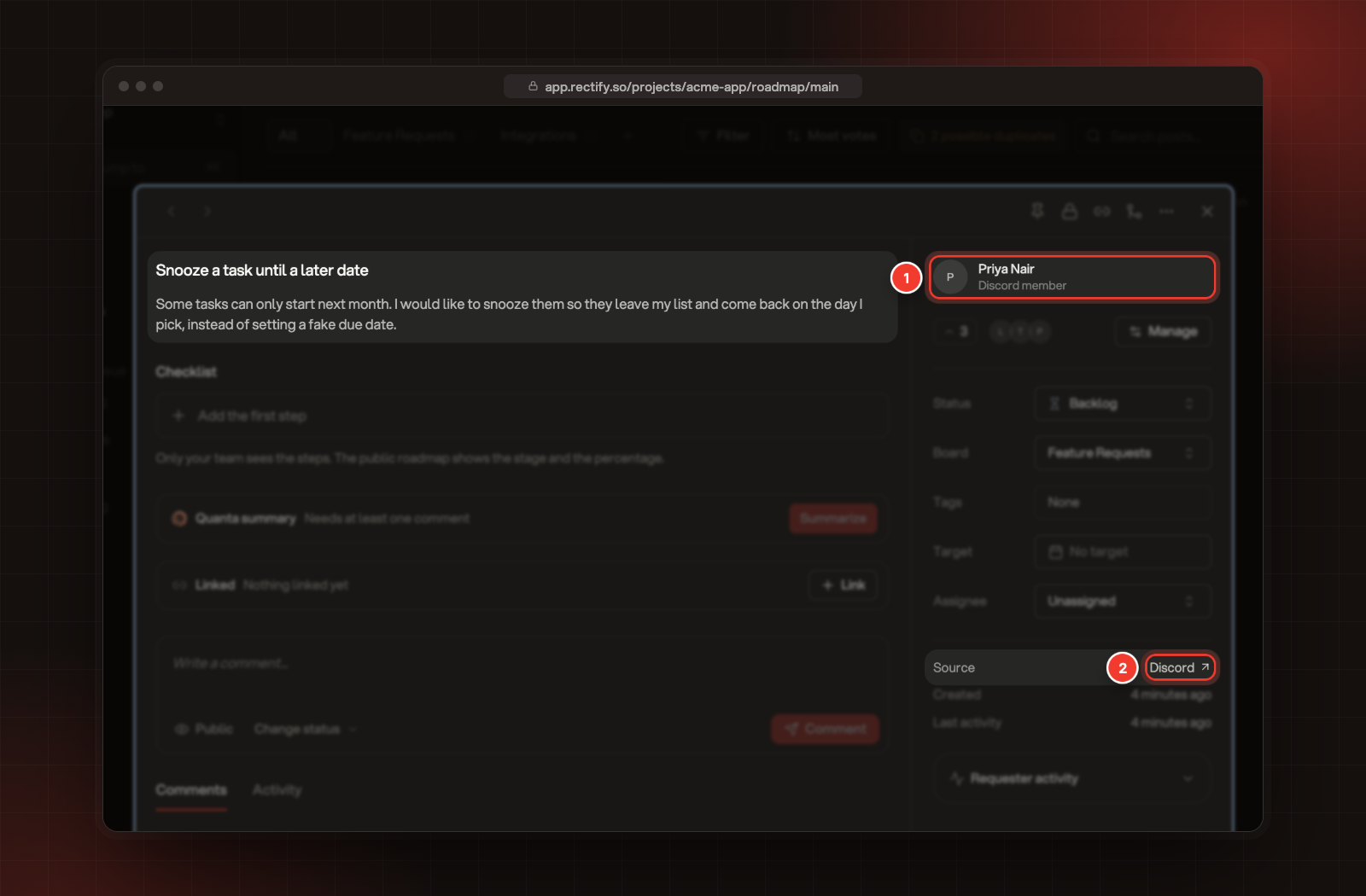
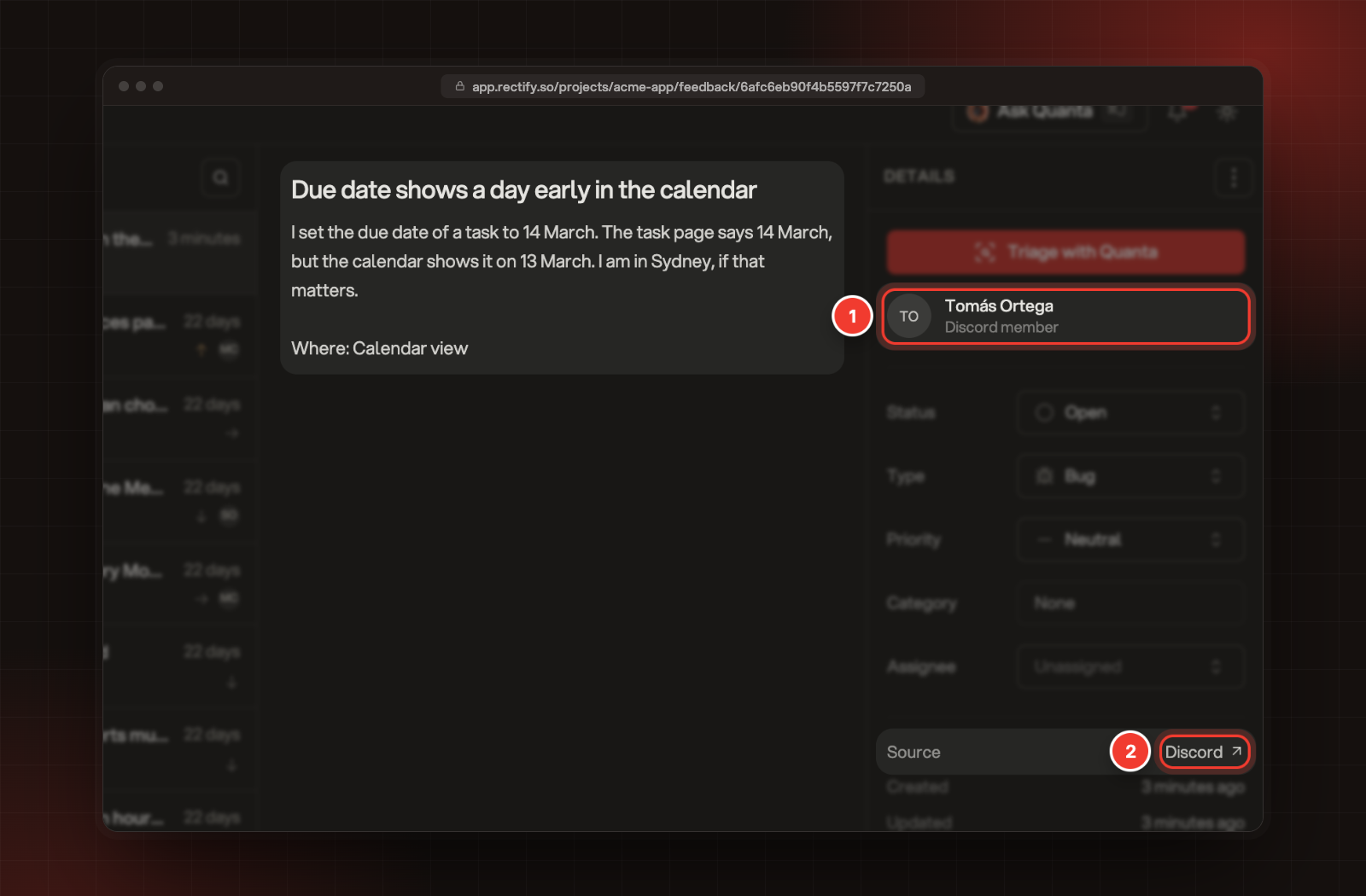
Open the request on your roadmap, or the report in Inbox, Feedback.
1 The person, marked Discord member. 2 Source, Discord.
•
The person who sent it shows with their Discord name, and Discord member where an email would be.
•
Source says Discord. Select it to open it in Discord. For Send to Rectify, that's the original message. For /feedback and /bug, it's the channel where the command was used.
1 Tomás Ortega, Discord member. 2 Source, Discord, on a bug report.
To answer a bug report's author in Discord, use Reply to user on the report. It needs support chat in Discord, see Set up support chat in Discord.
People from Discord become contacts
Everyone who sends an idea or a bug report, or presses Upvote or Follow on a card, becomes a contact in your project, named after their Discord name. They have no email address, so Rectify reaches them by DM instead. One person stays one contact: their later ideas, reports and votes join the same record in Contacts.
Limits
Limit
What people see when they reach it
5 ideas or bug reports per person every 10 minutes
You have sent a lot in a short time. Try again in a few minutes.
300 ideas or bug reports per server each day
This server has sent a lot today. Try again tomorrow.
30 button presses per person a minute
That was a lot of clicks. Try again in a minute.
Each idea or bug report can bring up to 5 files: images, videos, PDFs and text files, up to 10 MB each. Files Rectify can't copy are named at the end of the reply, for example "Not attached: build.zip. Files can be images, videos, PDFs or text files up to 10 MB." Send to Rectify copies the first 5 files of the message.
Check it worked
In Rectify, open Roadmap, Review queue for ideas waiting for review, or All posts for public ones, and Inbox, Feedback for bug reports. Items from Discord show Discord next to Source.
Troubleshooting
People see "Rectify is paused in this server."
Discord is switched Off in Integrations. Turn it back On.
People see "This server is not taking ideas right now."
No board can take ideas from Discord. Let everyone or signed-in people post on at least one board. Connect Discord explains which boards qualify.
People see "Rectify is not connected to this server yet."
The server isn't connected to any Rectify project, or it was disconnected. Connect it from Integrations in Rectify.
People see "Some answers were too short or too long."
A title must be at least 3 characters. They should open the form again and check each answer against the limits above.
A moderator sees "This form expired. Use Send to Rectify on the message again."
The Send to Rectify form lasts 15 minutes. Use Send to Rectify on the message again.
A moderator sees "Rectify cannot take messages sent by bots."
Send to Rectify only works on messages written by people.
I can't find Send to Rectify in Discord
It's only shown to people who can manage messages. A server admin can change that in Discord under Server Settings › Integrations › Rectify.
People see "Something went wrong on our side. Try again in a minute."
Rectify tried a few times and couldn't finish saving it. Check Review queue, All posts or Inbox, Feedback first. If it isn't there, they can send it again in a minute.