
Workflow triggers: what can start a workflow
Every event that can start a workflow, and the settings that narrow down when it runs.
4 min readUpdated 5 days ago
Before you start. Owners, Admins and Members can add and change triggers, on every plan.
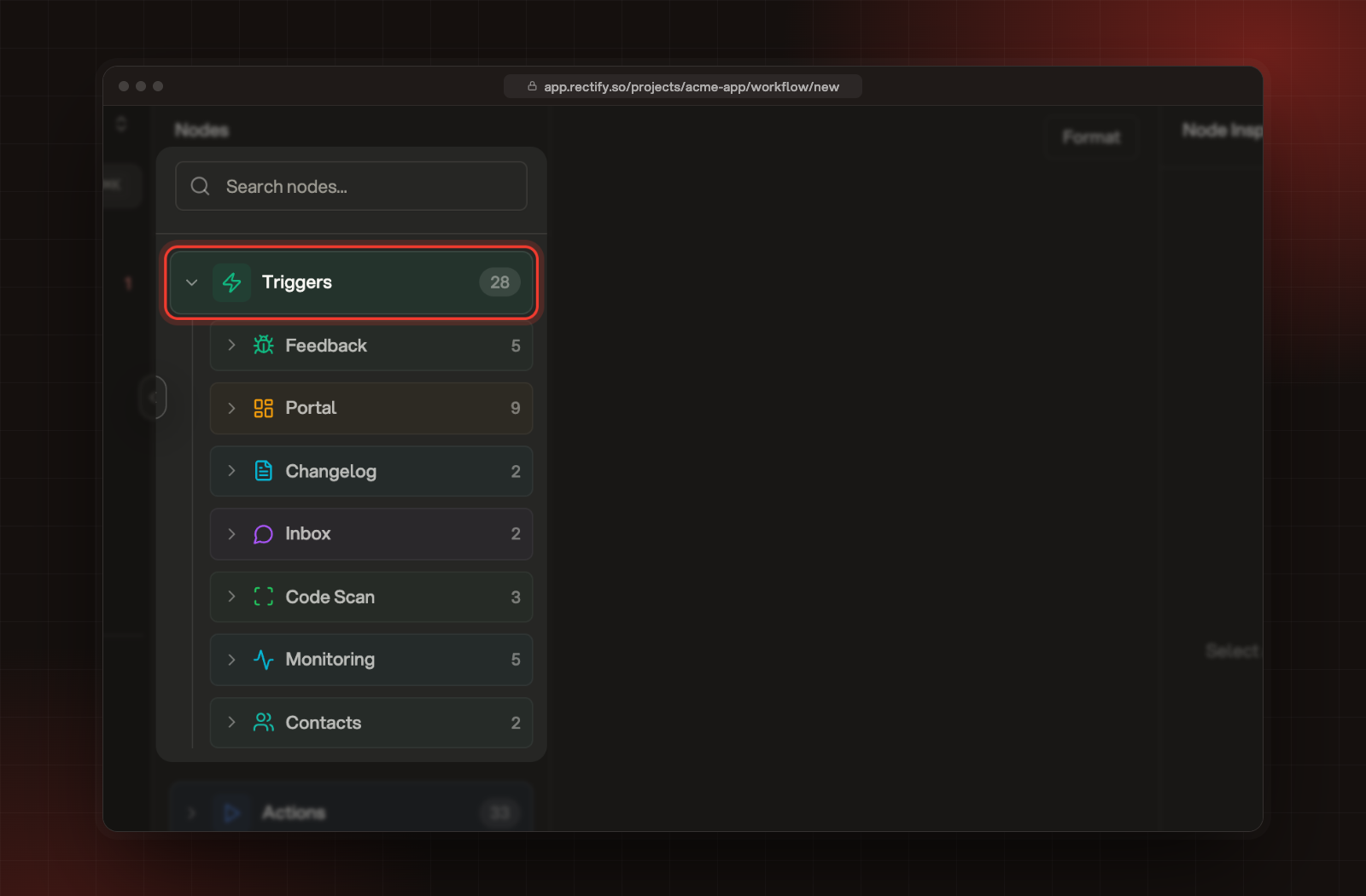
The trigger is the first node of a workflow: the event it waits for. In the workflow builder, open Triggers under Nodes to see them in groups, then drag one onto the canvas.
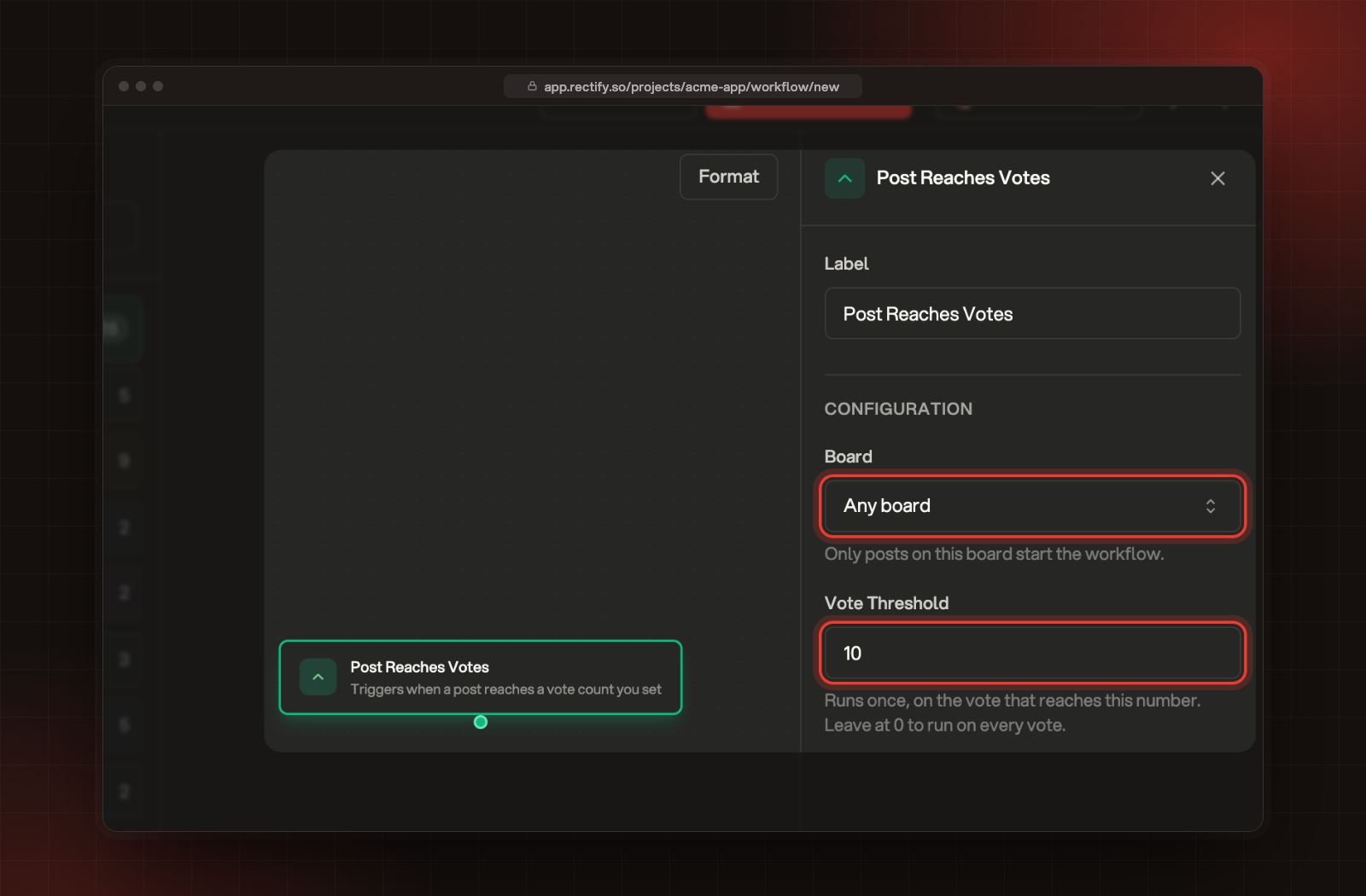
Select the trigger on the canvas to see its settings on the right. Most triggers can be narrowed down, for example to one board or one type of feedback. Leave a setting on Any to run for all of them.
Feedback
Changes that a workflow makes itself, such as Update Feedback Status, don't start these triggers. That keeps one workflow from setting off another in a loop.
Portal
Post Status Changed needs a board. The two status lists open once you pick one.
Post Reaches Votes runs once per post, on the vote that reaches your number. Set Vote Threshold to 0 to run on every vote.
If your workflow comments on posts, keep Post Commented on Portal visitors. Your workflow's own comment then won't start it again.
Changelog
Inbox
Keep Inbox Type on Any for both.
Code Scan, Monitoring and Contacts
Rules for every trigger
•
A workflow has one trigger. To react to two events, build two workflows.
•
Each project can have one workflow per trigger and settings. A second Feedback Created workflow for bugs is refused, but one for ideas is fine.
•
Only workflows that are switched on run. A paused workflow ignores its trigger.
•
Every step after the trigger can use the trigger's details, such as the report's title. Add AI steps and use data from earlier steps shows how.
Was this helpful?
Your feedback shapes what we write next.
Related articles
Build your first workflow
Connect a trigger to the steps that should follow it, so routine work in your project happens on its own.
Test a workflow and read its runs
Run a workflow on a real report, post or monitor, then check what each step did and why a run failed.
Workflow actions: what a workflow can do
Every step a workflow can take, from assigning feedback to posting in Slack, and what each one needs.
How requests, boards and the roadmap fit together
What posts, boards, statuses and roadmaps are, how they connect, and where each one lives in Rectify and on your portal.