Transactional email API

Send receipts, password resets and other product emails from your server with a secret server key, and retry safely without sending twice.
5 min readUpdated 5 days ago
Before you start. Only Owners and Admins can create, rotate or revoke the server key. You need access to your server's code to send.
Your backend sends an email with one request. Rectify checks the address against your suppression list, sends it, and logs it under Customers, Messaging, Log.
Create a server key
1.
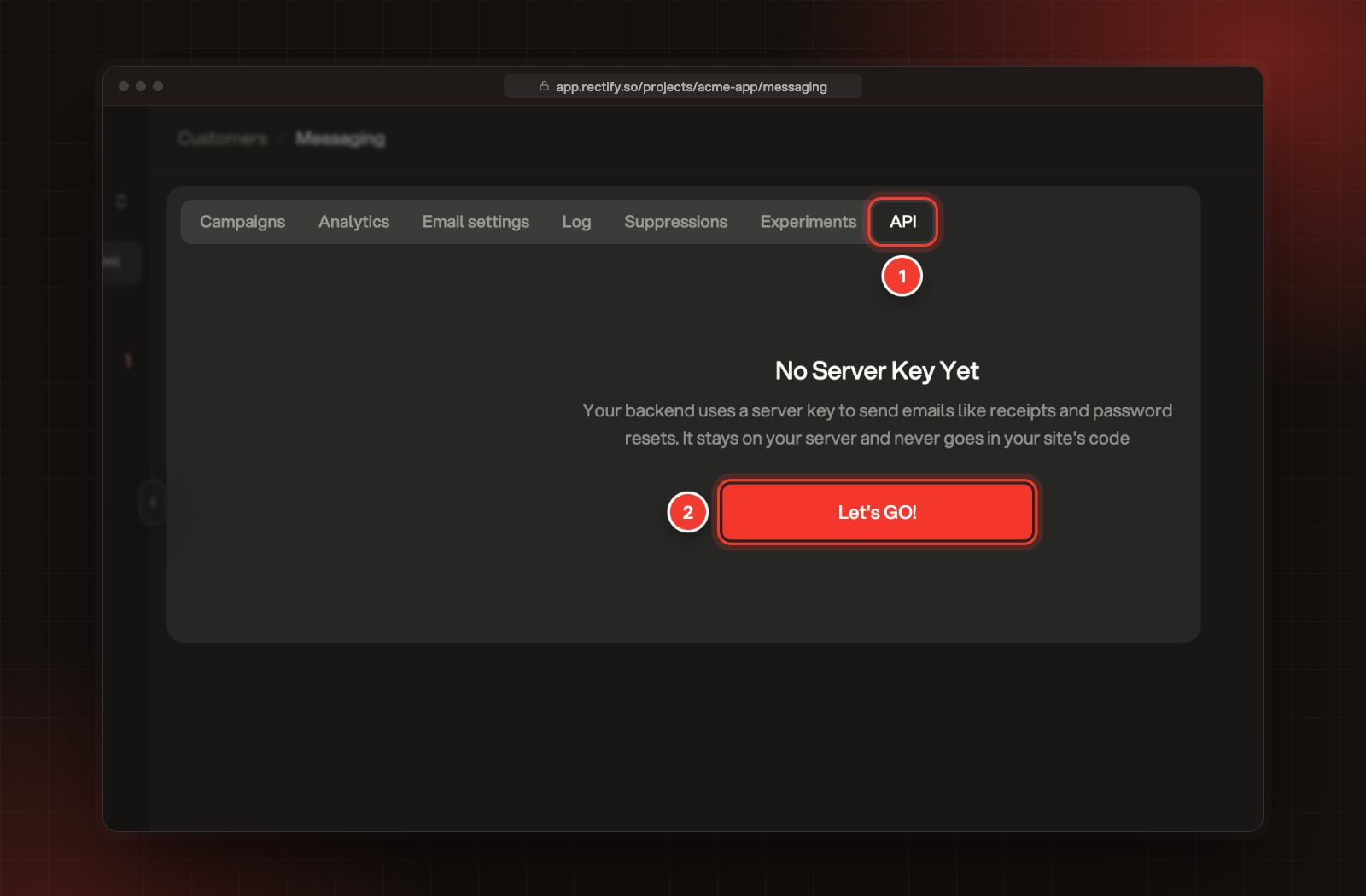
Open Customers, then Messaging, and select the API tab.
2.
Select Let's GO!.
1 API tab. 2 Let's GO!, to create the project's server key.
3.
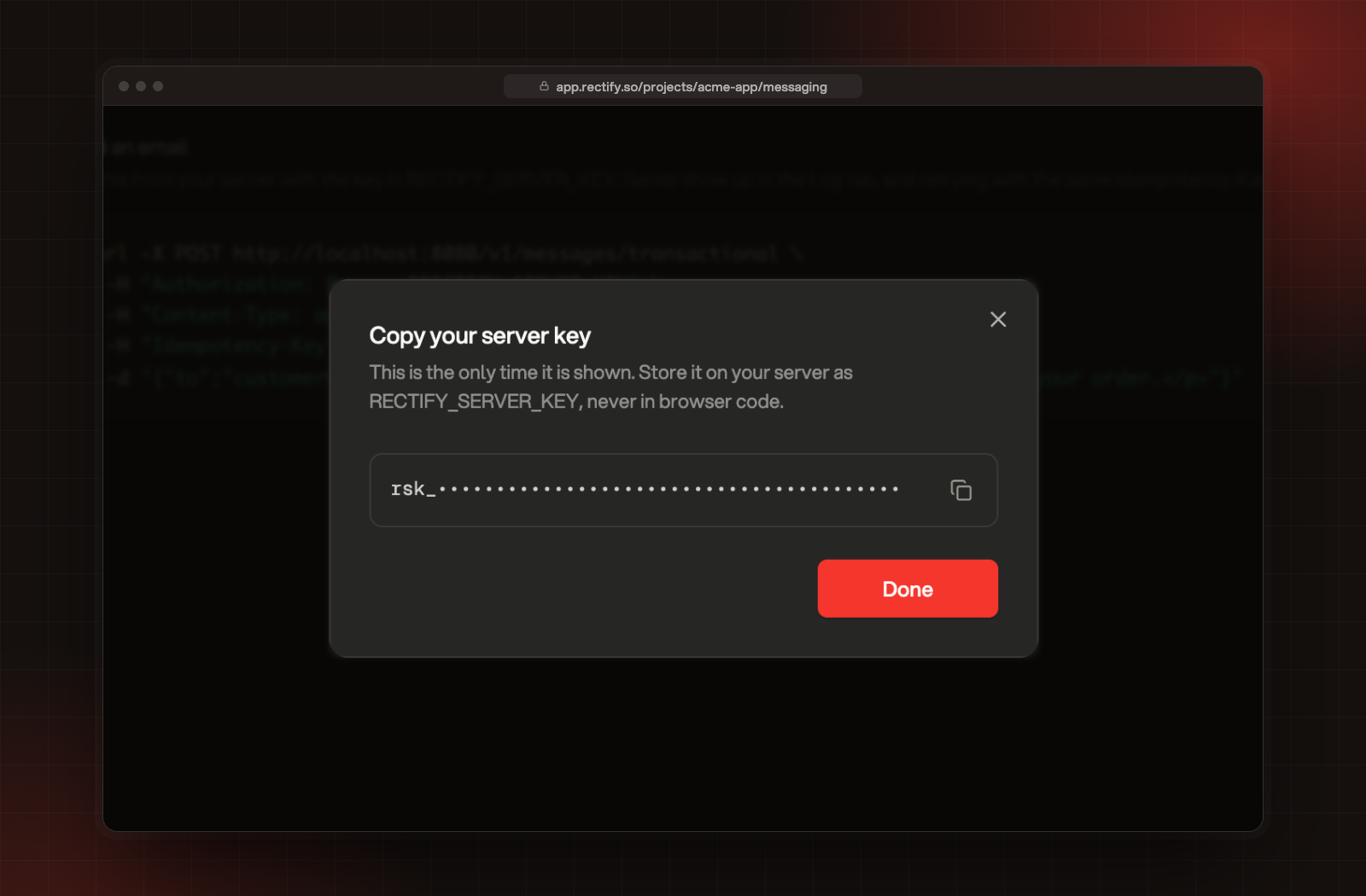
Copy the key from Copy your server key and store it on your server, for example as RECTIFY_SERVER_KEY. Then select Done.
Copy your server key. The key is hidden here.
The key starts with rsk_ and is shown only this once. Rectify keeps only a fingerprint of it, so nobody can see it again, including you. Each project has one server key.
Keep the server key on your server. Never put it in your site's code or a mobile app. The analytics write key and the key the Rectify script uses can't send email.
Send an email
POST https://api.rectify.so/v1/messages/transactional
HeaderValue
AuthorizationBearer YOUR_SERVER_KEY
Content-Typeapplication/json
Idempotency-KeyOptional. Your own ID for this email, up to 200 characters.
FieldTypeNotes
tostringRequired. One email address.
subjectstringRequired. Cut at 300 characters.
htmlstringRequired. The email body as HTML, up to 512 KB.
categorystringtransactional (the default), product or marketing. See below.
templateKeystringOptional. Your own label for the kind of email, such as receipt, up to 100 characters.
idempotencyKeystringOptional. The same as the header, for clients that can't set headers.
experimentIdstringOptional. The ID of an experiment from the Experiments tab.
curl -X POST https://api.rectify.so/v1/messages/transactional \
  -H "Authorization: Bearer $RECTIFY_SERVER_KEY" \
  -H "Content-Type: application/json" \
  -H "Idempotency-Key: order-1042-receipt" \
  -d '{
    "to": "[email protected]",
    "subject": "Your receipt for order 1042",
    "html": "<p>Thanks for your order, Jane.</p>",
    "templateKey": "receipt"
  }'
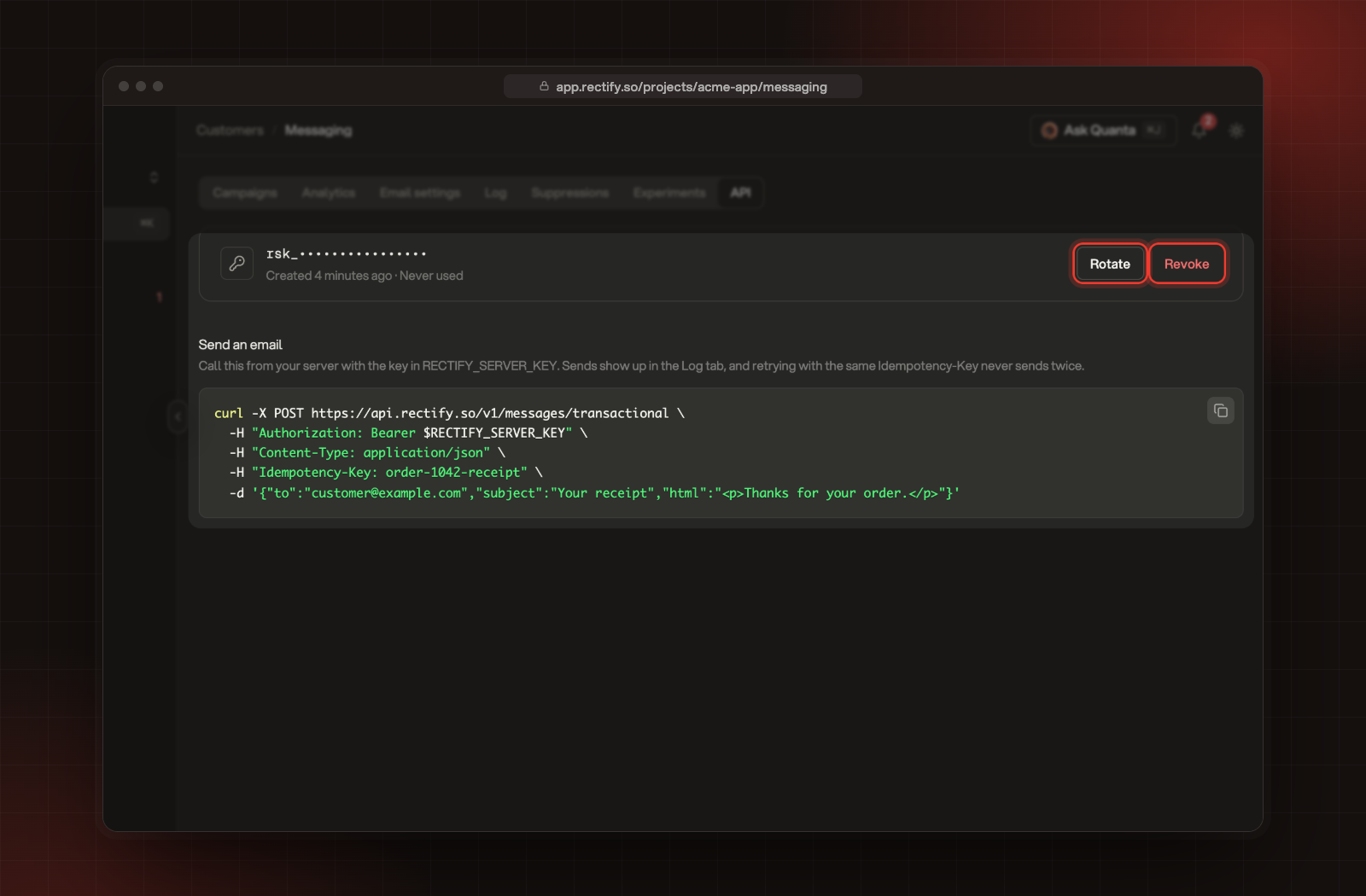
The server key and the send example, under Messaging, API.
Responses
A sent email returns 200:
JSON
{ "messageId": "6a1f2c3d4e5f6a7b8c9d0e1f", "status": "sent", "deduplicated": false }
When Rectify accepts the request but doesn't send the email, it returns 202 with a reason:
JSON
{ "messageId": "6a1f2c3d4e5f6a7b8c9d0e20", "status": "suppressed", "deduplicated": false, "reason": "suppressed:hard_bounce" }
statusWhat happened
sentThe email went out.
suppressedRectify held it back. reason says why.
failedThe send failed. reason has the error.
Common reasons:
reasonMeaning
suppressed:hard_bounce, suppressed:complaint, suppressed:unsubscribe, suppressed:manual or suppressed:invalidThe address is on your project's suppression list. See Messaging, Suppressions.
suppressed:globalThe address is blocked on Rectify's own sending list.
unsubscribed:marketing or unsubscribed:productThe person unsubscribed from that kind of email.
frequency_cappedThe person already got 3 product or marketing emails in the last 24 hours.
holdoutThe person is in the experiment's holdout group.
Send it once, even when you retry
Give each email an Idempotency-Key that's unique to it, such as order-1042-receipt. If you send the same key again, Rectify doesn't send a second email. It returns the first one's messageId and status, with "deduplicated": true. That makes it safe to retry after a timeout or a network error.
Keys are per project. Don't reuse one for a different email.
Categories
categoryUse it forWhat Rectify adds
transactionalReceipts, password resets, sign-in codesNothing. No consent check, no daily cap, no unsubscribe link.
productProduct updates and tipsAn unsubscribe link and header. Skips people who unsubscribed. At most 3 product or marketing emails a day per person.
marketingPromotionsThe same as product, checked against marketing unsubscribes.
A value Rectify doesn't recognise is treated as transactional.
Who it comes from
By default, emails come from Rectify <[email protected]>. To send from your own domain:
1.
Connect Resend under Project settings, Integrations.
2.
Open Project settings, Email notifications, and turn on Project emails under Sending domain.
Emails sent through your own domain have no delivery tracking. They stay marked Sent in the Log, without Delivered or Bounced.
Rotate or revoke the key
Both are on the API tab, next to the key.
•
Rotate makes a new key and shows it once. The old key stops working straight away, so update your server first.
•
Revoke deletes the key. Emails from your server fail until you create a new one.
Errors and limits
StatuserrorFix
400Names the field, for example to A valid email is requiredFix the field and send again.
401Server key required. Send it as Authorization: Bearer <server key>Add the header.
401This endpoint needs your secret server key from Messaging > API. The public write key cannot send emailYou sent the write key. Use the server key.
401Invalid server keyThe key was rotated or revoked. Use the current one.
429Too many send requests, please slow downWait a minute, then retry with the same Idempotency-Key.
Each server key can send up to 300 requests a minute. Each IP address can also make up to 500 requests to the API every 15 minutes.
Check it worked
Send an email to your own address. Then open Customers, Messaging, Log and filter by your address. The email shows with its status, and the key shows Last used on the API tab.
Troubleshooting
The response is 202 and no email arrived
Read status and reason in the response. A suppressed address stays blocked until you remove it under Messaging, Suppressions. Only Owners and Admins can remove one.
I sent the same email twice by mistake
Use an Idempotency-Key that's unique to each email. Retries with that key never send a second time.
The email came from Rectify, not my domain
Check that Resend is connected under Integrations and that Project emails is on under Email notifications, Sending domain.

Was this helpful?

Your feedback shapes what we write next.

Related articles