Replay what someone did before they reported a bug, read the console, network and click logs, and choose what gets recorded.
4 min readUpdated 5 days ago
Before you start. Replays and logs come with bug reports sent from the widget's Report a Bug form. Your plan sets how many replays you get each month, and the console, network and action logs need the Build plan or higher.
When someone sends a bug report, the widget attaches a replay of what they did on the page before they sent it, and technical logs from their browser. You can watch the replay and read the logs next to the report.
Open a replay
From the report:
1.
Open Inbox, then Feedback, and select a bug report.
2.
Select Session replay under the description. Media Preview opens on the Session Replay tab.
Or from the list of every replay:
1.
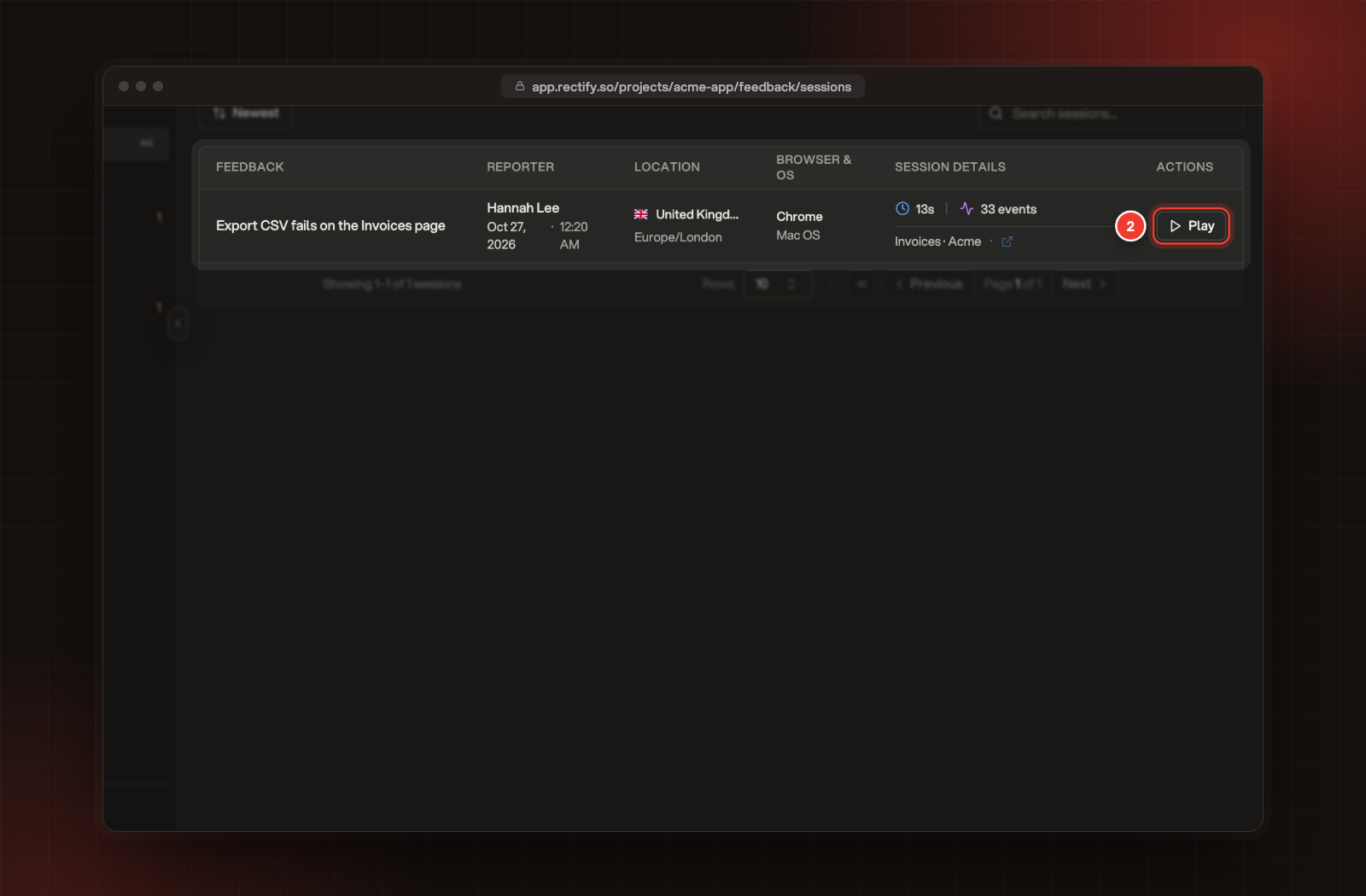
Open Inbox, then Session replays. Each row shows the report, the reporter, their location, browser and how long the session was.
2.
Select Play on a row.
2 Play, on a session in Session replays.
Watch it
The replay starts paused. Play it, drag along the timeline, or switch to double speed. Quiet stretches are skipped as it plays.
Beside the replay:
•
Event Timeline lists what happened, in order: User Actions, Navigation, Page Changes and System. Turn on Major only to hide the small stuff, or search the events. Select an event to jump the replay to that moment.
•
Analysis & Chat asks Quanta about the session. Select Let's GO! for a summary of what the person did, then ask follow-up questions. It uses your AI credits or your own AI key.
Read the technical logs
On the report, select Technical logs next to Session replay. The Technical Logs panel has three tabs:
•
Console: messages from their browser's console: logs, info, warnings and errors. Filter by text or by level.
•
Network: the requests the page made, with each one's address, method and status, and a count of failed ones. It lists requests sent with XMLHttpRequest, which libraries such as axios use. Requests made with fetch() aren't recorded.
•
User Actions: their clicks, keys like Enter and Tab, scrolls, page changes and form submits, in order. The characters they type are never logged.
On the Idea plan, the three tabs are locked. Select Upgrade to Build (or Start 14-day trial, if you can still start one) to open them.
What gets recorded
The widget records while it's on the page. A replay covers about the last four minutes before the report, and recording starts again each time the page loads.
Some things are never recorded:
•
What people type in password fields.
•
The characters people type, anywhere on the page. User Actions only lists keys like Enter, Tab and Escape, and nothing from password fields.
•
Passwords, tokens, API keys, cookies, card numbers and one-time codes in the requests the page makes, whether they're in the address, the headers or the body. They show as [REDACTED].
•
What's sent to sign-in, sign-up and password reset addresses, apart from details like the email address and error messages. It shows as [REDACTED] too.
•
The text in fields people click on. The logged click shows [REDACTED] instead.
Choose what's recorded
1.
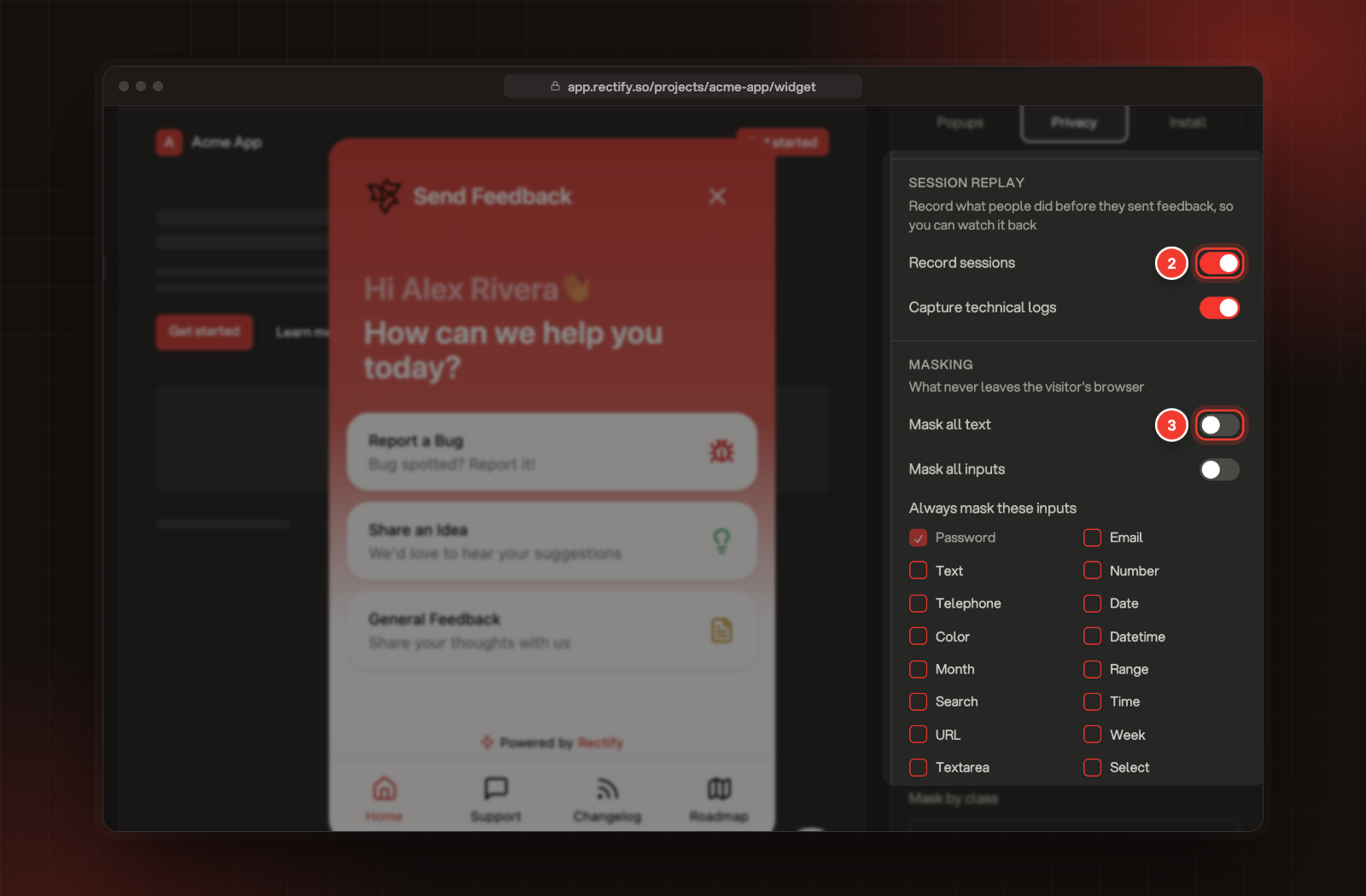
Open Publish, then Widget, and select Privacy.
2.
Under Session replay, switch Record sessions and Capture technical logs on or off.
3.
Under Masking, choose what to hide:
•
Mask all text: every word on the page is hidden in the replay.
•
Mask all inputs: everything people type is hidden.
•
Always mask these inputs: pick field types to hide, such as Email or Telephone. Password is always masked.
•
Mask by class, Block by class and Ignore by class: enter a CSS class name. Elements with it are hidden, left out of the replay, or not recorded when people type in them.
4.
Select Save.
2 Record sessions. 3 Mask all text, with the other masking options.
The changes apply the next time a page with the widget loads.
Check it worked
Send a test report with Report a Bug from your site. In Inbox, Feedback, the report shows Session replay, and Technical logs when logs were captured.
A bug report has no Session replay
Check that Record sessions is on under Privacy. Replays come only with Report a Bug, and stop for the month when you reach your plan's session replays. The report still arrives without one.
There's no Technical logs button
Capture technical logs is off under Privacy, or the report isn't a bug report.
The Network tab doesn't show requests I expected
Only requests sent with XMLHttpRequest are recorded. Requests your app makes with fetch() don't appear.