
Contacts API
Create and update contacts from your server, backfill up to 500 at a time, and attach your own records such as subscriptions or orders.
https://api.rectify.so/v1/contactsAuthorization: Bearer YOUR_WRITE_KEY
Content-Type: application/json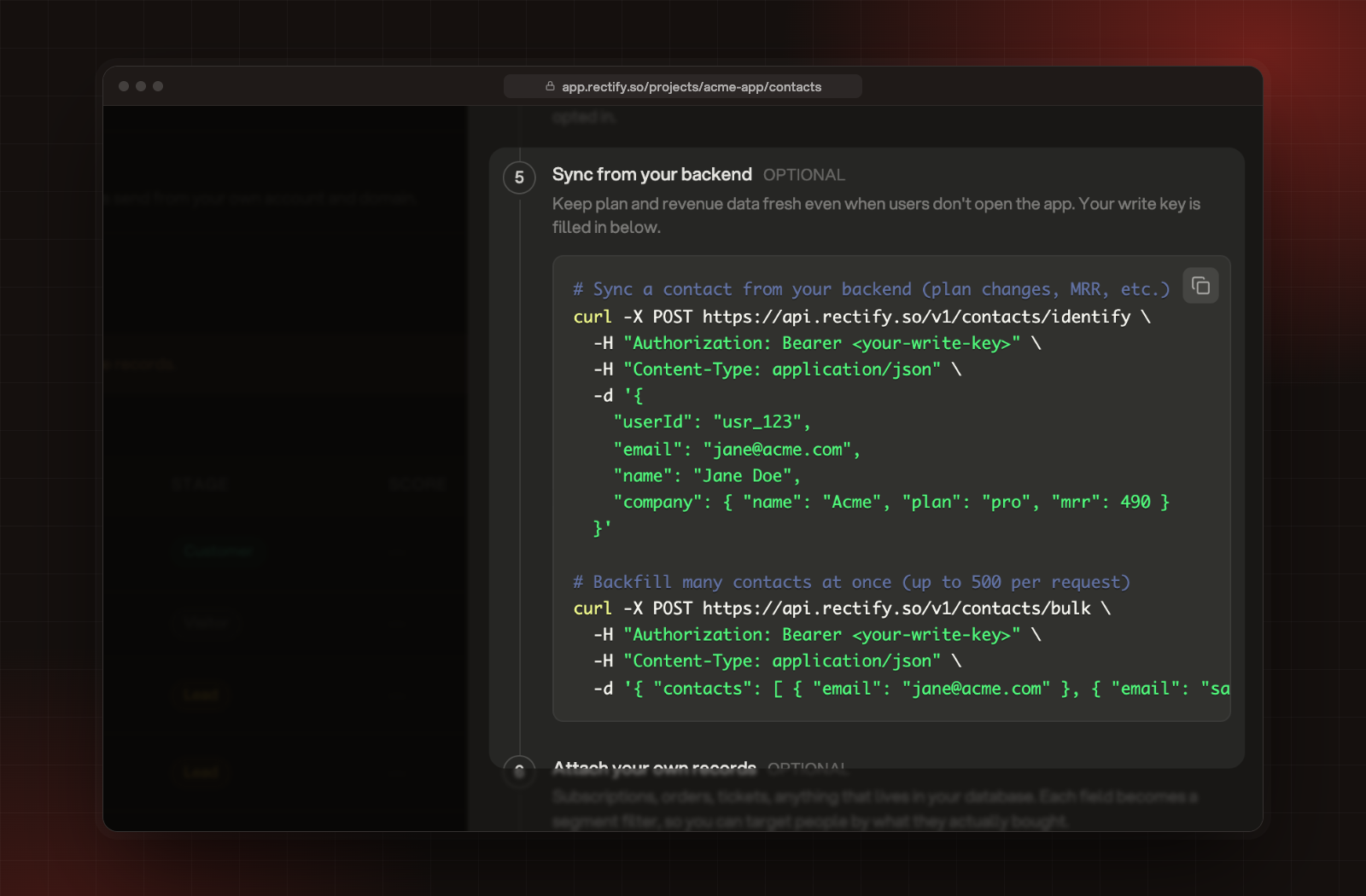
POST /v1/contacts/identifyuserId, email or both. Rectify looks for an existing contact by userId first, then by email, and creates one if neither matches. Each attribute is saved on its own, so fields you leave out keep their values.curl -X POST https://api.rectify.so/v1/contacts/identify \
-H "Authorization: Bearer $RECTIFY_WRITE_KEY" \
-H "Content-Type: application/json" \
-d '{
"userId": "user_123",
"email": "[email protected]",
"name": "Jane Doe",
"company": { "id": "acct_42", "name": "Acme", "plan": "pro", "mrr": 490 },
"attributes": { "plan": "pro", "role": "admin" }
}'{
"ok": true,
"contact": {
"visitorId": "srv_6f1c2a90-3b1e-4d0a-9a51-2f7c8e4b1d33",
"userId": "user_123",
"email": "[email protected]",
"name": "Jane Doe"
}
}plan, mrr and status attributes set the contact's stage, the same as traits sent from the browser. Identify users and send events explains stages and companies.POST /v1/contacts/bulk takes a contacts array of 1 to 500 items. Each item has the same fields as /identify.curl -X POST https://api.rectify.so/v1/contacts/bulk \
-H "Authorization: Bearer $RECTIFY_WRITE_KEY" \
-H "Content-Type: application/json" \
-d '{
"contacts": [
{ "userId": "user_123", "email": "[email protected]", "attributes": { "plan": "pro" } },
{ "email": "[email protected]", "name": "Sam Lee" }
]
}'{ "ok": true, "processed": 2, "failed": 0 }userId nor email counts as failed. The others are still saved.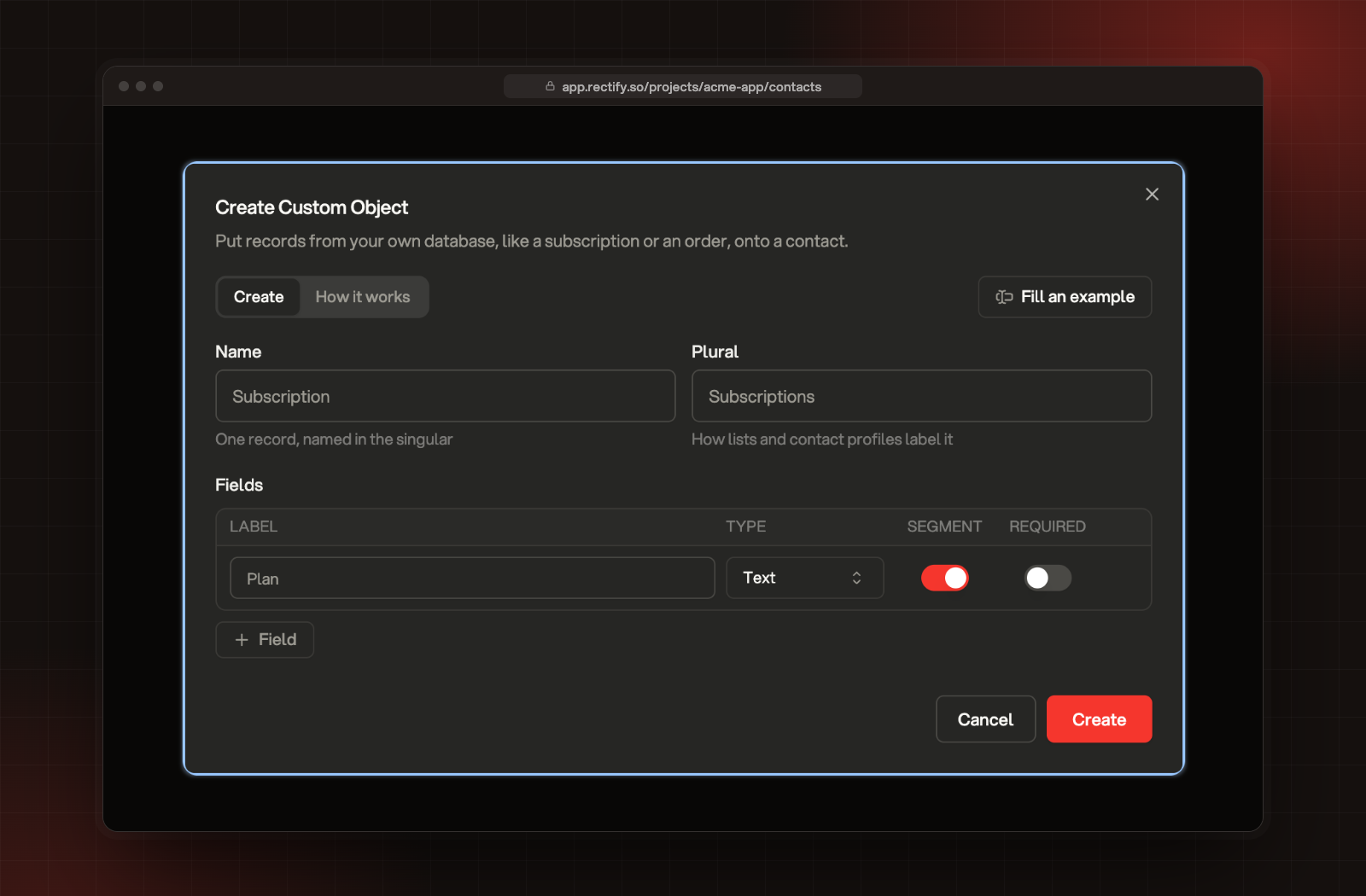
subscription. Field keys are made the same way from their labels, so Renews on becomes renews_on. The key shows next to the object's name in the Objects list. An object can have up to 50 fields.POST /v1/contacts/objects/{objectKey}curl -X POST https://api.rectify.so/v1/contacts/objects/subscription \
-H "Authorization: Bearer $RECTIFY_WRITE_KEY" \
-H "Content-Type: application/json" \
-d '{
"externalId": "sub_123",
"email": "[email protected]",
"data": { "plan": "pro", "seats": 20, "renews_on": "2026-12-01" }
}'{ "ok": true, "contactLinked": true, "companyLinked": true }externalId again updates that record instead of making a second one.data, so send every field each time.warning. Identify the contact first, then send the record again.POST /v1/contacts/objects/{objectKey}/bulk takes a records array of 1 to 500 items, each shaped like a single record.{ "ok": true, "processed": 499, "failed": 1, "failures": [{ "index": 12, "error": "Field \"seats\" must be a number" }] }failures lists up to 20 of them, by position in your array.curl -X DELETE https://api.rectify.so/v1/contacts/objects/subscription/sub_123 \
-H "Authorization: Bearer $RECTIFY_WRITE_KEY"{ "ok": true, "deleted": 1 }error message, for example { "error": "userId or email is required" }.I get 403 "Analytics is disabled for this project"
My record came back with a warning
userId, email, companyId or companyDomain you sent. Send the contact with /v1/contacts/identify first, then send the record again with the same externalId.I get 404 Custom object is not defined
Was this helpful?
Your feedback shapes what we write next.
Related articles
Get contacts in: identify, the Contacts API and forms
Put names on your visitors from your site, send people and companies from your server, and let forms and portal sign-ins identify people for you.
Find people and accounts in Contacts
How visitors become contacts, how companies are grouped, and how to search, filter and tidy up the list.
Add custom objects
Bring records from your own database, like subscriptions or orders, onto your contacts and segment on their fields.
Send server events
Record signups, payments and other events from your backend, and see them on the right contact next to what they did in the browser.